Choose the gaming platform around the household’s existing devices and games, the child’s account and the controls adults can manage; choose headsets, controllers and storage afterwards. Check each accessory against the exact console generation and model, and set communication permissions before regular online play. If the connection is unreliable, check broadband, Wi-Fi coverage and other household use before buying network equipment.
Who is this for?
A first setup and an addition to an existing console call for different purchases, but both need account settings and accessory fit to be considered alongside the hardware.
Families setting up supervised online play
Parents or guardians preparing regular online play for a child aged 8–17 can establish the child account, age settings, playtime rules and communication permissions before adding voice-chat equipment. Ofcom reports that 72% of UK children in this age group who go online play games online; that figure describes activity, not a preference for any particular device.
Shared-home gaming households
Where several people use a console or PC, an extra controller or headset needs to fit the existing device and the way the room is shared. Separate account settings, microphone controls and the connection at the place of play can matter as much as the accessory itself.
Families needing adaptable controls
When a conventional controller is difficult or tiring to use, start with the player’s input and mounting needs and the exact gaming platform. Xbox Support describes external-input options for the Xbox Adaptive Controller, while PlayStation specifies that its Access controller works only with PS5 consoles.
What matters when choosing?
For online play at home involving children aged 8–17, settle the account and platform choice before deciding which accessory addresses the household’s main need.
| Concern |
What to check |
Who this matters to |
| Child accounts and controls |
Check how the chosen platform handles a child account, adult management, communication permissions and game restrictions. Nintendo says its Switch parental restrictions apply to the console rather than to individual users. |
If I am preparing a child’s first regular online setup, I want household rules and communication settings in place before adding chat equipment. About 31% of consumers put supervision and account setup first. |
| Voice chat and shared use |
Match the headset connection to the console and controller; check the microphone controls and whether local shared play calls for another controller. Xbox Support says Xbox One does not connect to headsets through console Bluetooth. |
When the gaming space is shared, I need the child to communicate with friends without making microphone and audio use difficult for everyone else. For about 31% of consumers, manageable voice chat and shared-use accessories are the primary need. |
| Connection at the play location |
Check the connection where gaming happens and what else is using it. Consider device ports and any dock or LAN-adapter requirement before choosing a wired connection; Ofcom notes that Wi-Fi cannot outperform the underlying broadband service. |
If games drop out while others stream or make video calls, I want to identify whether coverage or the household connection is the obstacle. Connection reliability comes first for about 23% of consumers. |
| Adaptable input and storage |
Confirm controller inputs and accessory connectors against the exact platform. Nintendo specifies microSD Express for Switch 2 storage; PlayStation says PS5 games stored on USB extended storage must be copied back before play. |
Where a player needs adaptable controls or an existing console needs more storage, I cannot choose an add-on by appearance or capacity alone. About 15% of consumers prioritise input or expansion compatibility. |
Purchases to check carefully
-
Choosing a headset because it says ‘wireless’
The connection method still has to match the console. Xbox Support says an Xbox One cannot connect to a headset using console Bluetooth; a compatible wired headset can instead use a controller with a 3.5 mm jack.
Check the exact headset, console generation and controller connection, including whether the intended setup calls for an adapter.
An unsupported connection may mean changing the headset or adding a compatible accessory.
-
Expecting network equipment to fix every drop-out
Weak Wi-Fi at the play location and limits in the broadband service are different problems. Ofcom notes that Wi-Fi cannot outperform the underlying broadband service.
Check the connection where the child plays, router placement and other active household use before deciding whether a cable or coverage equipment addresses the problem.
-
Buying storage by capacity alone
Nintendo specifies microSD Express cards for Switch 2. PlayStation says PS5 games cannot run directly from PS5 USB extended storage, even when they can be stored there.
Match the storage format to the console generation and decide whether the aim is to store games or play them directly from the added storage.
Moving a PS5 game back to console storage adds a step before play.
-
Assuming adaptable inputs work across platforms
PlayStation’s Access controller is PS5-only. Xbox Support describes external switches, buttons, mounts and joysticks for Xbox Adaptive Controller setups, but the inputs must suit the player and the intended platform.
Start with the player’s access needs, then check each controller, external input, connector and mount against the selected device.
Relevant brands for reference
These platform ecosystems differ in how their family settings and particular accessories work; a brand name alone does not establish compatibility with a household’s device.
PlayStation
Relevant to households using a PlayStation console and setting up child family members, particularly when considering PS5 accessories.
- PlayStation describes family settings for games and apps, online communication and spending.
- PlayStation specifies that the Access controller is PS5-only and that PS5 games cannot be played directly from USB extended storage.
Xbox
Relevant to Xbox console or Windows gaming households considering connected family settings, headsets or adaptable inputs.
- Xbox privacy settings can manage who communicates with a family member; Microsoft says Family Safety app and game limits can extend across connected Windows, Xbox and Android devices.
- Headset connection depends on the controller and headset. An Xbox Adaptive Controller setup may also require compatible external inputs or mounts.
Nintendo
Relevant to households choosing Nintendo Switch or Switch 2 for portable or shared-room play.
- Nintendo describes parental controls for play limits and feature restrictions on Switch consoles.
- Nintendo says restrictions apply to the console rather than an individual user. Switch 2 storage expansion requires microSD Express, and a wired connection may require a suitable dock or LAN adapter.
Joybuy accessories for family setups
These headsets, controllers and a storage card are additions to particular gaming setups. Choose the platform and child-account settings first, then check the exact device and connection each accessory needs.
 Image unavailable
Logitech ASTRO A10 Gen 2 Wired Headset – White
A wired headset to consider when a child needs audio and voice chat in a shared gaming space. Confirm microphone and audio operation with the household’s exact console and controller before choosing it; headset hardware does not set the child’s communication permissions.
View on Joybuy
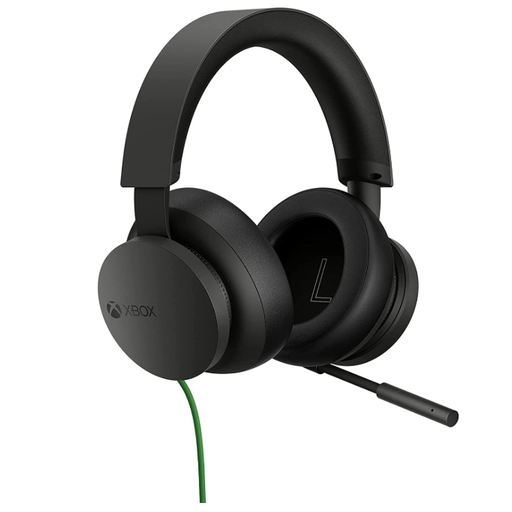 Image unavailable
Official Xbox Stereo Wired Headset – Black
A wired audio option for a household gaming on Xbox. Check that the intended Xbox controller has the headset connection it requires and that the headset suits the device the child will use; set voice-chat permissions separately through the child’s account.
View on Joybuy
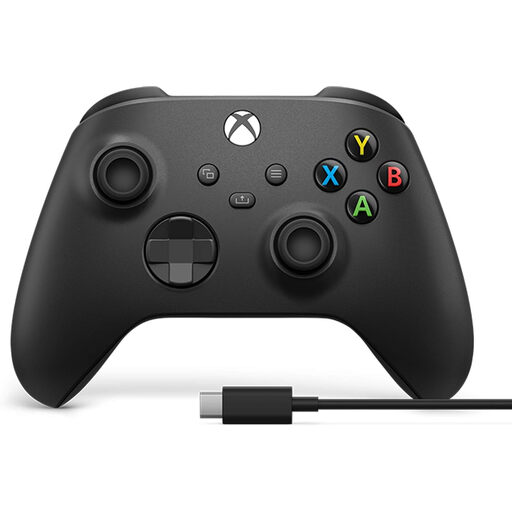 Image unavailable
Xbox Wireless Controller + USB-C Cable – Series X|S, One and Windows
For an Xbox or Windows household adding a controller to a shared setup. The named Series X|S, Xbox One and Windows device variants define the purchase scope; confirm the child’s intended device and any headset connection before ordering. Family settings remain part of the platform account setup.
View on Joybuy
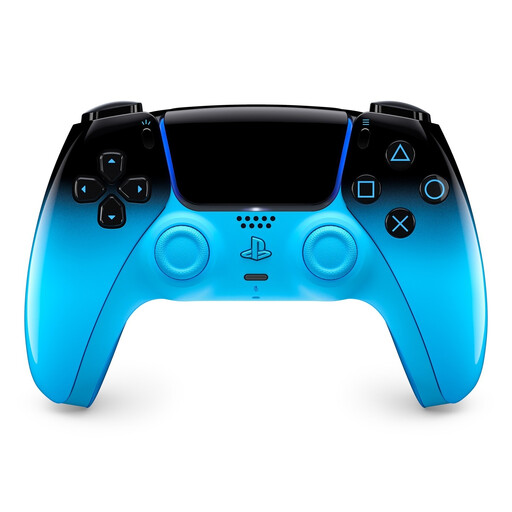 Image unavailable
Sony DualSense Wireless Controller – HYPERPOP Rhythm Blue
A controller option for a PS5 household adding another input device. The product name also identifies PC, Mac and mobile use; check the exact device and game if that is the intended use. PlayStation child-account and communication settings are managed separately from the controller.
View on Joybuy
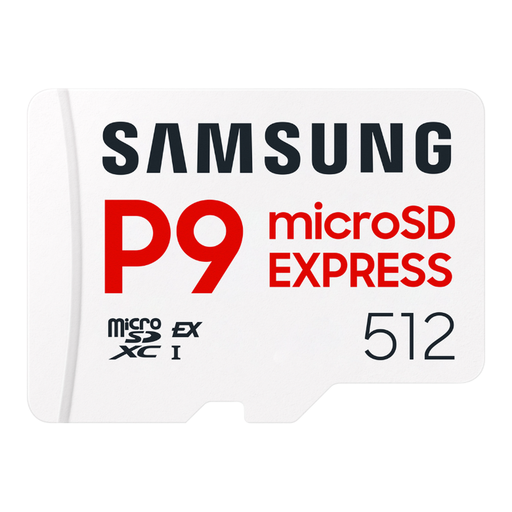 Image unavailable
Samsung P9 Express 512GB microSD Card
A storage-expansion option to assess for a Switch 2 household. Nintendo specifies microSD Express for Switch 2, so confirm the card’s format and the household’s console generation rather than choosing on its 512GB capacity alone. Storage does not change account or communication settings.
View on Joybuy
Common questions
Should I set up parental controls before adding a headset or controller?
Yes: establish the child’s account and adult management settings before regular online play, because a headset or controller does not set communication, privacy or game restrictions. Nintendo says Switch and Switch 2 parental restrictions apply to the console, so consider how those settings affect everyone who uses it.
Will a Bluetooth headset work with any games console?
No. Check the headset’s specified connection method against the exact console and controller. Xbox Support says Xbox One has no console Bluetooth headset functionality; a compatible wired headset can use an Xbox controller with a 3.5 mm jack.
Can PS5 games run directly from a USB extended-storage drive?
No. PlayStation says PS5 games can be stored on compatible USB extended storage but must be copied back to console storage to play. Decide whether the household needs space to store games or storage from which to play them directly.
Can I use an ordinary Nintendo Switch microSD card in a Switch 2?
Not for Switch 2 storage expansion. Nintendo specifies microSD Express cards for Switch 2, so check the card’s format rather than assuming that a card used with an original Switch meets the newer console’s requirement.


