Households considering a new TV
The current screen, app access or number of connections no longer suits shared viewing. The decision is whether replacing the display addresses those problems better than adding another device.


Replace the TV if the screen, picture capability or available connections no longer suit everyone watching together. If the display still works for the room, an HDMI streaming player can refresh access to apps without replacing it; if sound is the main difficulty, assess TV-connected audio instead. Check the existing TV’s ports and supported formats before choosing any add-on.
The current screen, app access or number of connections no longer suits shared viewing. The decision is whether replacing the display addresses those problems better than adding another device.
The screen still fits the room and viewing needs, but a separate streaming interface would be useful. Roku says its streaming players work with HDMI-equipped TVs; picture-format benefits still depend on the TV.
Picture and streaming access are satisfactory, but hearing dialogue comfortably together is the difficulty. A TV-connected soundbar is a route to consider, provided its connections suit the TV.
Start with the part of shared viewing that is not working: the screen, streaming interface, sound or connections. That helps distinguish a TV replacement from an add-on before comparing individual products.
| Concern | What to check | Who this matters to |
|---|---|---|
| Keep or replace the screen | Assess the current picture, screen fit, HDMI inputs and required apps on the exact TV model. | If the screen or integrated app platform no longer works for everyone watching, I need to decide whether a new TV solves the underlying problem. Around 30% of consumers would put display and platform replacement first. |
| Refresh streaming access | Check for a free HDMI input, practical power and network access, and the required apps on the chosen player. | My TV is still suitable, so I want a different way to reach streaming content without changing the display; roughly 30% of consumers would make the streaming interface their primary concern. |
| Hear programmes clearly | Identify the TV’s HDMI ARC/eARC or optical output and check the soundbar’s size and supported connections. | When we watch together, speech is the difficulty rather than the picture or app access. About 20% of consumers would prioritise shared-viewing audio. |
| Connect everything | Count occupied HDMI inputs, identify the ARC/eARC port and check the planned device’s cable and network needs. | I need the existing devices and any new addition to work together without competing for the same connection; around 20% of consumers would put connection or network capacity first. |
Roku says its 4K players can work with an HDMI TV, but displaying 4K or HDR requires a TV that supports the respective format.
Check the TV’s resolution and HDR support before choosing a player for those formats.
Audio features depend on the TV, connection and source format. Sonos says selected home-theatre speakers require HDMI ARC or eARC for Dolby Atmos playback.
Match the intended soundbar’s connection and format requirements to the TV manual and the sources you use.
A streamer needs a connection to the TV, while a soundbar may need its ARC/eARC-labelled HDMI port. Count existing sources as well as planned additions.
Identify the audio-return port and confirm whether the chosen streaming device plugs in directly or requires a cable.
Depending on the final arrangement, a different cable or an HDMI switch may also be needed.
TV Licensing states that you must be covered by a TV Licence to download or watch BBC iPlayer, whatever device you use.
Check that the household is covered before using BBC iPlayer on a smart TV or streaming player.
A separate streaming-player route for households retaining an HDMI-equipped TV.
A smart-TV route for households replacing the display and seeking integrated apps.
A smart-TV route centred on LG’s webOS home screen.
A TV-connected audio route for households assessing soundbar compatibility.
These choices cover adding a streaming player, TV-connected sound or an HDMI cable while keeping an existing screen. Choose by the problem you need to solve, then check the TV’s connections and the exact product requirements.
 No image available
A streaming-stick choice when the household wants to keep its TV. Check the TV’s free HDMI input and required apps; displaying 4K content also requires a compatible TV.
 No image available
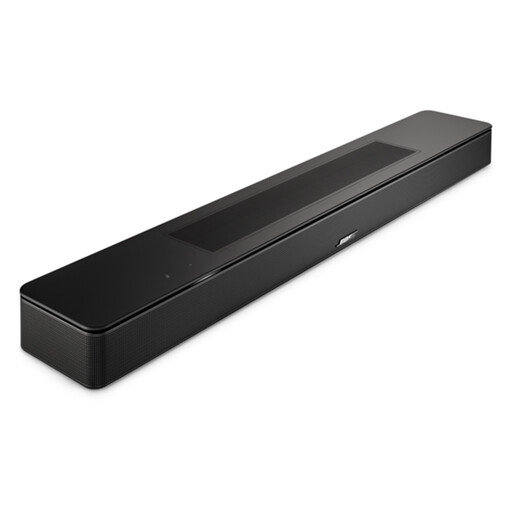
A soundbar to consider when TV audio is the main shared-viewing concern. Check the TV’s available audio output and the space where the bar would sit.
 No image available
Another TV-audio choice, in the Arctic White variant. Confirm that its connections suit the TV and that the bar fits the intended position.
 No image available
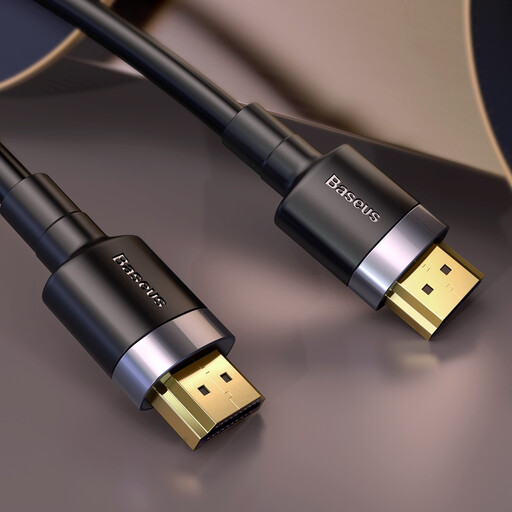
A cable choice when two devices need a male-to-male HDMI connection across 3 m. Check the required signal features on both devices; a cable cannot add an HDMI input or give a TV picture formats it does not support.
No, if the existing TV has a suitable HDMI connection and still meets the household’s viewing needs. Roku says an HDMI streaming player can be added to such a TV, but 4K and HDR viewing require a TV compatible with those formats.
Check the TV’s available HDMI ARC/eARC or optical connection, the soundbar’s requirements and the space beneath the screen. For selected Sonos home-theatre speakers, Sonos says Dolby Atmos playback requires HDMI ARC or eARC.
Yes. TV Licensing states that you must be covered by a TV Licence to download or watch BBC iPlayer, regardless of the device used.
Where the statutory right to repair or replacement applies, section 23 of the Consumer Rights Act 2015 requires the trader to provide that remedy within a reasonable time, without significant inconvenience, and to bear necessary costs. Contact the seller with the order details; this is distinct from a voluntary manufacturer warranty.