Households upgrading an older but usable TV
An HDMI streaming stick or media player can add a newer platform to a satisfactory screen and sound setup. Check the exact device and platform for the apps your household uses.


Start with the services and viewing features your household uses, then check their support on the exact model and software version before buying. Keep a satisfactory HDMI-equipped TV and add a streamer when the screen and sound already suit you; replace the TV only when you also need a new display, and retain a set-top box when its recordings, channels or interface matter. ITVX support information shows that live TV, regional content and accessibility features can vary by platform.
An HDMI streaming stick or media player can add a newer platform to a satisfactory screen and sound setup. Check the exact device and platform for the apps your household uses.
This route suits homes where several people need straightforward controls, profiles, subtitles or audio description. ITVX and Channel 4 guidance shows that these features are not identical across platforms.
A media player with Ethernet can be worth considering where the main TV has an unreliable wireless connection. 4K HDR and Dolby Atmos also depend on compatible content, display and audio equipment.
Choose the route that solves the household’s actual problem first, then confirm apps, connections and controls on the exact device rather than relying on a platform name alone.
| Priority | What to check | Your needs |
|---|---|---|
| Broadcaster apps and live TV | Confirm each required service on the exact model and software version. Check live TV and regional content separately from general app availability. | I want the broadcaster services we use on the main screen, including the live and regional features that matter in our household. |
| Shared controls and accessibility | Check profiles, parental controls, subtitle and audio-description support by service and platform. Confirm whether the remote can control TV or receiver volume through IR or CEC. | Different viewers should be able to find content and control volume without juggling remotes, while accessibility settings need to work for the people who use them. |
| Connections and network | Check for a free HDMI input, cable requirements and the intended soundbar or receiver connection. Consider Ethernet where Wi-Fi near the TV is unreliable. | The setup needs to connect cleanly to our TV and sound equipment, with stable playback in the room where we watch. |
| Picture and audio chain | Match 4K HDR support to the television and source content. Check audio-format support across the streamer, service and compatible sound equipment. | I only need higher-specification video or audio features if the rest of our viewing chain can use them. |
| Supply for the delivery location | For mains-powered equipment, confirm the supplied power arrangement and product documentation for the delivery location. Great Britain and Northern Ireland have different market-placement contexts under official guidance. | I want mains-powered equipment that is appropriate for where it will be delivered and used. |
ITVX has different platform lists for app access, live TV, regional content, profiles and accessibility features. A device can carry an app yet lack a feature the household uses.
List the services and features used at home, then check each one on the exact model and software version before purchase.
Higher-specification hardware alone cannot add compatible display, content or audio support. Apple states that 4K/HDR streaming needs a compatible 4K/HDR TV, while Amazon notes that Dolby Atmos availability depends on selected services and compatible equipment.
Check the TV’s HDMI inputs, HDR support and soundbar or receiver connection before choosing a premium streamer.
Apple TV 4K and Google TV Streamer require an HDMI cable sold separately.
Amazon states that its Fire TV Stick 4K Max needs a compatible Wi-Fi 6E router to benefit from Wi-Fi 6E.
If the issue is weak wireless coverage near the TV, compare an Ethernet-capable player or improve the network path rather than relying on a newer Wi-Fi label.
Official GOV.UK guidance treats electrical-equipment market-placement requirements differently in Great Britain and Northern Ireland.
Confirm the delivery market, power arrangement and available product documentation before ordering a mains-powered TV, box or adapter.
A streaming-stick and Fire TV platform route for households that prefer an HDMI stick and an Alexa-style remote.
A mains-powered media-player route for homes wanting Apple TV support, a rechargeable remote and optional Ethernet.
A Google TV route for households wanting a mains-powered streamer with Ethernet, a voice remote and casting features.
A streaming-stick or Roku-TV platform route for homes prioritising ITVX support and simple streaming controls.
Joybuy options for households choosing between adding a streaming stick to an existing TV or replacing the main display with a smart TV.
 No image available
A compact option for retaining an existing TV with a free HDMI input while adding streaming controls.
Stated features include direct HDMI connection, 4K Ultra HD, Dolby Vision, HDR10+, HDR, long-range Wi-Fi and a voice remote with power and volume control.
Confirm the household’s required broadcaster, live, regional and accessibility features on this exact Roku model and software version.
 No image available
A streaming-stick route for an older but usable TV when shared viewers need simpler power and volume control.
The listing states 4K streaming, long-range wireless reception, a rechargeable Voice Remote Pro, private listening and remote finder.
Check the free HDMI input, supplied power arrangement and the exact broadcaster-service features needed at home.
 No image available
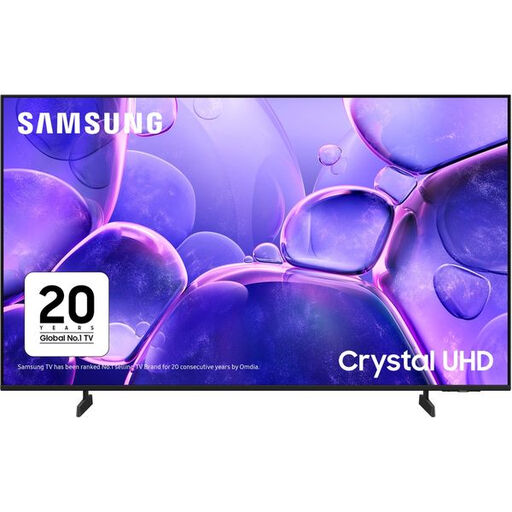
A full display-replacement option for households that need both a new main screen and connected viewing.
The listing states 4K resolution, Wi-Fi, Ethernet, three HDMI ports, eARC, CEC, integrated DVB tuners, a remote and Voice Guide.
Check current app, live-TV, regional-content and accessibility support for this exact Tizen model before ordering.
 No image available
A replacement-TV route when a new screen and integrated Google TV platform are both required.
The listing states 4K UHD HDR, HDR10, HLG, HDR10+, Dolby Vision, HDMI 2.1, ALLM, VRR, Google Assistant and Dolby Atmos audio.
Dolby Atmos depends on compatible content and audio equipment; verify required broadcaster features on the installed Google TV software.
 No image available
A larger replacement-screen option for homes that want integrated Google TV rather than an added streaming device.
The listing states 4K UHD HDR, HDR10, HLG, HDR10+, Dolby Vision, HDMI 2.1, ALLM, VRR, Google Assistant and Dolby Atmos audio.
Confirm the precise broadcaster apps, regional functions and accessibility features required by the household before purchase.
No. ITVX says support can depend on platform, model and software version, and its guidance distinguishes general app availability from live TV, regional live content, profiles and accessibility features. Check the exact model before buying.
A stick is a lower-disruption option when the existing TV has a usable HDMI input and the household is happy with its screen and sound. It will not fix a poor display, a missing HDMI input, an incompatible sound setup or an unavailable service feature.
Both manufacturers state that an HDMI cable is required and sold separately. Google specifies a certified HDMI 2.1 cable for Google TV Streamer, while Apple states that 4K/HDR streaming requires a compatible 4K/HDR television.
No. Audio depends on the service, programme and compatible audio equipment. Amazon states that Dolby Atmos on Fire TV Stick 4K Max is available only on selected streaming services with compatible equipment.
No. GOV.UK guidance treats Great Britain and Northern Ireland separately for electrical-equipment market placement. For mains-powered equipment, check that the seller’s documentation and supplied power arrangement are suitable for the delivery location.