What to check before buying
Start with the TV already in the room, then check the network and any planned sound connection before choosing a streamer, stick or audio device.
| Priority |
What to check |
Your needs |
| Existing TV platform |
Check the exact TV model’s current UK apps, internet connection, remote controls and free inputs. Confirm the platform still provides the services the household uses. |
I want to avoid duplicating a device when the TV already works reliably for everyone who uses it. |
| Connection at each TV |
Test Wi-Fi coverage where the TV is located. If the router can be reached by cable, compare built-in Ethernet with a compatible wired accessory; a Wi-Fi 6 label does not by itself solve weak coverage. |
A screen in a distant or busy part of the home needs a connection that remains dependable while others are online. |
| Picture and sound chain |
Confirm a free HDMI input, the TV’s supported HDR formats, the specified cable and any ARC/eARC port. The TV, streamer, audio device and content need compatible formats. |
I want the picture and audio features I am buying to work with the screen and sound equipment already in the room. |
| Shared viewing rules |
Check each service’s current UK household rules, plan and concurrent-screen allowance. Device count and permitted simultaneous viewing are not necessarily the same. |
More than one person may want to watch in the home, so I need to confirm the account arrangements rather than assume another TV adds another stream. |
Joybuy product options
Joybuy options for adding a separate HDMI streaming platform to an existing TV or improving sound for shared main-room viewing.
 No image available
Bose Smart Ultra Soundbar Arctic White
A TV-audio option for a shared main room where dialogue clarity is important.
Listed features include HDMI eARC, optical input, Wi-Fi, Bluetooth, room calibration and nine transducers with upward-firing drivers. Verify that the intended TV has a compatible eARC port; SimpleSync features need compatible Bose equipment. Check the supplied UK power arrangement before buying.
Joybuy
 No image available
Roku Streaming Stick 4K Dolby Vision
A compact HDMI option for an existing TV that needs a separate streaming interface and shared controls.
It lists 4K Ultra HD, Dolby Vision, HDR10+, AirPlay, long-range Wi-Fi and a voice remote for search, playback, TV power and volume. Ethernet capability is not stated, so check Wi-Fi coverage at the TV; 4K/HDR also depends on the connected TV and content.
Joybuy
 No image available
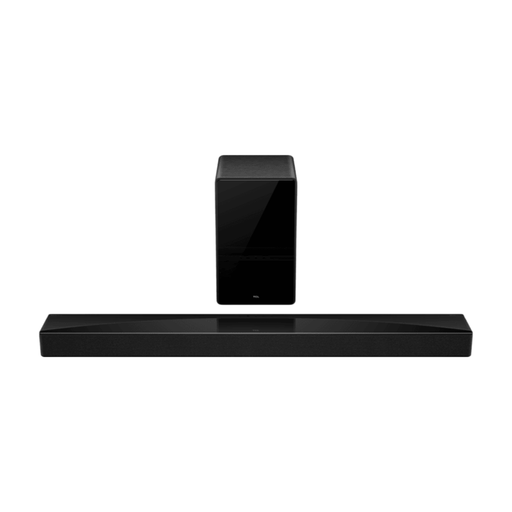
TCL Q75 Series 5.1.2 Soundbar
Designed for shared main-room viewing where dialogue clarity and a multi-channel audio setup are priorities.
Listed specifications include 5.1.2 channels, HDMI eARC, Dolby Atmos, DTS:X, a dedicated centre channel, room adaptation, Bluetooth, AirPlay 2 and a wireless subwoofer. Dolby Atmos needs a compatible TV eARC path and suitable source content; allow space for the soundbar and subwoofer.
Joybuy
 No image available
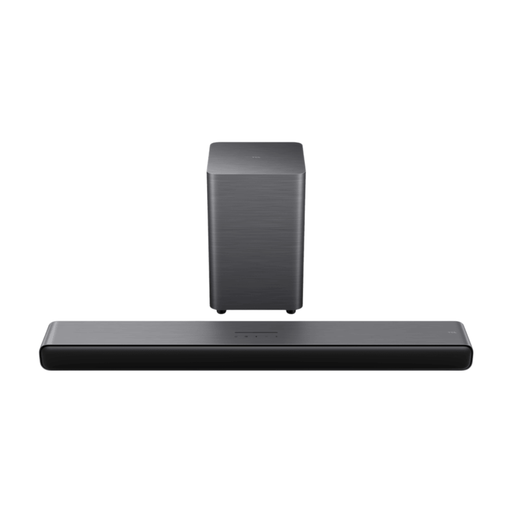
TCL S55H S Class 2.1 Channel Sound Bar
A simpler TV-audio route for a shared living room that needs a soundbar and wireless subwoofer.
It lists 2.1 channels, 220W maximum output, HDMI eARC, Dolby Atmos, DTS Virtual:X, room adaptation, app control and a wall-mount kit. Confirm the TV’s eARC connection and the source format before planning for Atmos; TCL-specific integration may not apply to other TV brands.
Joybuy
 No image available
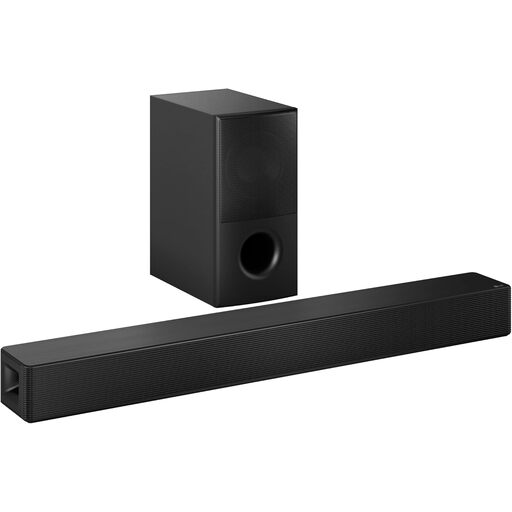
LG SH5A 320W 2.1 Soundbar with Wireless Subwoofer
A TV-audio option for shared viewing where speech is difficult to hear and the TV has an ARC-labelled port.
Listed features include 320W output, 2.1 channels, HDMI ARC, optical input, Bluetooth, Dolby Digital, DTS Digital Surround and a wireless subwoofer. Dolby Atmos is not stated; confirm the TV’s usable ARC connection, and check the supplied UK power arrangement and HDMI cable details.
Joybuy
Frequently asked questions
When should I keep using the smart-TV apps instead of buying a streaming device?
Keep using the TV if it has the UK services your household uses, a stable connection, workable controls and the audio connection you need. Add a streamer when one of those checks fails, or when you specifically want a separate platform, casting, a different remote arrangement or built-in Ethernet. Ofcom estimated that 86% of UK primary TV sets in use at the end of 2023 could watch TV online, but that does not confirm current app support on an individual set.
What should I check on the TV before buying a 4K streamer?
Check for a free HDMI input, the picture standards you expect to use and the right connection for any planned soundbar. Apple states that 4K/HDR streaming requires a 4K/HDR TV, while Google TV Streamer documents HDMI 2.1 and several HDR formats; the final result still depends on the connected TV and content.
Do I need Ethernet for a shared household setup?
Not automatically. Wi-Fi can be suitable where coverage is reliable at the TV location and normal simultaneous use does not cause interruptions. Consider built-in Ethernet, such as on the cited Google TV Streamer or Apple TV 4K Wi-Fi + Ethernet model, when cable routing to the router is practical and dependable wired access is a priority.
Will an HDMI soundbar automatically give us Dolby Atmos?
No. The TV and soundbar need a compatible audio path, the soundbar must use HDMI ARC or eARC where required, and the chosen content and service must provide Atmos. Sonos states that its cited home-theatre speakers require HDMI ARC or eARC for Atmos playback, while Amazon limits Atmos on the cited Fire TV Stick to select services and compatible equipment.
Can household members use one streaming account on several TVs?
Check the current terms and plan for every service used rather than assuming that another TV permits another stream. Netflix says a Netflix Household consists of devices connected to the internet at the main viewing place and that concurrent viewing is limited by membership plan from one to four screens; arrangements can vary by plan, billing arrangement and country.


