What to check before buying
Start with how people will share the tablet, then check controls, apps and the hardware that affects viewing and calls.
| Priority |
What to check |
Your needs |
| Separate people and privacy |
Check whether the exact Android tablet supports multiple users; compare this with Windows accounts or Apple Family Sharing. Confirm how home screens, apps, files and sign-ins are separated. |
I want different people to have their own space on the same device, rather than sharing one set of accounts and browsing history. |
| Child controls |
Check whether controls use a child account, a child profile or device-wide settings. Review screen-time limits, app permissions, content filters and purchase controls. |
I need adults to set boundaries for children without constantly reconfiguring the tablet for everyone else. |
| Viewing and calls |
Compare screen size and resolution, speaker layout, front-camera position and stated battery conditions. For manufacturer battery claims, compare only like-for-like conditions. |
I want comfortable shared viewing, casual games and video calls when the tablet is propped up horizontally. |
| Apps and accessories |
Check every required streaming, calling, gaming and school app on the intended operating system. Match cases and stands to the exact model and generation, including camera and port cut-outs. |
I need the services we already use to work, plus a case or stand that fits without blocking cameras, microphones or controls. |
Joybuy tablet options
Joybuy Android tablet options for shared home streaming, browsing, casual games and video calls. Check the exact model’s user-profile and parental-control support before relying on it for separate household spaces.
 No image available
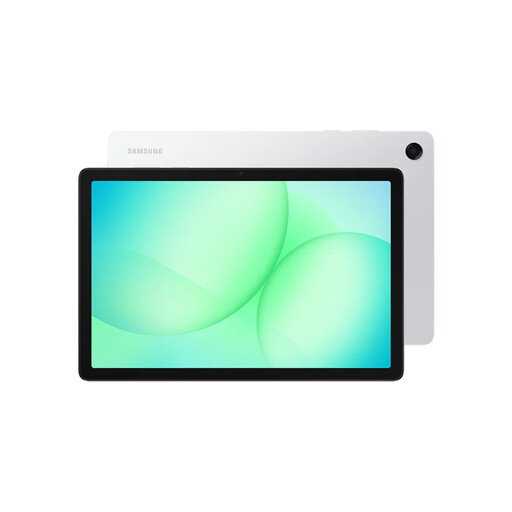
Samsung Galaxy Tab A11+ 5G X236 6GB/128GB
For shared streaming and calls away from Wi-Fi, this model lists 5G connectivity, an 11-inch display, quad speakers and a 5MP front camera.
Stated specifications include a 1920 × 1200 90Hz display, 7,040mAh battery, microSD support and 25W charging. Confirm whether this exact model supports multiple Android users and how that setting works with parental controls; also check charger inclusion and required apps.
Joybuy
 No image available
Samsung Galaxy Tab A11+ 11-inch 128GB Wi-Fi
This Wi-Fi model is aimed at shared films, browsing and household video calls, with an 11-inch display and a listed 5MP front camera.
Listed features include a 1920 × 1200 90Hz display, quad speakers, 6GB RAM, 7,040mAh battery, USB-C, microSD expansion and a headphone jack. Verify multiple-user support, parental-control setup, charger requirements, required apps and exact-model stand compatibility.
Joybuy
 No image available
Xiaomi Pad 8 8GB/128GB Wi-Fi
This Android tablet lists a large screen, four speakers and an 8MP front camera for shared viewing, browsing, games and calls.
Its stated specifications include an 11.2-inch 2136 × 3200 display, 144Hz support, 8GB RAM, Wi-Fi 6/7, USB-C and a 9,200mAh battery. Battery capacity does not indicate streaming or video-call runtime, so check expected endurance, user-profile support, required apps and exact case fit.
Joybuy
 No image available
DOOGEE U11 Pro 256GB Android Tablet
For routine home streaming, browsing and calls, this tablet lists an 11-inch 90Hz IPS display, dual-band Wi-Fi and a 5MP front camera.
Stated features include 256GB storage, microSD expansion, USB-C, a 3.5mm jack and an 8,580mAh battery with an up-to-11-hour video-playback claim. That claim does not establish mixed-use endurance; confirm user-profile support, required apps and case or stand compatibility.
Joybuy
 No image available
Samsung Galaxy Tab A11+ 8GB/256GB Wi-Fi
This is a general-use Android option for shared browsing, media and calls, with an 11-inch display and listed 5MP front camera.
Listed specifications include a 1920 × 1200 display, 8GB RAM, 256GB storage, microSD expansion to 2TB, Android 16, USB-C, Wi-Fi and Bluetooth. Confirm the multiple-user arrangement, child controls, charger inclusion, speaker configuration, required apps and exact-model case fit.
Joybuy
Frequently asked questions
Can one Android tablet give different people separate spaces?
Potentially. Google Help says a device can be shared by creating a user profile for each person, with personal home screens, accounts, apps and settings. Confirm that the exact tablet supports the multiple-users option and the relevant Android version before purchase.
Can one ordinary household iPad have separate user log-ins?
Do not assume so. Apple Support documents Shared iPad as a system for supervised, organisation-owned devices using a device-management service and Managed Apple Accounts. For a normal household iPad, use separate Apple Accounts and Family Sharing for service and child-management sharing instead.
How many child profiles can a Fire tablet have?
Amazon says compatible Fire tablets can have up to four separate child profiles. These can provide each child with a customised Amazon Kids experience and their own recorded progress.
Do parental controls work without setting up accounts correctly?
Usually not fully. Apple Screen Time for a child relies on Family Sharing and the child’s Apple Account; Google controls can use a supervised child Google Account or supported on-device controls; Amazon Kids uses child profiles. Set up the intended account or profile structure before handing over the tablet.
What UK safety check should I make when buying a tablet or replacement charger?
Buy from a reliable seller and use the supplied charger or a genuine appropriate replacement from a trusted supplier. GOV.UK states that electrical equipment placed on the Great Britain market must meet safety objectives, while London Fire Brigade warns that damaged, unsuitable or counterfeit chargers can create battery-fire risks.


