Shared-TV players
If you want people in the room to play together, check the games’ local multiplayer modes and how many suitable controllers are included or needed. A TV connection alone does not establish that a game supports couch co-op.


Start with the games your household wants and whether players need to share the television or use another screen. A TV console suits a household whose preferred games fit its library and whose television is available; a dockable handheld adds a personal screen, while cloud gaming depends on compatible equipment, a suitable connection and access to the games or service you intend to use.
If you want people in the room to play together, check the games’ local multiplayer modes and how many suitable controllers are included or needed. A TV connection alone does not establish that a game supports couch co-op.
If you want to play while someone else uses the television, compare a dockable device’s handheld mode with a TV-only console or cloud app. Nintendo documents TV, tabletop and handheld modes for Switch 2.
If children will use the setup, consider age-appropriate accounts, spending and interaction settings as well as game choice. Nintendo’s Switch 2 restrictions apply at console level, while Xbox provides family settings.
| Concern | What to check when buying | Who this matters to |
|---|---|---|
| Playing together on the TV | Check each game’s local-player modes and controller requirements; confirm whether a dock is needed. | If I want several people to play on one screen, I need the games and controllers to support that setup. Consumers whose primary concern is shared-screen play make up about 26%. |
| Access to the games you want | Check the platform’s game library, individual game compatibility and whether existing discs can be used on the exact model. | If our household already has favourite games or physical discs, I want to know they will work before choosing a platform. Consumers who put their game library and purchase format first make up about 21%. |
| Children’s accounts and settings | Check how child accounts, content settings and restrictions work, including whether controls apply per account or to the whole console. | When children will use the system, I want to manage what they can access and how they interact online. Consumers prioritising children’s access and interactions make up about 21%. |
| TV access and room space | Check available TV inputs, power and placement; confirm whether the device offers handheld play or needs a dock for TV mode. | If the television is shared or space is limited, I want a setup that fits the room and lets others use the screen when needed. Consumers who prioritise TV flexibility and room fit make up about 16%. |
| Connection and ongoing services | For cloud play, check support on the exact TV or streaming device, controller compatibility and connection at the TV; review game and membership requirements. | If I am weighing cloud play or recurring services, I want to know what equipment, connection and access the games require. Consumers who prioritise connection and ongoing costs make up about 16%. |
A device can display a game on the television without that game supporting several local players.
Check the intended game’s player modes and controller requirements before choosing hardware or adding controllers.
You may need an additional suitable game or controllers for the way your household wants to play.
The cited PS5 Digital Edition has no built-in disc drive, and Xbox describes Series S as disc-free.
List the discs you already own and check the full console variant before ordering.
Cloud gaming depends on a supported device and a suitable internet connection, unlike playing a locally installed game.
Check support for the exact TV or streaming device, the intended games, controller compatibility and access requirements. Test the connection where you plan to play.
A compatible controller and continuing internet access may also be needed.
Nintendo says accounts must be added to a family group for family-membership coverage, while Switch 2 parental restrictions apply to the console rather than separately to each user.
Set up the household’s actual accounts and review membership coverage and child restrictions on the chosen platform.
Switch 2 is a dockable-console option for households that want to play its games on a television or away from it.
PS5 is a TV-console route for households whose preferred games are on PlayStation; disc-equipped and Digital Edition models suit different formats.
Xbox offers TV consoles and cloud gaming through supported TV or streaming-device apps.
Steam Deck OLED is a handheld-PC option for households that want a suitable Steam library away from the TV and the option to connect to a display.
ROG NUC (2025) represents a compact-PC route for households considering PC games or other PC uses in the living room.
These Joybuy choices focus on handheld gaming devices and TV-connected console setups, including bundles where specified.
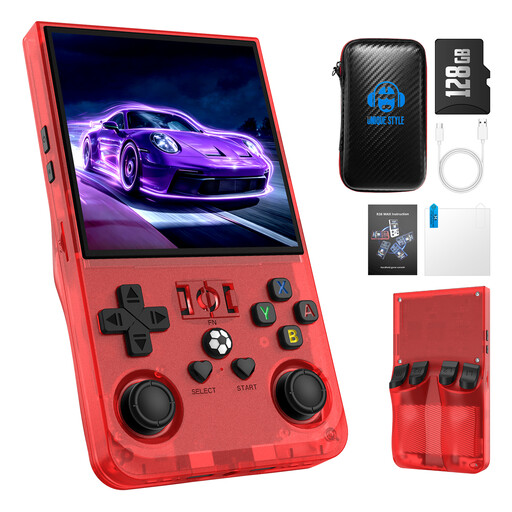 No image available
A handheld screen gives you a separate option when the household television is in use.
4.0-inch IPS display; 720x720 resolution; Linux system; 128GB storage; 4000mAh battery; supports 22,000+ classic games.
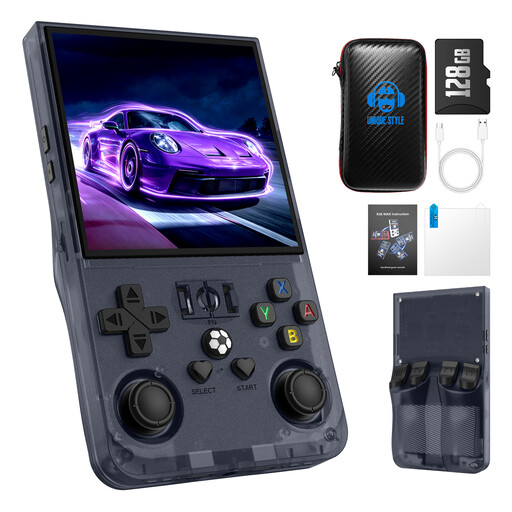 No image available
This handheld option has its own screen for gaming when the shared TV is occupied.
4.0-inch IPS display; 720x720 resolution; Linux system; 64GB storage; 4000mAh battery; supports 22,000+ classic games.
 No image available
Consider this bundle if your household wants a Switch 2 setup for TV and handheld play; check the included items and game against your plans.
The product title names Nintendo Switch Sports Resort. The product description identifies a dock, Joy-Con 2 controllers and TV, handheld and tabletop play. Online services require a Nintendo Account and internet connection; GameChat also has membership and mobile-number requirements.
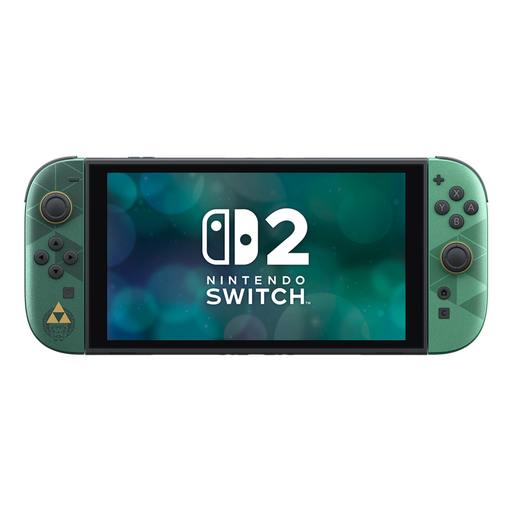 No image available
This Switch 2 option is for households interested in the named edition and a console that can be used handheld or docked for TV play.
The product description identifies detachable Joy-Con 2 controllers and TV output. Its online features require an internet connection, Nintendo Account and Nintendo Switch Online membership.
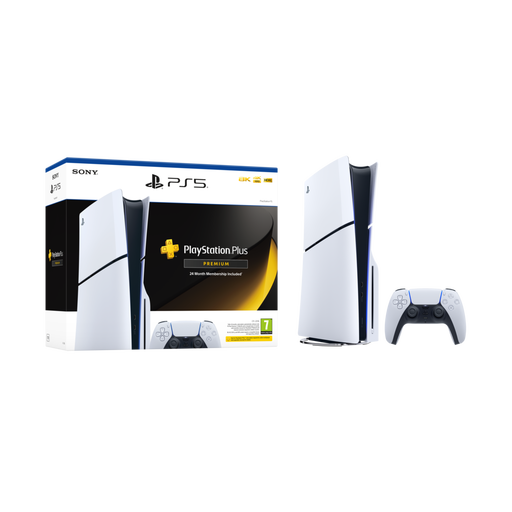 No image available
Consider this bundle if your household wants a PlayStation 5 setup and is also weighing the named subscription period.
The product title specifies a 24-month PlayStation Plus Premium subscription bundle. Check the console variant and the subscription terms against the games and online features you intend to use.
Not as a universal rule; it depends on the game and platform. Nintendo says some Switch games require Switch Online for online play, and family membership covers accounts added to a family group rather than every console user automatically. PlayStation describes sharing some Plus benefits on one activated PS5. Xbox says its TV cloud app can use an eligible Game Pass plan or a supported free-to-play game. Check the intended games and accounts before subscribing.
No. Nintendo says Switch 2 TV mode requires a Switch 2 dock and that the original Switch dock is not compatible for that purpose.
Confirm that the app supports your exact TV or streaming-device model and that you can pair a compatible controller. Xbox recommends a connection of at least 20 Mbps for cloud gaming on a TV or streaming device, with wired networking or 5 GHz Wi-Fi preferred; test the connection where the TV is located.
Check the child’s account, platform settings and who they can play or communicate with. Ofcom advises parents to review a child’s account and platform settings. Nintendo says some Switch 2 parental restrictions apply to the whole console, while Xbox offers family settings for content, purchases, screen time and interactions. These platform features do not establish that every risk is removed.