What matters when choosing?
Settle the staff-access workflow and screen arrangement before choosing a chassis size. Then compare the precise configuration with the space available and any planned upgrades.
| Concern | What to check | Who this matters to |
|---|
| Staff access and sales data |
Choose an individual-account, managed guest or single-purpose workflow. If using Microsoft’s cited Intune shared-device profile, check Windows edition and administration arrangements. |
If several staff use the PC, I need each person’s access to match their work, especially when records contain personal information. Around 30% of consumers put shared access and data protection first. |
| Sales-review screens |
Confirm the selected configuration’s simultaneous display support and match its connections to the monitors’ inputs and resolutions. |
Keeping a dashboard and spreadsheet visible together matters more to me than changing the PC’s footprint. For around 30% of consumers, the review-screen workflow is the primary concern. |
| Desk or counter space |
Measure the intended location and check the precise model’s port placement and mounting options against connected equipment. |
When the workstation shares a crowded surface, I need the computer to fit without obstructing everyday use. Desk-space fit comes first for around 20% of consumers. |
| Future changes |
Check memory and storage expansion, optional ports and the service arrangements for the exact configuration. |
I may need more local storage or a different workstation role later, so I want to know what can actually be changed. Around 20% of consumers prioritise expansion and lifecycle planning. |
Joybuy product choices
These desktops offer compact choices for a space-limited sales-review station and a tower choice for a fixed desk. Compare each configuration with your staff-access plan and existing monitors before choosing.
 No image available
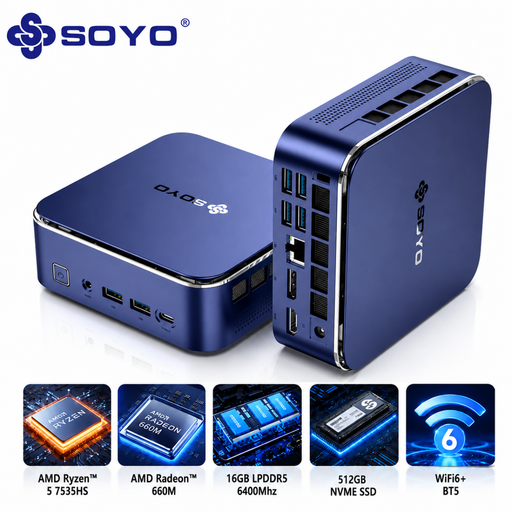
SOYO S5Air Mini PC, Ryzen 5 7535HS, 16 GB, 512 GB
Consider this mini PC where desk space is limited and the office plans to use a Windows 11 Pro workstation.
The listing describes a 128 × 128 × 47.6 mm chassis, 16 GB LPDDR5, a 512 GB NVMe SSD and HDMI, DisplayPort and Type-C video outputs. Confirm how many of your monitors can run together and the account-management setup required by your office.
View on Joybuy
 No image available
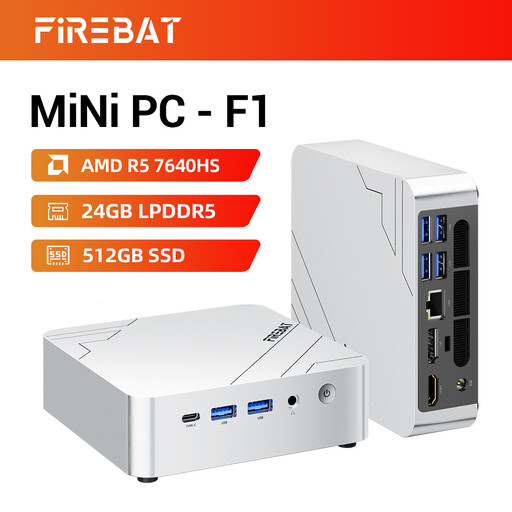
FIREBAT F1 Mini PC, Ryzen 5 7640HS, 24 GB, 512 GB
Consider this compact model if several reporting screens are part of the planned workstation.
Its listing specifies 24 GB LPDDR5 and a 512 GB PCIe 4.0 SSD and claims 4K triple-screen output. Check the actual display connections and compatible monitor arrangement, as well as the installed operating system and its suitability for your shared-account plan.
View on Joybuy
 No image available
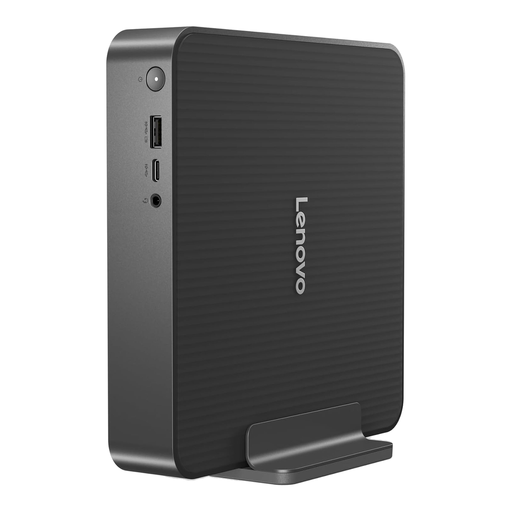
Lenovo IdeaCentre Mini PC 01IRH10R, 91B2000XUK
This compact desktop is an option for a desk where staff mainly review sales in browser tools and spreadsheets.
The listed configuration has an Intel Core 5, 16 GB RAM, a 512 GB SSD and Windows 11 Home. Microsoft’s cited Intune shared multi-user profile does not list Windows Home as an eligible edition; check another suitable account workflow if you choose this model. Confirm its display arrangement against your monitors.
View on Joybuy
 No image available
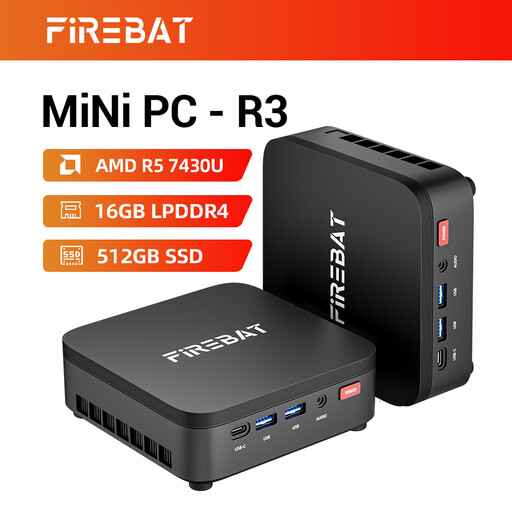
FIREBAT R3 Mini PC, Ryzen 5 7430U, 16 GB, 512 GB
Consider this mini PC where a compact sales-review desk may also need several screens.
The listing specifies 16 GB LPDDR4, a 512 GB SSD and claimed 4K triple-screen support. Confirm the video outputs and your monitors’ compatibility, then check the installed operating system against the intended staff-account workflow.
View on Joybuy
 No image available
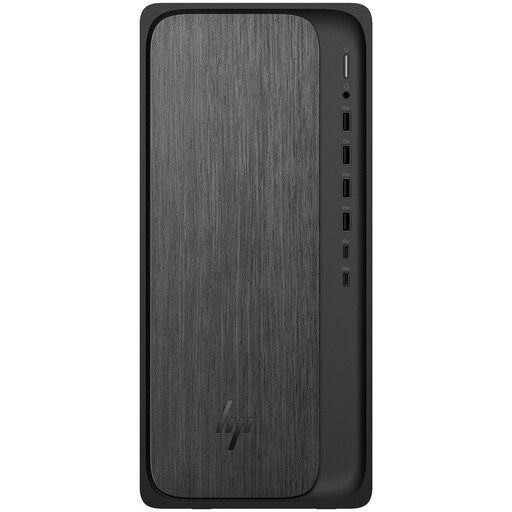
HP M02-0005na OmniDesk, Ryzen 5 8500, 8 GB, 1 TB
This tower is a choice for a fixed sales-review station where local storage matters more than a mini-PC footprint.
The listed configuration has 8 GB DDR5, a 1 TB NVMe SSD, Windows 11 Home and one stated HDMI 2.1 video output. Check whether its memory and documented connection meet the workload and monitor plan; Windows Home is not eligible for Microsoft’s cited Intune shared multi-user profile.
View on Joybuy
Frequently asked questions
Do we need Windows 11 Pro for a shared sales-review PC?
Not for every shared-office setup. Microsoft says its cited Intune shared multi-user device profile applies to Windows Professional, Enterprise and Windows Holographic for Business. If that is your planned management route, check the desktop’s exact Windows edition and your administration and licensing arrangements.
Can a shared Windows PC remove old staff profiles?
Yes, Microsoft documents Shared PC settings that can delete accounts at sign-out, at a disk-space threshold or after an inactivity threshold. Choose the setting to suit the office workflow; profile removal does not replace appropriate access controls for sales or customer information.
Is one shared sign-in enough for reviewing shop sales?
Do not rely on a shared password alone where staff need different access to personal information. The Information Commissioner’s Office advises assigning access rights appropriate to each role; decide how users will be identified and what records each needs before setting up the workstation.
What should we do with the old desktop before replacing it?
Arrange secure sanitisation of storage that has held sensitive business data before the computer leaves organisational control. The National Cyber Security Centre says simply deleting files is insufficient; assign someone to handle the storage and document the chosen disposal or reuse process.
Should we check recycling arrangements when buying a replacement?
Yes, ask the seller what take-back or recycling arrangements apply to your purchase rather than assuming every seller offers the same collection service. GOV.UK explains that UK waste electrical and electronic equipment rules address electrical waste and include obligations relevant to producers and distributors.


