Programme-layout editors
Running orders, biographies, sponsor blocks and proof PDFs can compete for screen space. A 27-inch 4K display is worth considering, provided text remains readable at the scaling and viewing distance used at the desk.


Start with how the shared desk will be used: a 27-inch 4K monitor with an adjustable stand is a useful option for dense programme layouts, but one-cable laptop connections and keyboard-and-mouse switching require separate checks. For artwork review, look for stated colour coverage and calibration features without treating the screen as a print proof. Assess the desk, lighting and working position as well as the monitor.
Running orders, biographies, sponsor blocks and proof PDFs can compete for screen space. A 27-inch 4K display is worth considering, provided text remains readable at the scaling and viewing distance used at the desk.
If colleagues connect different laptops, check each computer’s display and charging connection. A stated KVM switch matters when two computers must share a keyboard and mouse; USB-C alone does not establish that capability.
When reviewing logos, images and digital proofs, stated colour-space coverage and calibration features provide a basis for on-screen checks. Screen specifications do not establish how the finished programme will print.
For a shared-office concert programme, decide whether readable layout space, laptop handover or artwork review is the primary need. Then check the desk and connections against the people who will use them.
| Concern | What to check | Who this matters to |
|---|---|---|
| Readable layout space | Check panel size and native resolution, then try the intended editing software at a readable display-scaling setting. | I need to compare dense pages and proof PDFs without making text too small to work with; around 40% of consumers would put readable layout space first. |
| Shared-desk connections | Confirm video-over-USB-C support and suitable charging for each laptop. Check for an explicitly stated KVM switch if computers must share peripherals. | Changing laptops at the desk should not mean rebuilding my working setup each time; for around 30% of consumers, straightforward handover would be the main concern. |
| Artwork review and screen position | Check stated colour coverage and calibration features for digital review, alongside stand adjustment, lighting and reflections. | I need to inspect artwork on screen and position the display comfortably for regular work, while arranging separate checks for print colour; around 30% of consumers would prioritise these needs. |
A height-adjustable screen cannot resolve every problem with desk space, seating or reflections. The Health and Safety Executive says a display-screen-equipment workstation assessment considers the equipment, furniture, working conditions, task and individual requirements.
Check the available desk space and lighting, and consider whether different users need an adjustable stand, monitor arm or changes elsewhere in the workstation.
Display, data and charging depend on the monitor, laptop and cable. BenQ specifies 65 W USB-C power delivery for the PD2705U, while LG states up to 90 W for the 27UP85ZK-W; neither figure establishes compatibility with every laptop.
Check each laptop’s display output and charging requirements, the required cable and whether keyboard-and-mouse sharing needs a stated KVM switch.
A separate compatible cable, charger, dock or switching device may be needed for the intended setup.
Stated colour coverage and calibration features help define an on-screen review setup, but they do not account for the printer, paper and colour-management process used for the final programme.
Agree a print-proofing process with the printer when approval depends on the finished programme’s colour.
Skipping that step can mean another round of proofing or a reprint.
Dell’s UltraSharp U2725QE illustrates a 27-inch 4K Thunderbolt-hub monitor for a laptop-based desk.
BenQ’s PD2705U illustrates a 27-inch 4K monitor with stated colour coverage and a built-in KVM switch.
LG’s 27UP85ZK-W illustrates a 27-inch 4K option for connecting one compatible laptop at a time.
These monitors offer different screen sizes and stated features for programme layouts and digital artwork review. Check each desk’s space, laptop connections and peripheral-sharing needs before choosing.
 No image available
Consider this Mac-focused model for programme layouts where a 27-inch 4K IPS display and adjustable stand suit the desk. Its Nano Glossy surface makes reflections worth checking; confirm the intended laptops’ connections and whether shared peripherals need separate switching.
 No image available
Consider the larger curved screen only if its size and viewing position work at the shared desk. The title states 99% DCI-P3 coverage and Type-C 65 W; confirm laptop display compatibility, screen reflections and any required keyboard-and-mouse switching.
 No image available
This 27-inch 4K model is an option for laying out detailed programme pages. Its title describes a Matte Black finish, not a verified anti-glare coating; check the screen surface and any required laptop docking or peripheral switching separately.
 No image available
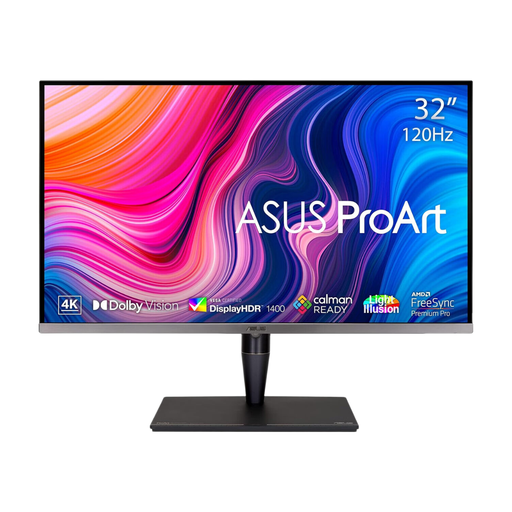
Consider this larger screen where artwork review is part of the job and the desk can accommodate 32 inches. Its title lists an IPS Mini LED panel, hardware calibration and Thunderbolt 3; check the precise laptop display and charging functions, and do not substitute screen review for a print proof.
 No image available
This 27-inch 4K IPS model is an option for detailed programme layouts and on-screen artwork review. Its title states 95% DCI-P3 coverage, HDMI and DisplayPort; check reflections and the connection arrangement if colleagues will swap laptops or share peripherals.
No: 4K resolution provides a detailed display, but readable text also depends on scaling, viewing distance and the person using the desk. Try the programme-editing software at the intended setting and check that the screen can be positioned comfortably.
Only when each laptop, monitor and cable support the display and charging functions needed. BenQ states 65 W power delivery for the PD2705U and LG states up to 90 W for the 27UP85ZK-W; compare those figures with each laptop’s requirements.
Specify a KVM when two computers must use the same keyboard, mouse or other USB peripherals through the monitor. BenQ explicitly lists one for the PD2705U; a USB-C port alone does not establish that another model can switch peripherals.
Assess the whole workstation, not just the monitor. In Great Britain, the Health and Safety Executive says display-screen-equipment requirements apply to workers using screens daily for continuous periods of an hour or more, and its assessment guidance covers equipment, furniture, working conditions, the task and individual requirements.