Households sharing one TV
You need a screen that works for sofa viewing as well as console play, rather than one optimised only for the player’s seat.


Start by checking whether the current TV works from the household’s seats and whether the console can output the video modes you want. Keep it if it meets those needs; a gaming-capable TV suits one screen for sofa viewing and play, while a monitor makes more sense when a separate close-up position is practical. Before replacing anything, check the exact HDMI input, console-supported resolution and refresh combination, audio arrangement and screen dimensions; Which? also advises measuring the distance from the sofa to the screen.
You need a screen that works for sofa viewing as well as console play, rather than one optimised only for the player’s seat.
You want to check whether your console, game, TV input and settings can use the display mode you have in mind before replacing the shared screen.
You can sit close to a monitor while leaving the main TV available to others; screen dimensions, HDMI compatibility and audio all matter.
Choose this when: it works from the household’s seats and the console confirms the video modes you want to use.
Trade-off: an older TV may not support the desired resolution and refresh rate together.
Choose this when: one screen needs to work for both sofa-distance viewing and console play.
Trade-off: a larger or more capable set takes space, and its advertised maximum refresh rate does not establish a particular game’s frame rate.
Choose this when: a separate close-up playing position is practical and the household wants to keep the main TV available.
Trade-off: a desk-scale screen may not work as well for several people watching from the sofa; check how game audio will be heard.
| Concern | What to check when buying | Who this matters to |
|---|---|---|
| Shared viewing | Measure the screen’s position and dimensions against the sofa distance and the room’s seating. | If several people watch from the sofa, I need a screen that works from more than the player’s seat. Around 36% of consumers put shared viewing first. |
| Usable game modes | Check the console, game and intended HDMI input support the same resolution-and-refresh combination. | If smoother play is my priority, I want to know the console and game can use the mode before paying for a higher headline rate. About 29% of consumers prioritise responsive play. |
| Separate play position | Check that the monitor fits the proposed position and that its HDMI input and audio arrangement suit the console. | When I can play at a separate desk, I want to leave the household TV free without losing a workable picture or sound setup. Approximately 21% of consumers prioritise a separate screen. |
| Connections and ownership | Check the correct TV input and settings before replacing a cable; compare model-specific energy information when weighing ownership costs. | If I want to avoid unnecessary accessories and overlooked running costs, I need to check the existing connection and the display’s energy information. Around 14% of consumers put connections and ownership costs first. |
The display, HDMI input, console output and game each affect whether a particular mode is available.
Check the exact resolution-and-refresh combination on the intended input and in the console’s connected-display information.
A close-up monitor position and shared viewing from the sofa place different demands on screen size and placement.
Measure the proposed position and decide whether the monitor is a separate play space or needs to serve everyone.
A cable change will not enable a mode that the console or display does not support.
Check the correct input and settings first. If a replacement cable is needed for a supported mode, look for the relevant certification label.
These examples refer to named UK models and their stated specifications, not every product in each brand’s range.
The UK S90F OLED range includes large-screen options for shared viewing and console play.
The UK C6 OLED range combines living-room TV functions with high-refresh specifications.
The UK 55OLED760/12 is a 55-inch OLED TV for buyers considering everyday viewing alongside console play.
The AW3225QF is a 31.6-inch monitor to consider for a separate close-up console position.
These choices are 4K televisions for households considering one screen for everyday viewing and console play. Check each model’s dimensions and confirm that your console, game and chosen HDMI input support the modes you intend to use.
 No image available
A 55-inch TV format to consider when one screen needs to serve shared viewing and console play; check its dimensions against the room.
The title lists a 288Hz Game Accelerator, ONKYO 2.1 sound system, Miracast and Google Cast. Check which video modes your console and the chosen HDMI input support.
 No image available
A 55-inch TV format to consider for a shared living room; compare its dimensions with the seating and viewing distance.
The title lists 165Hz Game Mode Ultra, Hi-View AI Engine and a built-in subwoofer. Confirm the console-supported mode on the intended HDMI input before choosing by the advertised gaming specification.
 No image available
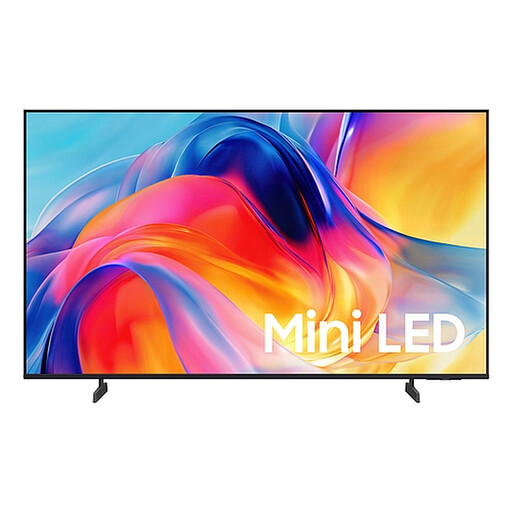
A 55-inch television format to consider when the screen is intended for shared-room viewing as well as gaming.
The product name identifies Mini LED, 4K UHD and Class F. Check the exact HDMI input and console-supported modes for the games you play.
 No image available
A 65-inch TV format to consider for a larger shared screen; measure the space and sofa distance before choosing the size.
The title lists up to 2048 local dimming zones, a 144Hz native refresh rate and audio by Bang & Olufsen. Verify which modes are supported by your console, game and selected HDMI input.
 No image available
A 70-inch TV format to consider when a larger shared screen suits the room; check the physical dimensions and seating distance.
The product name lists Dolby Audio, Gaming Hub and Freeview Play. Check the console’s supported output and the modes available on the intended HDMI input.
No. A 120 Hz display is not necessary for every console or game. PlayStation and Xbox guidance makes higher-refresh modes conditional on compatible equipment and content; Nintendo UK states that Switch 2 supports 4K output at up to 60 fps, while support for up to 120 fps depends on compatible games and displays.
Check the exact HDMI input, the TV’s enhanced-signal or game setting, and the console’s connected-display information. Xbox Wire notes that some displays support 120 Hz only at particular resolutions or through specific ports; Sony UK also advises enabling the relevant HDMI signal format on the port connected to the console.
Not before checking the existing cable, the correct TV port and the settings. If a replacement is needed for a supported video mode, HDMI Licensing Administrator says consumers can check for the certification label on an Ultra High Speed HDMI cable.
Check that the monitor fits the intended position, that its HDMI input supports a mode your console can use, and that you have a practical way to hear game audio. A monitor’s headline maximum refresh rate alone does not confirm console output.