What matters when choosing storage
Decide whether the archive stays at one desk, travels with contributors or needs simultaneous access through a NAS. Then check capacity, computer compatibility and how the studio will maintain separate copies.
| Concern |
What to check |
Who this matters to |
| Archive integrity |
Plan separate copies in different locations and regular checksum checks; copy and check files before removing the original. |
If I maintain completed artwork, I need to know it remains readable even if one drive fails or a file changes. Roughly 36% of consumers put preservation first. |
| Fixed archive capacity |
Measure the collection and expected growth, then confirm the exact drive capacity, power needs and connection. |
When projects accumulate at one workstation, I need enough room for masters and exports without carrying the drive around. Around 29% of consumers prioritise fixed archive capacity. |
| Portable transfers |
Check capacity, the ports and cables on each computer, and the conditions behind any stated transfer speed. |
If I move current projects between locations, I need a drive I can carry and use with those computers. Approximately 21% of consumers place portable transfers first. |
| Shared access |
Establish whether contributors need concurrent access, individual permissions and access from both Mac and Windows systems. |
When several people work with the same collection, I need controlled access rather than taking turns with a USB drive. About 14% of consumers make shared access their primary concern. |
Portable drives on Joybuy
These portable SSDs and HDDs are choices for moving artwork or holding one copy of a studio archive, rather than providing simultaneous network access. Compare their capacities with the collection and its expected growth. The National Archives recommends keeping additional copies in separate locations and checking their integrity regularly.
 No image available
Samsung Portable SSD T7 4TB, Grey
Consider this portable SSD for carrying a sizeable collection of current artwork between compatible computers.
The listed connection is USB Type-C 3.2 Gen 2. Check each computer’s ports and the drive’s file format before planning a shared write workflow.
View on Joybuy
 No image available
Samsung Portable SSD T7 2TB, Blue
Consider the 2TB variant for portable copies of active projects if that capacity accommodates the files you intend to carry.
Its title specifies a USB Type-C 3.2 Gen 2 connection. Confirm connection and write compatibility on the studio computers before transferring artwork.
View on Joybuy
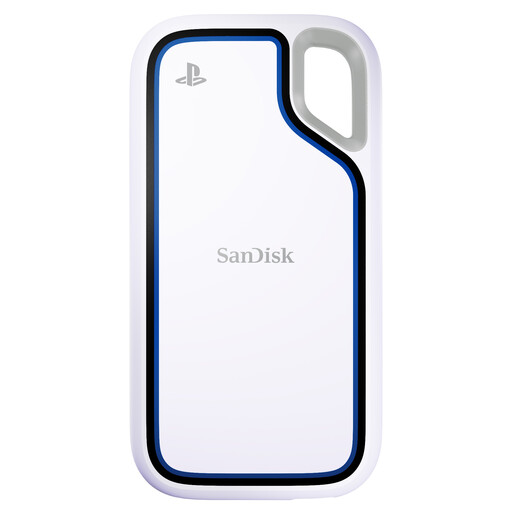 No image available
SANDISK Extreme 2TB Portable SSD for PlayStation 5 and PC
This portable SSD is an option for a 2TB artwork copy if its connections and file format suit the studio computers.
The named variant is marketed for PlayStation 5 and PC use; confirm the intended Mac or Windows workflow before choosing it for artwork.
View on Joybuy
 No image available
Samsung MU-PE1T0S 1TB Portable SSD, Black
Consider this 1TB drive for carrying active-project copies after comparing its capacity with the folders you need to move.
Its listed connection is USB Type-C 3.2 Gen 2. Check the computers, cable and file format required for the studio’s workflow.
View on Joybuy
 No image available
Western Digital My Passport Ultra for Mac 5TB HDD, Silver
Consider this portable HDD when a 5TB destination fits the archive-copy plan and the drive needs to move between workspaces.
The variant is labelled for Mac. If Windows computers must also write to it, confirm the file format and any software needed before copying the collection.
View on Joybuy
Common questions
Can one external drive be the studio’s complete artwork archive?
No: one drive should not be the only preservation copy. The National Archives recommends several copies in different physical locations, using different storage technologies, alongside regular integrity checks.
What format should we check if Macs and Windows PCs both need to write to a drive?
Check the drive’s existing format and write access on both systems before copying artwork. Apple identifies ExFAT and MS-DOS (FAT) as Windows-compatible formats, while APFS and Mac OS Extended are Mac formats; preserve and check any existing files before reformatting, which erases the drive.
When does a shared studio need a NAS instead of a USB drive?
Consider a NAS when several contributors need simultaneous access or separate read and write permissions. QNAP describes these file-sharing functions for its NAS systems; a network share still needs separate preservation copies.
Should the artwork archive drive be encrypted?
Consider encryption when the drive holds personal information or confidential client work, and establish who manages access credentials. The Information Commissioner’s Office advises encryption for personal information on removable and backup media to help protect it if a device is lost or stolen; encryption does not replace archive copies.
What should we do with an old archive drive?
Arrange appropriate sanitisation before reusing or disposing of a drive that held confidential material, then use an appropriate electrical-equipment recycling route if discarding it. The National Cyber Security Centre’s storage-media guidance covers both HDDs and SSDs.


