What matters when choosing?
For a tablet shared by children, settle the account setup and must-have apps before deciding how much storage and protection the household needs.
iPad and Apple Family Sharing
Consider it when: Your household uses Apple services and wants separate child Apple Accounts, Screen Time and purchase approval.
Keep in mind: Apple says only eligible purchases and subscriptions can be shared, and an adult must manage the family setup.
Android and Google Family Link
Consider it when: You want Google child-account supervision and, if the chosen tablet supports it, separate spaces for frequent users.
Keep in mind: Family Link requires a compatible child-account setup; Google’s general Android guidance does not establish that every tablet offers Multiple users.
Amazon Fire Kids
Consider it when: Child profiles, content controls and an included case are priorities for the shared tablet.
Keep in mind: Check the apps your children need and the terms after the included Amazon Kids+ period on the cited Fire HD 10 Kids and Kids Pro bundles.
| Concern |
What to check |
Who this matters to |
| Child accounts and controls |
Check how each child gets access, who manages content settings and whether downloads or purchases require approval. |
If children of different ages take turns, I need rules that suit each child without handing over my account. Around 31% of consumers would put account control first. |
| User spaces and storage |
Confirm the exact tablet’s storage capacity, supported expansion and, where needed, its Multiple users setting. |
With several children saving games and videos, I want their content and settings to remain manageable on one device. For around 25% of consumers, that is the primary concern. |
| Household handling |
Match the case to the exact model and check access to ports and controls; check headphone compatibility if children will listen separately. |
A tablet passed around the home needs a case that fits without getting in the way. Around 19% of consumers would prioritise everyday handling. |
| Apps and subscriptions |
Check required video and game apps, child-account behaviour, subscription sharing and when included content ends. |
If the children expect particular games or programmes, I need those services to work with their accounts. App and content fit comes first for around 25% of consumers. |
Shared-tablet options on Joybuy
These child-oriented tablets are options for a household sharing one device for videos and games. Before choosing one, check its exact child-account setup and the apps your family uses; an included case does not answer those questions.
 No image available
Alldocube Kido 8-inch Android 15 tablet, 3GB/32GB, blue case
Consider this children’s tablet if an included case and a 3.5mm headphone socket suit how the device will be shared.
The listing specifies an 8-inch screen, 3GB memory, 32GB storage and dual speakers. An adapter is not included.
Confirm the child-account setup, what its advertised controls do and whether the children’s required apps work before buying.
Joybuy
 No image available
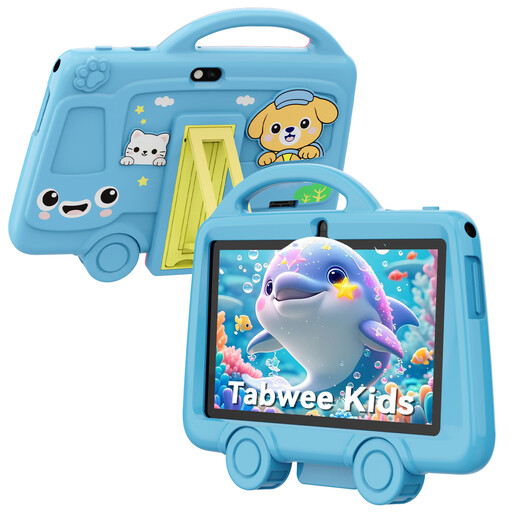
TABWEE K8 7-inch children’s tablet, blue, 3GB-listed variant
This variant may suit a household looking for a 7-inch tablet with an included protective case and a 3.5mm headphone socket.
The listing specifies 32GB storage and Wi-Fi. Its title and description state 3GB RAM, while its detailed specification states 2GB; confirm which applies to this variant before choosing it.
Also confirm the child-profile and parental-control setup and compatibility with the children’s required apps.
Joybuy
 No image available
TABWEE K8 7-inch children’s tablet, 2GB/32GB
Consider this 7-inch variant if its included protective case and 3.5mm headphone socket fit your shared-home setup.
The listing specifies 2GB RAM, 32GB storage and Wi-Fi. Check how child access and parental controls work on this exact tablet, along with availability of the apps your children need.
Joybuy
Common questions
Should children use an adult’s account on a shared tablet?
Use separate child accounts where the chosen setup supports them. Apple advises creating a child Apple Account instead of sharing an adult’s account, while Google Family Link supervision uses a child Google Account; check how the exact tablet manages access for more than one child.
Can children have separate spaces on one Android tablet?
They can if the exact tablet supports the Multiple users feature described in Google’s Android guidance. Confirm that setting on the model you intend to buy before relying on separate apps, accounts and settings for each child.
Do parental controls make a shared tablet safe on their own?
No. UK government guidance describes parental controls as a way to help manage access and content, not a replacement for age-appropriate conversations and supervision. Set up the child accounts, test the controls and review them as children’s activities change.
What should I check in a child-content bundle?
Check that the children’s required games and video apps are available, how purchases are approved and what happens after any included subscription period. Amazon lists one year of Amazon Kids+ with the cited Fire HD 10 Kids bundles, while Apple says Family Sharing applies to eligible purchases and subscriptions.


