Who is a shared tablet for?
The account arrangement matters as much as the screen when several people will use the same tablet.
Adults sharing one device
If different people use the tablet for email, calls and media, decide whether they need separate apps and settings or are comfortable with one communal sign-in. Google documents personal user spaces on the Pixel Tablet; check support on any other model before relying on it.
Households using Apple services
Apple Family Sharing lets family members use separate Apple Accounts while sharing eligible services and purchases. It addresses service sharing, not necessarily the need for a private space for each person on one iPad.
Home-based callers and viewers
A tablet that usually stays at home needs a screen everyone can see, a suitable calling app and a convenient place to charge. Check its front camera, microphones and speakers against how the household will make calls.
What should you check before choosing?
Start with how people will sign in, then check the calls and everyday tasks the tablet must handle. A larger screen or a battery-capacity figure cannot settle those questions on its own.
Android with documented user profiles
Choose when: Several regular users need their own accounts, apps and home screens on one tablet; Google documents this arrangement for the Pixel Tablet.
Watch for: Multi-user support varies by device. Google also says Family Link settings for a child’s account do not apply to another profile without that account.
iPad with Family Sharing
Choose when: The household already uses Apple Accounts and wants to share eligible services or purchases without sharing one account.
Watch for: Apple Family Sharing does not establish separate local user spaces on an ordinary consumer iPad. Check the sign-in and privacy arrangement if several people will use the same device.
| Priority | What to check | Your needs |
|---|
| Personal spaces |
Check multi-user support on the exact model and how users switch profiles. Distinguish device profiles from sharing subscriptions or purchases. |
I want email, apps and settings kept separate when someone else picks up the tablet. |
| Video calls |
Confirm that the household’s calling app is available. Check the front camera, microphones, speakers and screen size for the intended calling position. |
Several of us may gather around the screen, so joining a call and hearing it clearly matter more than a specification in isolation. |
| Everyday apps |
Check email, media and light-task apps in the device’s app ecosystem. Confirm any account or accessory requirements before treating it as an alternative to a laptop. |
The tablet needs to handle our usual messages and viewing, with occasional light tasks rather than course-specific laptop work. |
| Charging and battery |
Read the conditions behind a stated battery duration; video streaming is not a video-call runtime test. Check the supplied charging equipment and where the tablet will live. |
For a tablet passed around at home, I would rather have a dependable charging routine than assume an advertised duration applies to calls. |
| Updates and supervision |
Look for the manufacturer’s security-update commitment for the exact model. If a child will use it, set up the intended profile and check controls in the relevant apps and stores. |
I need to know how the tablet will be maintained and which restrictions apply when a child uses it. |
| Accessibility |
Try joining a call, reading email and changing display settings with the intended user. Check the available screen-reader and speech features on the actual device and software version. |
Someone in our household may need larger text, spoken feedback or another way to take part in calls. |
Relevant brand and product-line references
These examples illustrate different account and home-use considerations; a brand name alone does not establish the features of every model.
Google
The Pixel Tablet is a reference point for households that need separate spaces on one device.
- Google Pixel Tablet Help says each user profile has its own home screens, accounts, apps and settings.
- Google lists three microphones and a minimum of five years of security updates for the Pixel Tablet.
- Check the package contents and the calling apps your household uses before choosing a particular listing.
Apple
An iPad is worth considering when the household already uses Apple Accounts and eligible shared services.
- Apple Support says a Family Sharing organiser can share eligible services and purchases with up to five other family members without sharing an Apple Account.
- Apple documents accessibility features including Live Speech in FaceTime and other supported apps.
- Family Sharing is not evidence of separate local user spaces on a consumer iPad.
Samsung
The Galaxy Tab A11+ line offers an Android option to examine for shared calls and viewing at home.
- Samsung UK lists a 5 MP front camera, quad speakers and a 7,040 mAh battery for the Galaxy Tab A11+ Wi-Fi product page.
- Confirm the exact variant, its user-profile support and its published security-update commitment before buying.
Amazon
The Fire HD 10 is a media-focused option to assess if Zoom and the household’s other required apps are available.
- The cited Amazon UK Fire HD 10 listing describes a 5 MP front camera for Zoom.
- That listing says a power adaptor is not included; check the contents of the listing you choose.
- Amazon says Fire parental controls do not remove all mature or adult-rated material from content areas and store search results.
Joybuy Android tablet options
These Android tablets offer screen-size and configuration choices for shared viewing and everyday use. If separate personal spaces are essential, confirm multi-user support on the exact model before choosing one; this product list does not establish that feature.
 No image available
Samsung Galaxy Tab A11+ 128GB Wi-Fi Grey, 11-inch
The 11-inch Wi-Fi configuration is an option for a tablet used mainly at home. Samsung UK lists a 5 MP front camera and quad speakers for its Galaxy Tab A11+ Wi-Fi product page. If different people need private app spaces, confirm user-profile support for this listing; check its charging contents too.
View on Joybuy
 No image available
Xiaomi Pad 8 8G RAM 128GB Wi-Fi Grey
Consider this Wi-Fi configuration for shared use where a regular home connection is available. Before relying on it for household calls or separate accounts, confirm the calling app, camera and audio arrangement, multi-user support and security-update commitment for the exact model.
View on Joybuy
 No image available
Samsung Galaxy Tab A11+ 8GB 256GB Wi-Fi Grey
This 8GB RAM and 256GB Wi-Fi variant is worth comparing when several people expect to keep apps and media on a home tablet. Check user-profile support and the security-update commitment for this exact configuration, as well as which charging equipment comes with it.
View on Joybuy
 No image available
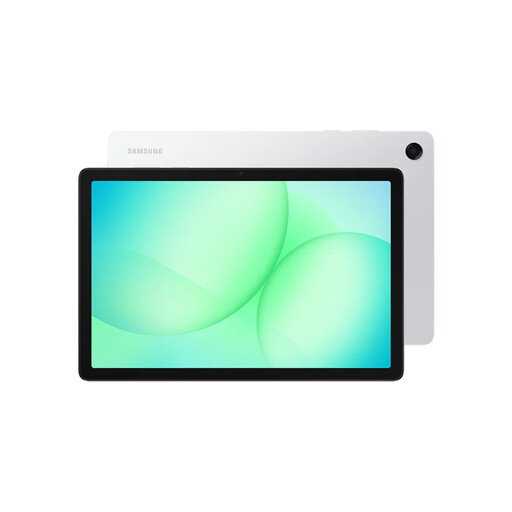
Samsung Galaxy Tab A11+ 5G X236 6GB RAM 128GB Silver
The 5G variant is relevant if the shared tablet may also need mobile data away from home. Confirm the exact UK variant and network compatibility before choosing it. For household sharing, also check user-profile support and the security-update commitment for this cellular model.
View on Joybuy
 No image available
DOOGEE U11 PRO 30GB RAM + 256GB, 11-inch Black
The listed 11-inch size makes this a model to compare for viewing at home, but screen size alone does not establish call quality or runtime. Check what the advertised RAM figure represents, then confirm calling-app compatibility, user-profile support and security updates for the exact variant.
View on Joybuy
Frequently asked questions
Can everyone have a separate space on one tablet?
Yes on a tablet that documents separate user profiles: Google Pixel Tablet Help says each profile has its own home screens, accounts, apps and settings. Check the exact Android model rather than assuming the feature is universal. Apple Family Sharing lets people share eligible services through separate Apple Accounts, but does not establish separate local profiles on an ordinary consumer iPad.
What matters most for household video calls?
Confirm that the calling app is available on the exact tablet, then check its front camera, microphones, speakers and where people will sit around the screen. Published hardware specifications help narrow the choice, but they do not by themselves establish how a call will sound or how long the battery will last during one.
How do I assess security-update support?
Look for a manufacturer-published period or end date for the exact model and variant, rather than relying on its operating-system name. Google’s Pixel Tablet specifications state a minimum of five years of security updates; check the relevant commitment separately for another tablet.
Will Fire parental controls remove all unsuitable content?
No. Amazon says Fire parental controls can restrict functions, but do not remove all mature or adult-rated material from content areas and store search results. Set up the intended child profile and review the controls in the services the child will actually use.
How can I check accessibility before choosing an iPad or Android tablet?
Have the intended user try joining a call, reading an email and adjusting the display on the device where possible. Apple documents features including Live Speech, while Samsung documents TalkBack; check availability and usability on the particular model and software version.


