What matters when choosing?
Decide how the child and adults will use separate accounts, then check the apps and accessories against the tablet you are considering.
iPad with a Child Account
Consider it when: The family uses Apple devices and wants separate Apple Accounts with sharing of eligible purchases or subscriptions through Family Sharing.
Check: Apple says control availability can vary by device, region and child age, and sharing does not cover every purchase or subscription.
Android with Family Link
Consider it when: The child needs selected Google Play apps and the exact tablet supports a supervised Google Account.
Check: Google says supervision features vary by device, and Google Play purchase approvals apply to purchases through its billing system.
Fire tablet with Amazon Kids
Consider it when: A separately managed child profile with Amazon Kids age filters and time limits fits the household’s intended content.
Check: The apps available to the child and the terms of any included Kids+ period depend on the particular device and bundle.
| Concern |
What to check |
Who this matters to |
| Accounts and supervision |
Confirm child-account or profile setup on the exact tablet and test the required approval and communication settings. |
If I share the device with my child, I want adult messages and purchases kept apart from their use. About 36% of consumers put account separation and supervision first. |
| Apps and content |
List essential apps and check their UK availability, age requirements and account, store and in-app controls. |
When one tablet needs to handle selected learning, entertainment and communication, I need those services to work within the household’s rules. Access to that mix comes first for about 29% of consumers. |
| Upkeep and protection |
Check the exact model’s security-update commitment and the fit and terms of any case or protection bundle. |
If the tablet will be passed around at home, I care most about protecting it and knowing its support arrangements. These ownership concerns lead for about 21% of consumers. |
| Shared-use accessories |
Match headphones and charging equipment to the tablet’s actual connections; check case dimensions. |
For quiet listening and a workable charging spot, I need accessories that fit the device we choose. About 14% of consumers make accessory setup their primary concern. |
A headphone option for shared use
Headphones can make a child’s listening less disruptive in a shared room, but they do not provide tablet accounts or supervision. Check the chosen tablet’s audio connection before selecting an accessory.
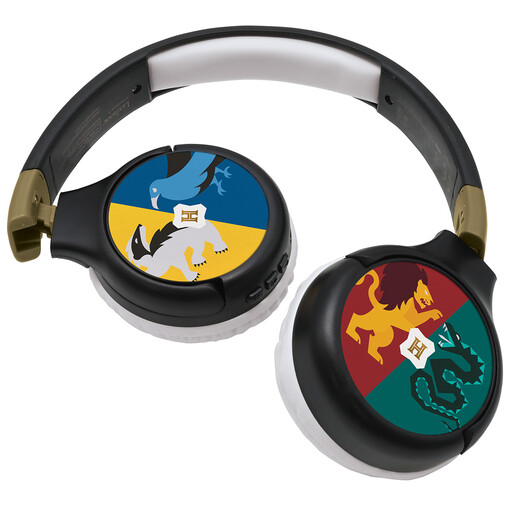 Image unavailable
Lexibook Harry Potter wireless/wired children’s headphones, Black/Grey
For a child listening on a shared home tablet, these headphones offer wired and wireless options if the tablet supports the chosen connection. Check connection compatibility and fit before purchase; if a stated sound limit matters to you, confirm how it operates during the intended use.
Joybuy
Common questions
Can parental controls replace supervising and talking with a child?
No. Internet Matters advises layering network, device and app controls alongside regular conversations. Check the services your child uses rather than assuming one setting covers all content, contacts or purchases.
Should a child use a parent’s Apple Account on a shared iPad?
Apple advises that a child has their own Apple Account rather than sharing one with a family member. If you choose an iPad, set up the appropriate Child Account and Family Sharing arrangement, then check the controls available on that iPad and UK account configuration.
Will Family Link approve every Android app purchase?
No. Google says its purchase approvals apply to purchases made through Google Play’s billing system, while supervision features can vary by the child’s device. Check Family Link, Google Play and the relevant app or service separately.
What matters when a Fire Kids bundle includes Kids+?
Check the exact bundle’s age range, included content, case and guarantee terms, plus the length and renewal terms of Kids+. Amazon describes a one-year included period on a cited Fire HD 10 Kids bundle and monthly renewal after that period on a cited Fire Kids listing; confirm the terms for the product you choose.
How should I choose a separate charger or cable?
Match it to the exact tablet’s charging port and the manufacturer’s power and compatibility guidance. For a separate purchase, choose equipment intended for the UK market from a traceable seller rather than assuming any connector that fits is suitable.


