What should you check first?
Decide which games and people the shared screen must accommodate, then check the connection, seating arrangement and any display features you plan to use.
| Concern |
What to check |
Who this matters to |
| Local players and controllers |
Check each intended game’s local player count, play mode and compatible controller requirements. |
If several of us want to play on one television, I need to know the game accommodates everyone before adding controllers; about 36% of consumers put local-play certainty first. |
| TV connection and placement |
Confirm an available HDMI input and cable reach, then check the chosen hardware’s ventilation requirements. |
When the TV unit has limited space, I need a connection and position that work without blocking ventilation; for about 29% of consumers, straightforward setup is the primary concern. |
| Using an existing PC |
Check its TV connection, the intended games’ requirements and whether their controls work from the seating position. |
Rather than add another gaming machine, I want to use the PC and games I already have without bringing a desk setup into the lounge; PC reuse comes first for about 21% of consumers. |
| Display features |
Check the exact HDMI input and whether the television, cable, device and intended games support the desired mode. |
If I am planning around 4K, HDR or 120 Hz, I want those features to work with my television and games; about 14% of consumers prioritise display compatibility. |
Controllers for Xbox and Windows setups
These Joybuy selections are additional controllers for a compatible Xbox console or Windows gaming PC. Check your intended games’ local player counts and controller requirements before choosing one for shared-TV play.
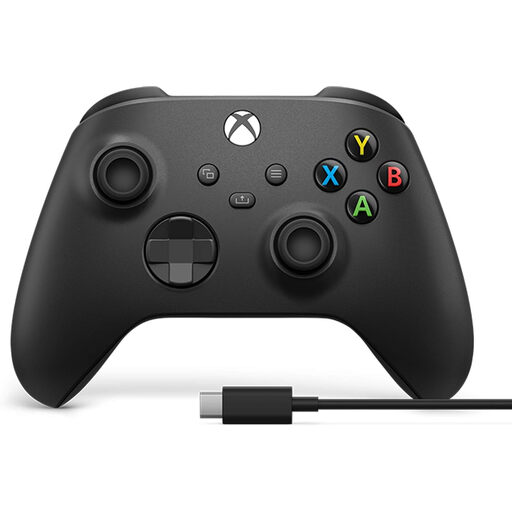 Image unavailable
Xbox Wireless Controller with USB-C cable
Consider this additional controller for a shared-TV setup using Xbox Series X|S, Xbox One or a compatible Windows device. The named bundle includes a USB-C cable; check each intended game’s controller and local-player requirements, as well as the controller’s wireless power arrangement, before ordering.
View on Joybuy
 Image unavailable
Hyperkin DuchesS wired controller, white
Consider this wired option for an Xbox Series X|S, Xbox One or Windows 10/11 shared-TV setup. Check that its cable can reach your seating position safely and that each intended game supports the controller and number of local players you need.
View on Joybuy
Frequently asked questions
Can a Nintendo Switch Lite connect to the household TV?
No. Nintendo UK Support states that Switch Lite does not support TV mode. If TV play is essential, confirm that the Switch model you choose supports it and that you have the required dock, AC adapter, HDMI cable and TV input.
Do I need a new HDMI cable for console play?
Not automatically: check whether the supplied cable reaches the TV and supports the video mode you intend to use. Xbox Support says Series X includes a 2-metre Ultra High Speed HDMI cable; for a longer Series X run targeting 4K at 120 Hz, it specifies a certified Ultra High Speed HDMI cable.
How many extra controllers should we get?
Check your intended games before deciding. PlayStation UK’s couch-play examples have different local player counts, and each game’s control requirements determine whether additional compatible controllers will be useful.
Can an existing gaming PC take the place of a living-room console?
It can serve as your shared-TV gaming device if it connects to the television and meets the requirements of the games you intend to play. Valve describes Steam Big Picture for TV-and-controller use, but you should check each game’s local-play controls and whether keyboard or mouse access will be practical from the sofa.
Is cloud gaming on a smart TV a direct substitute for a console?
It is a separate option if your exact TV or streaming device supports the service and you can meet its controller, account and connection requirements. Xbox Support recommends a connection of at least 20 Mbps for its supported smart-TV cloud route and recommends wired Ethernet for the strongest connection; check the games and subscription conditions you would use.


