Joybuy product choices
These choices cover replacing a shared TV with Google TV models or adding a Roku streaming stick to a screen you plan to keep. Check each exact device against the household’s required apps and features.
 No image available
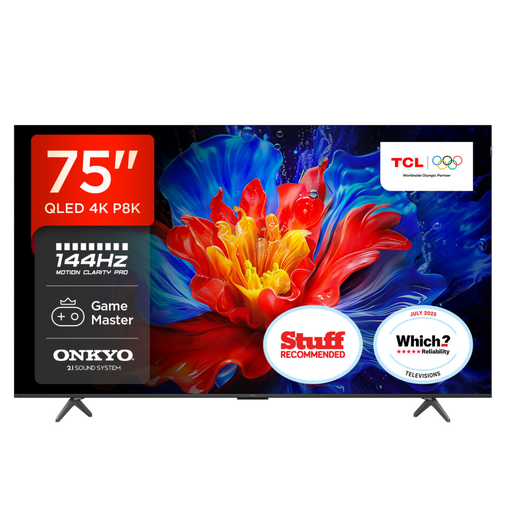
TCL 75P8K 75-inch 4K QLED Google TV
For a household replacing its display while adding a streaming platform; check the exact TV’s apps against everyone’s requirements.
75-inch 4K QLED display; Google TV; built-in Google Assistant for voice control.
Joybuy
 No image available
TCL 65V6C Direct LED 4K HDR Smart Google TV
For a household replacing its display and adding a streaming platform; check app support on the exact TV model.
65-inch 4K HDR Direct LED display; Google TV; built-in Google Assistant for voice control.
Joybuy
 No image available
TCL 55V6C Direct LED 4K HDR Smart Google TV
For a household replacing its display and adding a streaming platform; check app support on the exact TV model.
55-inch 4K HDR Direct LED display; Google TV; built-in Google Assistant for voice control.
Joybuy
 No image available
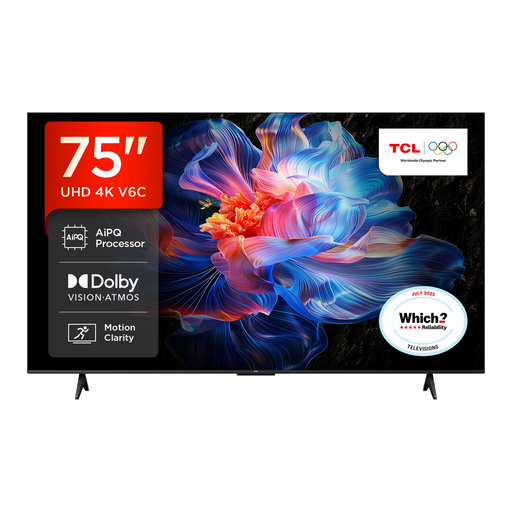
TCL 75V6C Direct LED 4K HDR Smart Google TV
For a household replacing its display and adding a streaming platform; check app support on the exact TV model.
75-inch 4K HDR Direct LED display; Google TV; built-in Google Assistant for voice control.
Joybuy
 No image available
Roku Streaming Stick 4K Dolby Vision
A separate-player option for households keeping a suitable TV; check the exact stick’s support for everyone’s required apps.
The listing identifies 4K and Dolby Vision.
Joybuy
Frequently asked questions
Does seeing ITVX in a device’s app list mean regional live ITV will work?
No. ITV Help’s general ITVX device list and its regional live-TV support list differ. If regional news or the ITV1 regional live channel matters, check the exact device and feature before choosing.
Will one streaming-device profile separate everyone’s viewing?
Not necessarily; profiles depend on the individual service and device. ITV Help lists devices that support ITVX profiles, while Netflix Help Center describes profile options on TVs and streaming devices, so check each service the household uses.
What should we check before connecting a Freely box?
Check that the TV has a suitable HDMI connection and that internet access is available beside it. Freely’s setup guidance also covers choosing a region or postcode and signing in to individual on-demand player apps.
If playback buffers, do we need to replace the television?
Not necessarily. ITV Help advises checking the connection at the affected device where possible, looking for weak Wi-Fi or interference, and trying basic restarts before attributing playback trouble to the screen.
Does the Google TV Streamer (4K) support BBC iPlayer?
Do not assume that platform-level app information confirms support for this exact model. If BBC iPlayer is essential, check with the provider for the Google TV Streamer (4K) specifically before buying.
Do we need a UK TV Licence for a streaming stick, smart TV or Freely box?
The device type does not decide this. TV Licensing says you need to be covered to watch live TV on any channel or streaming service, or to use BBC iPlayer, including for on-demand programmes. A licence is not needed solely for on-demand programmes on other services.


