Families charging everyday devices together
If phones, tablets, cameras and accessories share a counter or desk, check that the charger has enough suitable ports and that its output still meets your needs when several are occupied.


Choose a multi-port USB charger if its stated power allocation covers every device you plan to connect at once. Keep a manufacturer-recommended charger for a laptop or other device when you cannot confirm that the shared charger and cable meet its requirements. Check the cables, UK plug and socket arrangement separately.
If phones, tablets, cameras and accessories share a counter or desk, check that the charger has enough suitable ports and that its output still meets your needs when several are occupied.
A USB-C laptop can change the power needed at a shared point. Compare its manufacturer-recommended wattage with the power available from the charger when the other devices are connected.
When replacing charging equipment, identify the device requirements and choose a traceable product suitable for a UK socket. London Fire Brigade advises using the charger supplied with a device or a genuine replacement from a trusted supplier.
Choose when: Several devices routinely charge in one place and the stated port allocation covers the combination you will use.
Trade-off: Adding a device can change the power available at each port, so the headline wattage alone cannot settle the choice.
Choose when: A device needs a particular connector or adapter wattage that you cannot confirm the shared charger will provide.
Trade-off: Separate chargers use more sockets and leave more cables to organise.
| Concern | What to check | Who this matters to |
|---|---|---|
| Power when ports are shared | Compare device wattage requirements with the charger's total output and its stated allocation for the ports used together. | If my laptop charges alongside phones, I need to know what power remains for it when those ports are occupied. Around 36% of consumers would put simultaneous power first. |
| UK plug and product identity | Check the supplied plug, manufacturer and model details; look up the exact product in UK safety alerts. | When replacing a charger, I want to identify the product and check that its plug is suitable for my socket before considering extra ports. Roughly 29% of consumers would make mains suitability their primary concern. |
| Cables and connectors | Check both cable ends and its stated power capability against the device and charger requirements. | My devices use different connections, so I need a cable that fits and has the power capability required for the intended pairing. For about 21% of consumers, compatibility would come first. |
| Socket location and clutter | Choose a suitable charging location; if using an extension lead, check its marked current rating and the combined load. | If the charging point is away from a wall socket, I need to position it without overloading or chaining extension leads. Around 14% of consumers would prioritise the socket arrangement. |
That figure may apply to one port or one connection pattern. Connecting more devices can change how much power a laptop receives.
Check the exact model's simultaneous port-allocation table against the devices you intend to charge together. Keep a separate charger where you cannot confirm the required output.
The USB Implementers Forum says cables have different capabilities. A matching connector alone does not establish that a cable meets a laptop's charging requirements.
Check the cable's stated power capability and connector ends. Where relevant, compare USB-IF's 60W or 240W USB-C cable markings with the power your arrangement requires.
Office for Product Safety and Standards reports have identified faults in specific chargers and a charging station, including inadequate earthing and unsuitable plug dimensions. Those reports do not describe every product in the category.
Choose a traceable product supplied for UK use, inspect its plug and search GOV.UK safety alerts for the exact brand and model.
An extension lead has a load limit, and chaining extensions adds risk even when individual USB devices draw relatively little power.
Follow the lead's marked rating and do not daisy-chain extensions. If the location routinely needs more sockets, consider having additional fixed sockets installed by a registered electrician.
Anker's UK range includes multi-device wall chargers and desktop stations.
Belkin's UK range includes multi-port wall chargers with different stated power outputs.
UGREEN's UK catalogue includes multi-port chargers and desktop charging stations.
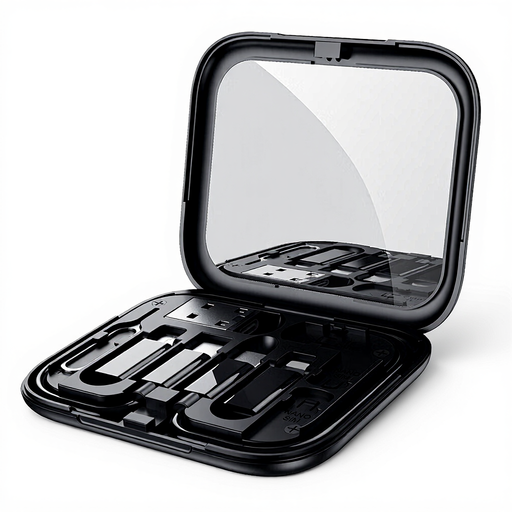
These Joybuy choices are cables and a cable-storage set for connecting devices at a shared charging point. They do not replace a charger: check each device, cable and charger pairing before choosing.
 No image available
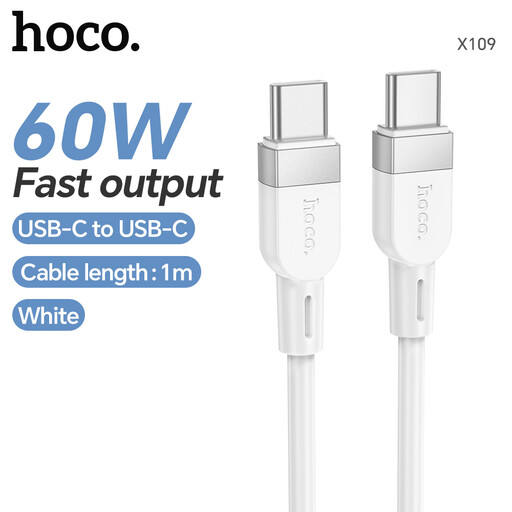
Consider this for a USB-C-to-USB-C connection when its stated 60W cable capability meets the device and charger requirements; that rating does not determine the power a device will receive.
 No image available
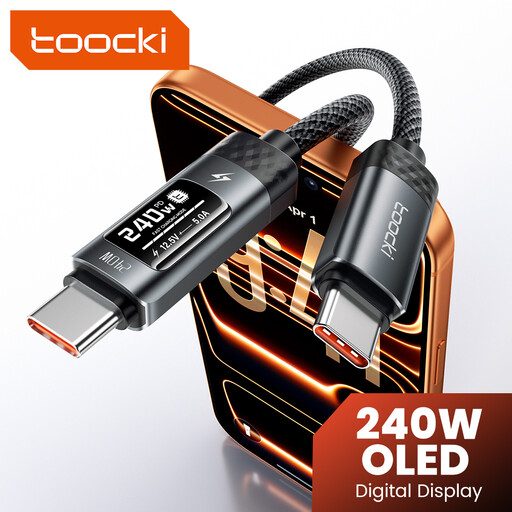
Consider this if you want a cable with a stated 240W capability and an LED display. Confirm both connector ends and the charging requirements of your device and charger; the cable rating does not establish the power delivered to a device.
 No image available
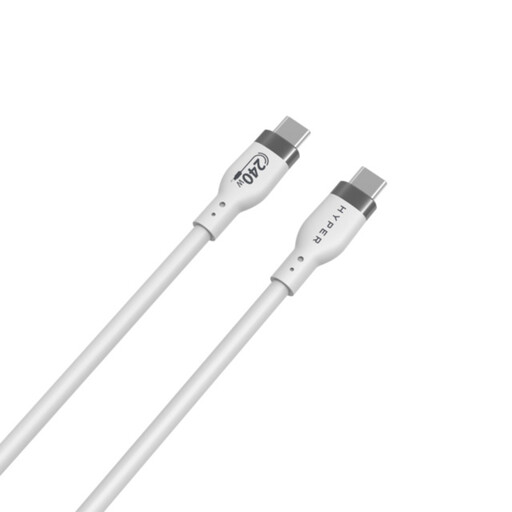
This is a USB-C-to-USB-C option where a 1M cable fits the charging location. Check its stated 240W capability against the device and charger; the rating alone does not establish a particular charging rate.
 No image available
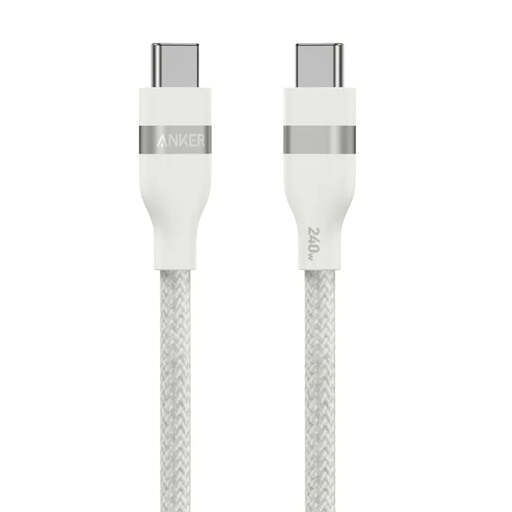
Consider this for a USB-C-to-USB-C pairing where a 0.9M braided cable suits the location. Its stated 240W capability still needs to be matched to the device and charger requirements.
 No image available
Consider this if keeping charging accessories together matters at a shared point. Check the exact connector arrangement against your devices before buying; the stated 60W does not establish compatibility with every charging combination.
It can if the laptop's power requirements are met while the other ports are occupied. Compare its manufacturer-recommended adapter wattage with the charger's stated simultaneous-output allocation, not just its maximum single-port figure. Apple advises using at least the minimum recommended adapter wattage for a USB-C-chargeable Mac.
No: matching connectors do not establish a cable's power capability. The USB Implementers Forum distinguishes between cable capabilities, including USB-C-to-USB-C cables marked for 60W or 240W. Check the cable rating against the intended device and charger.
Yes, but alerts concern identified products, not every charging station or charger. Office for Product Safety and Standards reports include a 2025 USB charging-station report citing inadequate earthing and a 2026 charger report citing plug dimensions. Check the exact model against GOV.UK product-safety alerts before purchase or continued use.
It can if the extension lead is suitable for the combined load and used within its marked rating. Electrical Safety First advises against overloading extension leads, cable reels and block adaptors; do not daisy-chain extension devices.
Keep it when you cannot confirm that a shared charger and cable meet the device's connector and power requirements, or when the manufacturer specifies a particular charging arrangement. London Fire Brigade advises using the supplied charger or choosing a genuine replacement from a trusted supplier.