For a shared household tablet, consider Android if separate user spaces or expandable storage matter, but check those features on the exact model. An iPad is worth considering for its video-call camera and optional keyboard, while a Fire tablet may suit a household using Amazon Kids controls—provided its required calling apps are compatible. Compare screen quality, call setup and battery endurance for the way your household will use the device.
Who is sharing the tablet?
Shared-device households
One tablet may serve several adults or children for browsing, email and streaming. If accounts or child access need to stay separate, check the controls on the specific device rather than assuming all tablets handle sharing alike.
Families making regular video calls
Check the calling app, front camera and microphone alongside the home broadband connection. A camera alone does not establish that a particular calling service will work on the tablet.
Home media and email users
For streaming, browsing and messages, screen quality, battery endurance and everyday responsiveness matter. Occasional longer typing may make an optional keyboard worth considering.
What should you check before choosing?
Android tablets
Consider when: Separate spaces for household members or expandable local storage are important; Google says some Android tablets support multiple users.
Bear in mind: Profile controls vary by device and need setting up, so confirm them on the exact model.
iPads
Consider when: The landscape 12MP Centre Stage front camera and optional keyboard on Apple’s 11-inch iPad (A16) fit your calls and typing.
Bear in mind: Apple Family Sharing shares eligible services between accounts; it does not establish separate local user profiles on one shared iPad.
Amazon Fire tablets
Consider when: Entertainment and Amazon Kids controls are central to household use.
Bear in mind: Check each essential app against the exact Fire device in the Amazon Appstore; child communication features require parental consent.
| Priority | What to check | Your needs |
|---|
| Video calls |
Check the required app against the exact tablet and operating-system version. Confirm camera and microphone access, camera placement and the broadband connection; Google lists device, camera and broadband requirements for Meet. |
I need relatives to be able to reach us through the calling service we actually use, not just a tablet with a front camera. |
| Shared access |
Look for separate users or child controls on the exact model. Google says some Android tablets support multiple users; Samsung describes user accounts and restricted profiles on compatible Galaxy tablets. |
If adults and children will share one device, I want to know how their accounts, apps and settings will be kept apart. |
| Screen and battery |
Consider viewing angles and screen sharpness as well as battery endurance for your usual activities. Which? tests these aspects of tablets; compare like-for-like test conditions rather than unlike manufacturer battery claims. |
Streaming and browsing should be comfortable where we normally use the tablet, and charging should fit our routine. |
| Everyday use |
Check setup and app responsiveness on the exact model, alongside its stated processor and memory. Which? includes setup, speed, email and video calls in its tablet testing. |
Several people may use the tablet for quick emails and everyday apps, so a specification alone will not tell me how it feels to use. |
| Storage and typing |
Check the storage of the chosen configuration and whether that model supports expansion. Confirm keyboard compatibility if longer emails, forms or documents are routine. |
We need room for our apps and downloads; a keyboard matters more if we regularly type at length. |
What can be easy to overlook?
-
Assuming every tablet runs the same calling apps
Calling services can have device, operating-system and permission requirements. Fire tablet apps also need to be compatible with the particular device through the Amazon Appstore.
List the services your household uses and check each one against the exact tablet and installed software version before ordering.
-
Assuming a family tablet has separate user spaces
Google says multiple users are supported on some Android tablets, not all of them. Child controls and account setup also depend on the device.
If separation matters, check the model’s current user-profile instructions and how adult profiles are protected by a screen lock.
-
Comparing advertised battery hours directly
Apple and Amazon state battery claims under different use conditions. A larger stated figure therefore does not, by itself, establish longer endurance for your routine.
Check what activity each claim covers and use comparable independent tests, such as those from Which?, where available.
-
Treating a keyboard as necessary for casual use
Browsing, streaming and ordinary video calls do not require a keyboard. Its usefulness changes if longer emails, forms or document work become regular tasks.
Decide how often the household will type at length, then check whether a compatible keyboard and its added bulk make sense for that use.
A keyboard case adds something to carry and set up when the tablet is used away from a desk.
How do the tablet brands differ?
Apple
Apple’s 11-inch iPad (A16) is an iPadOS option with a landscape 12MP Centre Stage front camera and an optional Magic Keyboard Folio.
- Apple lists 128GB starting storage for this iPad. Family Sharing lets family members share eligible services without sharing an Apple Account.
- Family Sharing does not establish separate local profiles for everyone using one physical iPad; check the household’s sign-in and privacy workflow.
Samsung
Samsung’s Galaxy Tab A11+ Wi-Fi is an Android example for households considering local storage and account controls.
- Samsung lists a 5MP front camera, configurations with up to 256GB storage and microSD expansion up to 2TB for the Galaxy Tab A11+ Wi-Fi line.
- Samsung’s guidance describes user accounts and restricted profiles on Galaxy tablets, but check that the chosen model and software version provide the controls you need.
Amazon
Amazon Fire tablets are an entertainment-focused route with Amazon Kids controls and apps obtained through the Amazon Appstore.
- Amazon lists an 11-inch 2,000 × 1,200 display and 64GB or 128GB storage options for the Fire Max 11.
- Check each required app for the exact Fire tablet. Amazon says child communication features in Amazon Kids require parental consent.
Android tablets for everyday home use
These Android tablet options cover video calls, streaming and everyday tasks. Compare the exact variant’s apps and sharing controls against your household’s needs before choosing.
 No image available
TABWEE T20 10.1-inch 256GB tablet with keyboard accessories
For shared browsing and occasional typing, the listing specifies a 10.1-inch 1280 × 800 display, 256GB storage, a 5MP front camera and keyboard and stand accessories. Check your calling apps and the supplied Android version: the listing gives conflicting versions. Confirm how its stated multi-user mode works for your household.
View on Joybuy
 No image available
DOOGEE U11 PRO 11-inch 256GB tablet, black
For streaming and downloads, the listing specifies an 11-inch 1280 × 800 IPS display, 256GB storage with microSD expansion, Android 15 and a 5MP front camera. Check calling-app compatibility and separate-user controls if the tablet will be shared; the stated video-playback duration is a seller claim, not an independent test.
View on Joybuy
 No image available
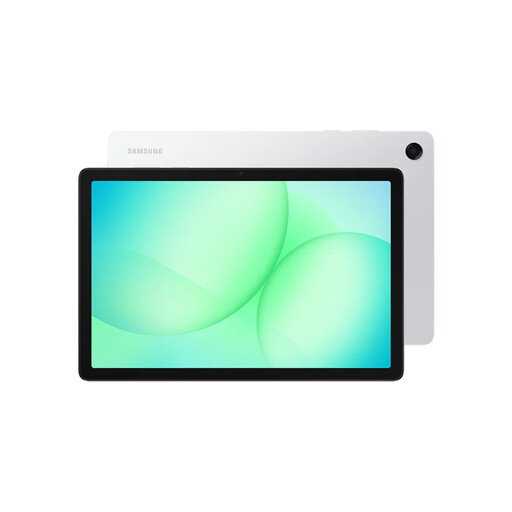
Samsung Galaxy Tab A11+ 5G X236, 6GB/128GB, silver
For a household considering mobile data as well as home use, this listed 5G variant has an 11-inch 1920 × 1200 display, 128GB storage, microSD expansion and a 5MP front camera. Check the exact regional model’s network bands if you plan to use 5G, plus calling-app compatibility and any required user-profile controls.
View on Joybuy
 No image available
Samsung Galaxy Tab A11+ 128GB Wi-Fi, grey
For streaming and calls over Wi-Fi, the listing specifies an 11-inch 1920 × 1200 display, quad speakers, 128GB storage and a 5MP front camera. Check your calling apps and the exact model’s user-profile controls if account separation matters; compare battery endurance for your intended routine.
View on Joybuy
 No image available
Samsung Galaxy Tab A11+ 8GB/256GB Wi-Fi, grey
For households keeping more apps and downloads locally, the listing specifies 256GB storage with microSD expansion, an 11-inch 1920 × 1200 display and a 5MP front camera. Check calling-app compatibility with the listed Android 16 version, confirm user-profile controls if needed and compare battery endurance for your routine.
View on Joybuy
Common questions
What does a tablet need for Google Meet calls?
Google says Meet needs a compatible device and supported operating system, an appropriate app or supported browser, broadband, a camera and camera and microphone permissions. Check those requirements against the exact tablet and the Meet features your household uses.
Can family members have separate accounts on one Android tablet?
Some Android tablets support multiple users with separate home screens, accounts, apps and settings, according to Google. Check the chosen model’s current user settings and protect adult profiles with a screen lock; support is not universal.
Will a Fire tablet run our calling apps?
Check each required service against the exact Fire tablet in the Amazon Appstore. Amazon mentions Zoom calls for the Fire Max 11, but that does not establish compatibility with every calling app or Fire model.
Do children need approval to make calls through Amazon Kids?
Yes. Amazon says a parent must consent before a child uses Amazon Kids communication features such as video calls. A parent can hide those features instead.


