For a desk passed between volunteers, start with a mouse that is easy for the intended users to handle and connect; quiet clicks may also matter when people work nearby. A compact Bluetooth model makes more sense if one planner moves between compatible devices, while a shaped vertical mouse is a more personal choice for a regular user. If paperwork leaves little room to move a mouse, consider a trackball, but check that its controls suit the people sharing it.
Who is using the desk?
Volunteer coordinators sharing a workstation
When several people take turns, an uncomplicated connection and a shape that suits the intended users matter more than a highly personalised grip. Logitech offers quiet-click models, while Posturite describes a mouse designed for use with either hand; check the fit of either option before assigning it to the desk.
Planners moving between locations
A planner carrying a laptop between home, the shared desk and event venues may value compact storage and Bluetooth connection. Logitech specifies multi-device Bluetooth connection for the MX Anywhere 3S, while Microsoft describes the Surface Arc Mouse as a model that folds flat for carrying.
Regular planners working for long sessions
Someone repeatedly updating schedules, registrations and communications needs to consider hand fit as well as the whole workstation. The Health and Safety Executive advises positioning the mouse in line with the elbow; a portable shape alone does not address desk arrangement.
What matters when choosing?
Decide who will use the mouse before choosing its shape, then check the shared computer’s connection options and the space available beside the keyboard.
| Concern |
What to check |
Who this matters to |
| Quiet, simple shared use |
Check the click-noise claim, handedness and whether a required USB receiver can stay with the workstation. |
When volunteers take turns near other people, I want clicks that cause less distraction and a mouse that is easy to hand over; around 37% of consumers put quiet, straightforward shared use first. |
| Mobility and connections |
Check Bluetooth support on each computer, device-switching options and whether a receiver is included if needed. |
Moving between a laptop and other compatible devices makes changing connections a priority for me; roughly 27% of consumers primarily want that flexibility. |
| Fit for longer sessions |
Check hand size and handedness, and whether the mouse can sit in line with the elbow. |
For repeated sessions updating plans and lists, I need a shape that fits my hand without neglecting desk setup; around 18% of consumers place sustained-use fit first. |
| Limited desk space |
Check the clear mousing area and whether intended users are comfortable with thumb-controlled pointing. |
If papers and a laptop occupy the desk, I need cursor control without much sideways movement; about 18% of consumers chiefly prioritise working in a tight space. |
Mistakes to avoid
-
Choosing one person’s shaped mouse for every volunteer
A mouse shaped for a regular right-handed user may be awkward for someone using their left hand. Logitech sells separate left- and right-handed Lift versions; Posturite’s Penguin can be used with either hand but still requires size selection.
Decide whether the mouse belongs to one regular planner or rotates between users. For a rotating group, check fit across the group or keep a separately assigned shaped mouse for the regular user.
-
Assuming every wireless mouse connects the same way
Logitech’s M330 Silent Plus uses a USB receiver, whereas Bluetooth models require compatible Bluetooth hardware and software. The connection method matters on the computer that will actually sit at the shared desk.
Check its ports and Bluetooth capability before buying, and confirm whether the chosen mouse needs a receiver.
A laptop with only USB-C ports may need an adaptor or hub for a USB-A receiver.
-
Treating a high DPI figure as a complete buying decision
A tracking specification does not tell you whether a mouse fits the volunteers’ hands, clicks quietly or connects to their computer.
Settle shared-user fit, connection, noise and working space before comparing tracking specifications.
-
Expecting a shaped mouse to fix the workstation
The Health and Safety Executive’s display-screen guidance addresses equipment arrangement as well as mouse position. Changing the mouse alone will not correct an awkward reach or a poorly placed screen.
For regular, prolonged work, check the whole setup and position the mouse in line with the elbow, as the Health and Safety Executive advises.
Brands to consider for these mouse designs
Logitech
Its range includes distinct options for quiet clicks, multi-device use, vertical grip and trackball control.
- Logitech specifies Bluetooth connection to up to three devices for MX Anywhere 3S and offers separate handed versions of Lift.
- Check the exact model’s handedness, connection method and fit; features of one Logitech mouse do not apply to the whole range.
Microsoft
The Surface Arc Mouse is a slim Bluetooth option for carrying between compatible computers.
- Microsoft says the Surface Arc Mouse folds flat for storage.
- Microsoft specifies Windows 10 or 11 and Bluetooth 4.0 or later for setup; its travel shape does not establish suitability for long sessions.
Posturite
The Penguin 3-in-1 is a specialised vertical mouse intended for use with either hand.
- Posturite offers wired, wireless and Bluetooth connection modes for this model.
- Choose its size for the intended users rather than assuming that an ambidextrous design fits every hand.
Joybuy mouse options
These mice offer different approaches to event-planning work: receiver-based quiet clicking, alternative wireless connections and a vertical shape for a regular user. Check the shared computer and the people who will use each mouse before choosing.
 No image available
Logitech MX Master 3S Ergonomic Mouse, Black
Consider this for a regular planner navigating documents and switching between computers. Check whether its shape suits everyone who would use it at a shared desk.
View on Joybuy
 No image available
HOFOTEK M311 2.4G+BT Silent Mouse, White-Grey
Its stated quiet-click design is relevant when planning beside other people; check its shape before assigning it to a rotating group. The title lists 2.4G+BT connection, adjustable DPI and one AA battery.
View on Joybuy
 No image available
Philips 3000 Series SPK7378B/00 Wireless Mouse, Black, EU Version
Consider this receiver-based option if the shared computer has a suitable port and quieter clicking matters. Its title specifies 2.4 GHz wireless connection, a USB receiver, silent clicks and 1600 DPI; check its shape for the intended users.
View on Joybuy
 No image available
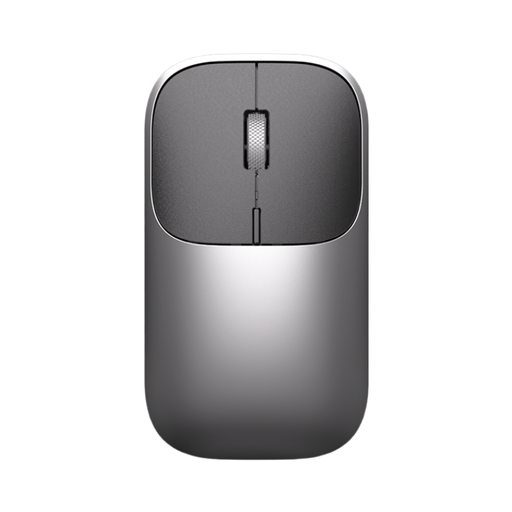
Ochama JZ001 Dual-Mode Mouse, Metallic Grey/Silver White
Consider its two stated connection modes when checking how the planning computer can connect. The title specifies Bluetooth 5.0, 2.4 GHz and adjustable DPI; check device-switching details, click noise and handedness separately.
View on Joybuy
 No image available
HP 920 Ergonomic Wireless Mouse, Black, with Detachable Wrist Rest
A vertical shape is worth considering for a known regular user rather than assuming it suits every volunteer. The title specifies a detachable wrist rest; check hand fit and the workstation arrangement before choosing.
View on Joybuy
Questions about shared-desk mice
Does a shared desk need a special ergonomic mouse?
A particular mouse shape is not a substitute for arranging the workstation to suit its users. For regular, prolonged screen work, check mouse position and the wider desk setup; the Health and Safety Executive advises keeping the mouse in line with the elbow.
What should I check if using the mouse feels awkward?
Check the mouse’s position alongside its fit. The Health and Safety Executive advises keeping the mouse in line with the elbow and the screen and keyboard central; for prolonged laptop work, consider a separate keyboard and mouse so the screen can be raised.
Is Bluetooth preferable to a USB receiver at a shared desk?
Choose by the computer and how the mouse will be used, not by the wireless label alone. Logitech’s MX Anywhere 3S connects by Bluetooth to up to three compatible devices, while its M330 Silent Plus uses a USB receiver that can remain with one workstation.
Can one vertical mouse suit every volunteer?
Do not assume that one shaped mouse fits a rotating group. Logitech offers separate left- and right-handed Lift versions for small-to-medium hands, while Posturite’s ambidextrous Penguin still needs to be selected by size.


