Households keeping an older TV
If the shared screen still works well and has a usable HDMI input, check an external player before replacing it. Confirm that the exact player runs your household’s apps and can connect to power and Wi-Fi in that room.


If your existing TV has a working HDMI input and its picture and sound still suit the room, check whether a streaming player supports your household’s services before replacing the screen. An already-connected games console may also provide the apps you need. If the problem is the display, sound or Wi-Fi at the TV, address that part of the setup instead; a 4K player alone cannot give a non-4K screen a 4K picture.
If the shared screen still works well and has a usable HDMI input, check an external player before replacing it. Confirm that the exact player runs your household’s apps and can connect to power and Wi-Fi in that room.
Check the TV, content, HDMI connection and internet connection together. Google’s streaming-device guidance says 4K and HDR viewing needs compatible TV hardware, suitable content and a high-speed connection.
Device choice does not remove the need to check TV Licence coverage. TV Licensing says a licence is required for live and on-demand BBC iPlayer viewing, and its student guidance says one licence is needed for an address under a joint tenancy.
Start with the screen and apps you already use, then check the connection at the TV before choosing hardware for higher picture quality.
| Priority | What to check | Your needs |
|---|---|---|
| App access | Check whether the TV, an existing console or a prospective player runs each required app. Netflix lists supported smart TVs, streaming players and games consoles, but support depends on the device. | Our screen still suits the room; we mainly need a practical way for everyone to open the services we watch. |
| TV connection | Confirm a working HDMI input before choosing an external player. Netflix says HDCP is required to stream from a device connected to a TV. | I want to keep the current TV if a player can connect and play the content we use. |
| Room connection | Test the connection where the TV is used. Netflix recommends at least 3 Mbps for 720p, 5 Mbps for 1080p and 15 Mbps for 4K; Google’s casting guidance also calls for strong Wi-Fi. | Streaming needs to work in the communal room, not just near the router, especially when other household devices are online. |
| Picture and sound | Check whether the TV itself meets your needs. For 4K or HDR, confirm compatible display hardware and content as well as a suitable connection; Google identifies these as conditions for its streaming hardware. | We would change the display or audio setup because the screen or sound needs changing, rather than just to add an app. |
An external player may provide app access on a TV whose picture and sound still meet the household’s needs. Roku says its Streaming Stick 4K connects to an HDMI-equipped TV.
Check the input works and confirm the exact player supports your required UK services before deciding whether the screen needs replacing.
A non-4K display cannot show a 4K picture simply because the connected player supports it. Google also identifies compatible content and a high-speed connection as conditions for 4K viewing.
Check the TV’s capabilities, the intended content and the HDMI connection; for Netflix on a connected device, check HDCP compatibility too.
The connection at the communal TV can differ from the connection where the router sits. Google says strong Wi-Fi is needed for good casting performance.
Test streaming at the TV. If Wi-Fi there is weak, check whether better placement, network equipment or a wired connection supported by your device addresses the problem.
TV Licensing says live and on-demand viewing on BBC iPlayer requires a TV Licence, regardless of whether you use a TV app or a connected device.
Check what the household watches and whether the address is covered. TV Licensing says one licence is needed for an address under a joint tenancy.
Roku’s Streaming Stick 4K is an HDMI-connected route for keeping an existing television.
Google’s streaming devices offer a route for households considering an HDMI-connected player or casting.
Apple TV 4K is an HDMI-connected box to consider alongside the household’s existing devices.
Amazon’s Fire TV Stick range offers an HDMI-connected player route.
These options cover adding a streaming player to an existing TV and addressing weak Wi-Fi near the main screen. The Wi-Fi extender is relevant only if the connection there is the problem; it does not add streaming apps.
 No image available
Consider this HDMI-connected player if the existing TV still suits the room but needs another route to streaming apps. Check the required services on this exact model, Wi-Fi at the TV and the display’s capabilities before relying on 4K viewing.
 No image available
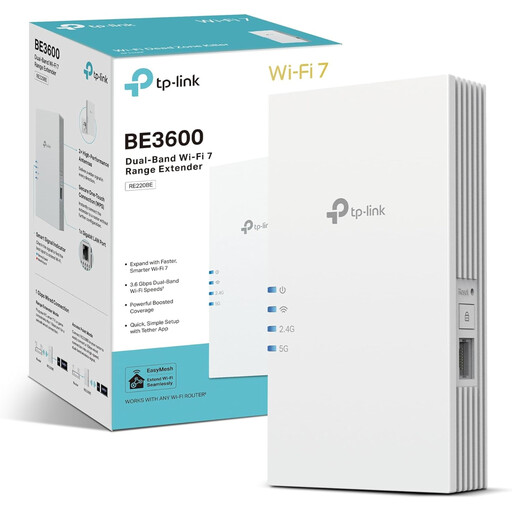
Consider a range extender only if testing shows weak Wi-Fi at the main TV. Check compatibility with the existing router and whether the extender can be placed where it receives a usable signal; it does not provide streaming apps.
Not if its picture and sound still suit you and a compatible external player can provide the apps you use. Check the TV’s HDMI input and the exact player’s app support first; Netflix lists streaming players as one way to watch on a TV.
No. It may still provide streaming through HDMI, but 4K viewing needs a compatible display and content. Netflix recommends a connection of at least 15 Mbps for its 4K streams.
Test the connection at the TV rather than only beside the router. Netflix recommends at least 3 Mbps for 720p, 5 Mbps for 1080p and 15 Mbps for 4K; if Wi-Fi is weak at the screen, check placement or a compatible wired or network-equipment route.
Yes. TV Licensing says a licence is required for live and on-demand BBC iPlayer viewing. Its student guidance says one licence is needed for an address under a joint tenancy; check the coverage for your household’s circumstances.
Check the HDMI input and the compatibility of the connected equipment. Netflix says HDCP is required when streaming from a device connected to a TV, so the player and display connection must support protected playback.