Players focused on positional cues
If footsteps, reloads and nearby movement matter to your practice, check which sound controls work with your game and device. A preset advertised for gaming is not proof that it will improve your aim.


Start with a closed-back headset if disturbing someone else in the bedroom is a concern: RTINGS explains that open-back earcups allow sound to pass through. Then choose a connection your gaming device explicitly supports. Wired models can be a practical option across several devices, while cable-free practice calls for checking the wireless headset’s exact platform support and charging requirements; Bluetooth alone does not establish direct console compatibility.
If footsteps, reloads and nearby movement matter to your practice, check which sound controls work with your game and device. A preset advertised for gaming is not proof that it will improve your aim.
If someone nearby is sleeping, studying or relaxing, sound escaping the earcups matters alongside what you hear. RTINGS describes how open-back earcups let sound pass through; a closed-back design and a comfortable listening level are a more useful starting point for this room.
If you practise on a PC and a console, check the headset’s connection and voice-chat support for each exact device. A wireless label does not tell you which consoles a headset can connect to.
For a shared bedroom, decide on earcup design before comparing sound features. Then check the connection you will actually use for practice and chat; wired and wireless headsets bring different practical constraints.
Consider it when: you use several devices and want to avoid charging. HyperX lists 3.5mm, USB-C and USB-A connections for the wired Cloud III, with compatibility across its stated platforms.
Allow for: a cable at your desk or controller. Check which connector and microphone functions work on each device rather than assuming every connection behaves alike.
Consider it when: you want to practise without a cable and the maker explicitly lists your device. SteelSeries lists a USB-C dongle and supported platforms for the Arctis Nova 5.
Allow for: charging and the need to confirm the exact headset variant and supplied adapter. Bluetooth support for a phone does not establish a direct console connection.
| Concern | What to check | Who this matters to |
|---|---|---|
| Directional game audio | Check sound settings available for the exact headset, game and platform; make sure its connection works with your practice device. | If I practise reacting to footsteps and nearby movement, I want to hear those cues without relying on a preset’s promise of better aim. Roughly 42% of consumers put positional cues first. |
| Shared-room sound leakage | Start with closed-back earcups, then consider the seal and a comfortable listening volume. | When someone is resting or working beside me, I want to hear the game without making them listen too. Around 33% of consumers prioritise limiting disruption. |
| Connection and extended wear | Match the connector or wireless adapter to your device and chat needs; consider fit and charging if applicable. | I switch devices or practise for longer sessions, so a usable connection and a fit I can live with matter more than extra sound modes. Approximately 25% of consumers make that practicality their primary concern. |
RTINGS explains that open-back earcups allow sound through, making them a poor starting point when you need to limit what another person hears.
Filter for closed-back designs, then consider the earcup fit and keep the listening level comfortable. A closed-back label alone does not tell you how much an individual headset will leak.
Xbox Support states that an Xbox One console cannot connect a headset using Bluetooth. PlayStation’s instructions for its supported wireless headsets instead describe connecting a USB adapter.
Check the instructions for your exact console, headset variant and intended voice-chat connection before buying.
An unsuitable connection can leave you needing a compatible adapter or a different headset for that device.
A driver specification or game-audio preset does not establish that you will locate cues more accurately or improve your aim.
Check enclosure, device compatibility, fit and volume adjustment first. Treat available sound controls as a further consideration for the games and platforms on which you can use them.
A reference point for comparing a wired, closed-back headset with a separate wireless route.
A reference point for a wireless headset using a USB-C dongle and optional game-audio settings.
A reference point if you want to compare several connection methods and earpad options in one model.
These wired and wireless headsets offer different starting points for the shared-bedroom decision. For each one, check the connection with your device and whether its earcup design and fit suit playing near someone else; sound-feature names alone cannot settle that choice.
 No image available
Consider this wired model if you want to avoid charging while practising across devices. Check the connection and chat functions for each device you use, and assess fit and sound leakage for your shared room.
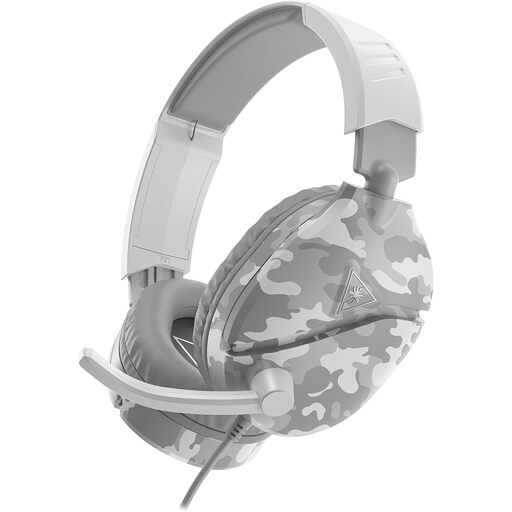 No image available
This wired option is worth considering for practice on a listed console or PC. Confirm the connection for your device, how you will adjust volume during play and whether the fit limits disturbance in your room.
 No image available
Consider this model if cable-free practice matters more to you, provided its intended connection works with your device. Check charging needs, earcup construction and sound leakage before choosing it for a shared bedroom.
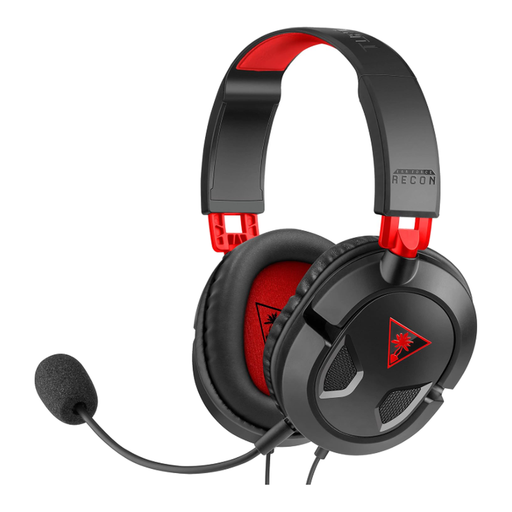 No image available
This is another wired route to consider if you practise on PC or a listed console. Check the controller or device connection, then assess earcup design and leakage before using it beside someone else.
 No image available
Consider this USB model for PC or PS4 practice if that connection suits your setup; do not choose it for Xbox use. Check earcup leakage for the shared bedroom, and treat its 7.1 surround wording as a feature to assess rather than a promise of clearer positional cues.
A closed-back headset is the more sensible starting point if limiting disturbance matters. RTINGS explains that open-back earcups let sound pass through; fit and listening volume still affect how much another person may hear from an individual headset.
No: Bluetooth support on a headset does not establish a direct Xbox connection. Xbox Support says Xbox One consoles cannot connect headsets using Bluetooth; check the instructions for your exact console, controller and headset before choosing a wireless route.
Check that the exact headset supports PS5 and that you have the connection it requires. PlayStation’s instructions for its supported wireless headsets describe plugging a supplied USB adapter into the console; third-party models can have different requirements.
Keep headphone volume at a comfortable level and take listening breaks. Royal Free London NHS Foundation Trust advises avoiding more than 60% of maximum volume, limiting headphone use to an hour at a time and taking at least a five-minute break each hour; loudness, duration and frequency all matter.