For shooter aim practice at a small desk, start with a 23.8–24.5-inch Full HD monitor and check that its stand leaves enough room for your mouse. An IPS model around 180Hz suits mixed use, while a 360Hz-or-higher esports model is worth considering if your PC and chosen connection can sustain its supported refresh rate. Check screen placement and mounting before choosing either route; a larger, higher-resolution screen needs its own desk-fit assessment.
Who this is for
Players short on desk space
You need a screen and stand that leave room for mouse movement. Check whether you can position the display comfortably; the Health and Safety Executive advises placing the top near eye level and the screen roughly an arm’s length away.
Competitive players with high frame rates
You are considering a compact Full HD display at 360Hz or above and have a PC capable of supplying suitably high frame rates through a compatible connection.
Players who also use the screen for other tasks
You want a compact monitor for shooter practice, other games and everyday viewing, without making the highest available refresh rate your main priority. LG’s 23.8-inch 24GS65F-B illustrates the 180Hz IPS route.
What matters when choosing
Choose a screen that fits your desk first, then match its refresh rate and features to the output your PC can deliver. Mounting and connection checks can change whether a promising specification works in your setup.
Compact Full HD IPS around 180Hz
Consider it when: Shooter practice shares the screen with other games and everyday use; LG’s 23.8-inch 24GS65F-B is one 180Hz example.
Trade-off: It has less refresh-rate headroom than the cited 360Hz and 500Hz models. The LG model’s supplied stand adjusts for tilt, while its 100 × 100mm VESA mounting offers another placement option with a compatible arm.
24.5-inch Full HD esports displays
Consider it when: Shooter practice is your main use and your PC and connection can make use of a 360Hz-or-higher display. Dell lists the Alienware AW2524HF at up to 500Hz; ZOWIE lists the XL2566K at 360Hz.
Trade-off: The maximum refresh rate depends on the setup. ZOWIE also says DyAc+ must be turned off to use variable refresh rate on the XL2566K.
| Concern |
What to check |
Who this matters to |
| Motion clarity |
Match the monitor’s refresh rate and input requirements to the frame rate your game can sustain. Check the metric and mode behind response-time claims. |
If tracking fast targets is my priority, I want refresh headroom my PC can actually use; roughly 33% of consumers put motion handling first. |
| Desk fit |
Compare the model’s dimensions with your usable desk area. For an arm, match its supported load and hole pattern to the monitor. |
When mouse space is tight, I need a screen position that does not crowd my movements; around 27% of consumers prioritise desk fit and placement. |
| Feature compatibility |
Check the refresh rate supported through your intended port and whether the exact model allows variable refresh rate alongside its blur-reduction mode. |
If my frame rate varies, I do not want to discover that my preferred display modes conflict; about 20% of consumers put connection and feature compatibility first. |
| Mixed use |
Compare panel type, resolution, refresh rate and stand adjustment for the exact models you are considering. |
When this screen also handles other games and everyday tasks, I may prefer a compact IPS option over maximum refresh headroom; roughly 20% of consumers make mixed use their primary concern. |
Buying pitfalls
-
Choosing by the highest Hz figure alone
The selected input can limit the available refresh rate. Dell lists 500Hz through overclocked DisplayPort, 480Hz through DisplayPort and 255Hz through HDMI for the Alienware AW2524HF.
Check the output on your PC or console, the cable and the monitor’s connection-specific settings before relying on its headline rate.
-
Assuming VRR and blur reduction work together
ZOWIE says DyAc+ must be switched off when using variable refresh rate on the XL2566K, so both features cannot be selected together on that model.
Decide which mode matters more for your usual frame-rate behaviour, then check the exact monitor’s operating instructions.
-
Choosing an arm by screen size alone
A monitor arm needs to match the mounting-hole pattern and support the monitor’s weight. Ergotron identifies these as the primary compatibility checks.
Compare the monitor’s pattern and weight with the arm’s stated range, and check that the arm can attach to your desk.
Replacing a supplied stand with a separate arm also adds another item to fit and set up.
-
Treating every response-time figure as equivalent
Figures can describe different measurements or settings: LG specifies 1ms grey-to-grey for the 24GS65F-B in Faster mode, while a KOORUI listing distinguishes overdrive response values from 1ms MPRT.
Compare the measurement type and required mode, rather than treating matching millisecond figures as a like-for-like result.
Brands to consider for compact gaming monitors
Alienware
Dell’s AW2524HF represents a 24.5-inch Full HD Fast IPS route with a high published refresh-rate ceiling.
- Dell specifies up to 500Hz and a supplied stand with height, pivot, swivel and tilt adjustment for the AW2524HF.
- The maximum refresh rate depends on the connection and settings; the model remains Full HD.
ZOWIE by BenQ
The 24.5-inch XL2566K is a 360Hz Fast TN esports monitor with ZOWIE’s DyAc+ motion-clarity feature.
- According to ZOWIE’s own product information, DyAc+ is intended to improve clarity during rapid motion; this is a manufacturer claim, not an independent test result.
- ZOWIE says DyAc+ cannot be used alongside variable refresh rate on the XL2566K.
LG UltraGear
LG’s 24GS65F-B represents a 23.8-inch Full HD IPS option at 180Hz.
- LG specifies variable refresh rate support and 100 × 100mm VESA mounting for this model.
- Its supplied stand adjusts for tilt; buyers needing another screen height or position should check a compatible arm or a different stand design.
Joybuy monitors for this setup
These monitors offer different ways to approach limited desk space, from compact 100Hz and 180Hz screens to a larger 27-inch 360Hz option. Compare each model’s actual dimensions and connection requirements with your own setup rather than treating screen size alone as a fit guarantee.
 Image unavailable
KOORUI MG24A12FV2 24-inch curved gaming monitor
Consider this compact option if a 180Hz screen suits your shooter-practice setup, subject to checking the space its stand occupies.
Full HD VA display; 1500R curvature; 1ms MPRT; two HDMI inputs, DisplayPort, VESA compatibility and tilt adjustment are stated in its product name. Confirm the refresh rate available through your intended input. MPRT is not directly interchangeable with a grey-to-grey response figure.
View on Joybuy
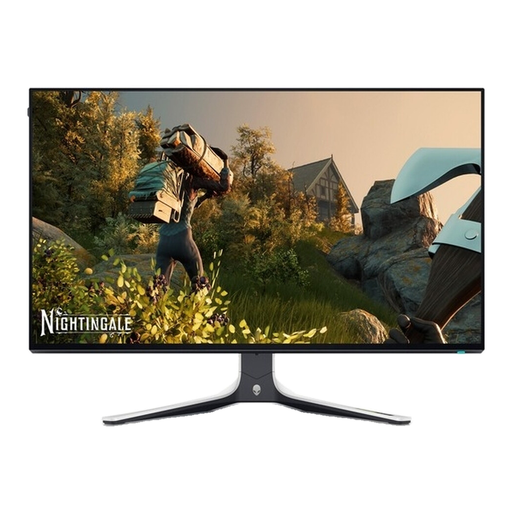 Image unavailable
Alienware AW2724HF 27-inch gaming monitor
Consider this 360Hz option only if a larger screen fits your desk and your system can make use of its refresh-rate capability.
Its product name specifies a 27-inch Full HD Fast IPS display and HDR10. Check the monitor’s dimensions, stand or mounting arrangement, and the refresh rate supported through your intended connection before buying.
View on Joybuy
 Image unavailable
Gawfolk 24.5-inch curved 100Hz monitor
This is a compact-screen option if desk fit matters more to you than the refresh headroom of the 180Hz-and-higher routes.
The product name specifies Full HD, 3000R curvature and 1ms MPRT. Its mounting information gives differing hole-pattern details, so confirm the exact pattern and monitor weight before choosing an arm.
View on Joybuy
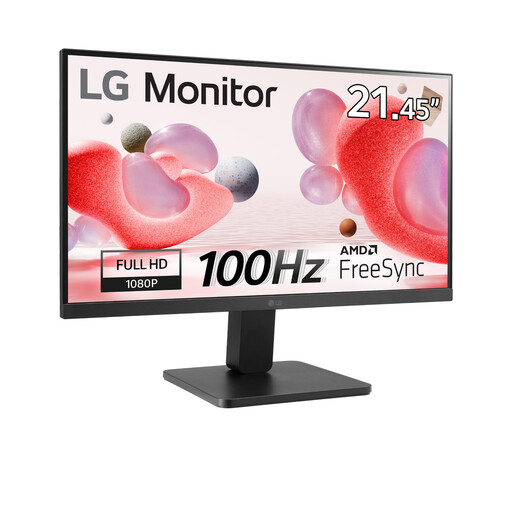 Image unavailable
LG 22-inch Full HD VA 100Hz monitor
Consider the smaller screen if available desk space is especially restrictive and 100Hz meets your needs.
Its product name specifies a Full HD VA display and HDMI connection. Compare its full dimensions with your desk and confirm the refresh rate available from your device’s output.
View on Joybuy
Common questions
Should I choose a 24-inch or 27-inch monitor for a small desk?
Start by checking the fit of a 23.8–24.5-inch model, then consider 27 inches if its stand and viewing position still leave enough mouse space. The Health and Safety Executive advises placing the top of a screen near eye level and the display roughly an arm’s length away; screen size alone will not tell you whether that placement is possible.
Can I use variable refresh rate and blur reduction at the same time?
Not on every monitor: ZOWIE says DyAc+ must be turned off to use variable refresh rate on the XL2566K. Check the instructions for the exact model you are considering rather than assuming that two listed features work simultaneously.
What should I check before buying a monitor arm?
Match the monitor’s mounting-hole pattern and weight to the arm’s supported pattern and load, then check how the arm attaches to your desk. Ergotron identifies hole pattern and monitor weight as the primary VESA compatibility criteria; LG specifies 100 × 100mm mounting for the 24GS65F-B.
What should I do with an old monitor when replacing it?
Check the electrical-equipment recycling or take-back options available where you live. GOV.UK describes the UK’s waste electrical and electronic equipment rules as measures encouraging recovery, reuse and recycling; confirm the practical collection arrangement with your retailer or local authority.


