Start by comparing OLED TVs from your actual side seat: RTINGS reports strong wide-angle viewing in its LG C5 and Samsung S95F tests, but screen finish and room light can change what you see. For silent films, prioritise picture controls that let you switch off motion smoothing; if reflections dominate, assess glare handling as carefully as the picture in a dark room.
Who this choice matters to
Regular side-seat viewers
If your usual chair is well away from the screen centre, judge black-and-white tones and contrast from that chair, not just from directly in front. RTINGS describes strong wide-angle viewing in its tests of the LG C5 and Samsung S95F; the result still needs checking on the TV you choose.
Viewers who prefer a film-like image
If added frames or heavy sharpening distract you, look for accessible picture controls. The UHD Alliance says Filmmaker Mode disables processing including motion smoothing, sharpening and noise reduction on supported TVs.
Side-seat viewers in bright rooms
Windows and lamps can be distracting from an off-centre seat even when the panel has a wide viewing angle. RTINGS highlights the Samsung S95F’s brightness and matte anti-reflective coating for bright-room viewing.
What to check before buying
Check the picture from your seat first, then try your usual film source with processing reduced; assess reflections under your normal room lighting before choosing a screen finish.
| Concern | What to check | Who this matters to |
|---|
| Picture from the side |
Compare a monochrome scene and white intertitles from your seat and from the centre. Check black levels and tonal detail on the exact model. |
If I usually sit to one side, I want dark scenes and intertitles to stay clear from there, not just from the centre. Around 42% of consumers put side-seat picture consistency first. |
| Film motion and processing |
Find Filmmaker Mode or manual motion and sharpness controls. Try your normal player or app with a 24p film source where available. |
I would rather see the film’s cadence and texture than an artificially smoothed picture, even if some judder remains visible. For around 33% of consumers, film-faithful presentation is the primary concern. |
| Reflections and room light |
View a dark scene at your usual viewing time, with the windows and lamps as they normally are. Compare the screen finish from the side seat. |
When light falls across my screen, reflections can hide details before viewing angle becomes the problem. Glare control comes first for around 25% of consumers. |
Buying pitfalls
-
Judging only from the centre seat
A strong picture head-on does not tell you how dark scenes or reflections will look from your usual chair.
Compare a monochrome scene, white intertitles and a brighter scene from the side-seat position.
-
Assuming smoother motion always helps
Added-frame processing can change the appearance of film material. The UHD Alliance says Filmmaker Mode disables motion smoothing and other processing on supported TVs.
Start with smoothing off, then test your usual player or app and adjust only if you prefer the result.
-
Overlooking playback formats
RTINGS reports that the tested Samsung S95F lacks Dolby Vision and DTS support. That matters if either format is part of your film or audio setup.
Check the precise TV model against the formats used by your streaming apps, disc player and sound system.
-
Assuming the TV model determines licence requirements
TV Licensing says a licence is needed to watch live TV or use BBC iPlayer, including its on-demand programmes.
Check the services you intend to use rather than treating the television purchase itself as the deciding factor.
Relevant brands to consider
LG
The C5 is a model-specific OLED reference for viewers who can control room light and want to assess film playback from a side seat.
- RTINGS reports that the LG C5 can remove 24p and 25p judder from native apps and compatible external inputs sending 24Hz or 25Hz signals.
- The C5 is a 2025 model that RTINGS identifies as replaced in 2026. Check the exact model and screen size you plan to buy rather than assuming its successor behaves identically.
Samsung
The S95F is a QD-OLED reference for a side seat in a room where reflections are a significant concern.
- RTINGS describes the S95F’s viewing angle as strong and highlights its brightness and matte anti-reflective coating for bright rooms.
- RTINGS says the S95F does not support Dolby Vision or DTS. Check whether your own sources and audio equipment use those formats.
Sony
Sony UK identifies the BRAVIA 8 II as a QD-OLED option; its specification lists Dolby Vision and 24p input support.
- Its stated format support is relevant if you use Dolby Vision content or an external source that sends 24p.
- Check the picture mode and motion settings on the precise BRAVIA 8 II size you are considering, then judge the result from your side seat.
OLED TVs on Joybuy
These OLED listings offer starting points for comparing screen sizes and film-viewing features. Assess each exact model from your side seat and with your usual playback setup; findings for the LG C5, Samsung S95F or Sony BRAVIA 8 II do not establish how a different model will perform.
 No image available
Samsung S85F QE83S85FAE 83-inch 4K Smart TV
Consider this size if it fits your viewing space, then check the picture from your actual side seat.
The product title specifies an 83-inch 4K Smart TV with Wi-Fi. Test the motion settings with your film source and assess reflections under your usual lighting.
View on Joybuy
 No image available
Samsung 55-inch OLED S90F 4K Vision AI Smart TV
This 55-inch OLED is worth assessing if you need to balance side-seat viewing with light in the room.
Check reflections from your seat, try your usual film source with the available picture controls, and confirm HDR format support if it matters to your setup.
View on Joybuy
 No image available
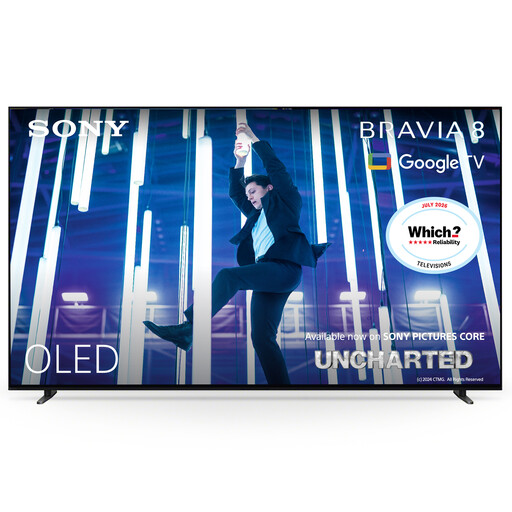
Sony BRAVIA 8 K55XR80BP 55-inch OLED TV
Consider this 55-inch model if OLED viewing and Dolby Vision content are relevant to your setup.
The product title identifies 4K HDR, Google TV and Dolby Vision. Check side-seat contrast and the available motion controls with your intended player; this BRAVIA 8 is not the BRAVIA 8 II discussed above.
View on Joybuy
 No image available
Sony BRAVIA A90 XR42A90K 42-inch OLED TV
Consider the 42-inch variant where a smaller screen suits your space, while checking that its picture remains clear from the side seat.
The product title identifies 4K HDR, Google TV and Dolby Vision. Try your film source to assess motion and the available picture controls on this exact model.
View on Joybuy
 No image available
Sony BRAVIA A90 XR48A90K 48-inch OLED TV
Consider the 48-inch variant if that screen size suits your seating distance and room layout.
The product title identifies 4K HDR, Google TV and Dolby Vision. Check off-axis picture quality, reflections and film-motion settings on this exact variant before deciding.
View on Joybuy
Frequently asked questions
Do I need OLED to watch films from a side seat?
Not necessarily, but OLED models are a useful starting point for comparison when the side seat is your main viewing position. RTINGS reports strong wide-angle viewing for the LG C5 and Samsung S95F; judge the exact TV you are buying under your own room lighting rather than assuming every OLED looks the same.
Should I leave motion smoothing on for silent films?
Start with it off so you can judge the film without added-frame processing. The UHD Alliance says Filmmaker Mode disables motion smoothing, sharpening and noise reduction on supported TVs; you can then adjust individual settings if you prefer a different look.
How can I test a TV from my side seat?
Compare the same monochrome scene and white intertitles from your intended seat and from directly in front. Repeat the check with your usual lamps and daylight conditions so that reflections do not get mistaken for a viewing-angle problem.
Do I need a TV Licence to watch silent films in the UK?
It depends on how you watch them, not which TV you buy. TV Licensing says you need a licence to watch live TV or use BBC iPlayer, including its on-demand programmes; check your intended service and viewing method.


