Calls-and-texts simplifiers
If a complicated smartphone gets in the way of routine calls and SMS, a physical keypad and manageable menus may matter more than app access. Which? distinguishes basic phones by their focus on calls and texts.


Choose a basic 4G phone if calls, texts and physical buttons matter more than apps; choose a simplified smartphone if WhatsApp or video calling is essential. If using the screen, keys or call audio is difficult, choose by the specific accessibility feature needed rather than a general “simple” label. For any route, confirm that the exact phone supports calls with the intended SIM and network.
If a complicated smartphone gets in the way of routine calls and SMS, a physical keypad and manageable menus may matter more than app access. Which? distinguishes basic phones by their focus on calls and texts.
People who rely on WhatsApp or video calls need to keep those functions while finding controls they can use comfortably. Which? identifies simplified smartphones as an app-capable alternative to basic phones.
Someone may need spoken feedback, magnification, tactile keys or hearing-aid compatibility. The useful feature depends on the task, not the person’s age; RNIB identifies speech output and magnification as phone-accessibility options.
Choose it when: Calls, SMS and physical-button operation are the main tasks.
Trade-off: A basic phone is not a safe choice if access to a particular app is essential.
Choose it when: Everyday apps still matter, but a conventional smartphone interface is hard to manage.
Trade-off: Apps bring setup, updates and permissions that a calls-and-texts phone may avoid.
Choose it when: A particular way of reading, hearing or operating the phone is the deciding requirement.
Trade-off: Specialist controls do not establish that the phone also runs every required app.
| Concern | What to check | Who this matters to |
|---|---|---|
| Calls and texts | Try the keypad, menu and call audio in the user’s usual setting. | If I mainly call people and send texts, I want controls I can manage without navigating apps; around 33% of consumers put straightforward calls and texts first. |
| Essential apps | Confirm the exact model runs each required app and that its controls are usable. | If WhatsApp is how I keep in touch, losing it would outweigh the benefit of a simpler menu; around 27% of consumers prioritise essential apps. |
| Accessible controls | Match the difficult task to an exact-model feature, such as speech output, magnification or hearing-aid compatibility. | When reading a menu or hearing a call is difficult, I need a control or audio feature that addresses that task; around 27% of consumers put specific accessibility needs first. |
| Network compatibility | Choose at least 4G and confirm calling with the intended SIM, network and phone settings. | I want to keep making ordinary calls as older networks close; around 13% of consumers place ongoing network compatibility first. |
Network support is a check for every route, regardless of which feature matters most to you. Ofcom stated in August 2026 that UK 3G networks had closed and 2G networks were being retired; some 4G phones may need a software or settings update for calls.
Ofcom says 2G networks are being retired, so a 2G-only handset is not a sound new choice for ongoing UK use.
Look for at least 4G support, then ask the intended provider whether calls work with that handset and SIM, including any required settings update.
Which? distinguishes calls-and-texts basic phones from simplified smartphones that retain app access. A simpler menu alone does not establish app compatibility.
If WhatsApp is essential, check support on the exact current model before choosing a basic phone instead of a simplified smartphone.
Large keys do not establish that a phone also offers speech output, magnification or suitable call audio.
Identify the task that is difficult, then check the corresponding function on the exact model and try the controls where possible.
Emporia states that its emporiaPURE-LTE includes a charging cradle but no power supply.
Check the box contents and compatible charger specification for the model being ordered.
A compatible power adapter may need to be obtained separately.
Doro describes Leva as a physical-key phone range and Aurora as a simplified Android smartphone range.
Emporia offers feature phones and simplified smartphones, including models with particular accessibility features.
HMD presents the HMD 2660 Flip as a 4G, calls-focused flip phone.
BlindShell offers a specialist phone route where the method of operating the device is central to the choice.
These choices include Nokia models to consider for calls and texts, plus a Ulefone model with both a keypad and touchscreen. If apps are essential, check them on the exact phone; for every model, confirm calling with the intended SIM and network.
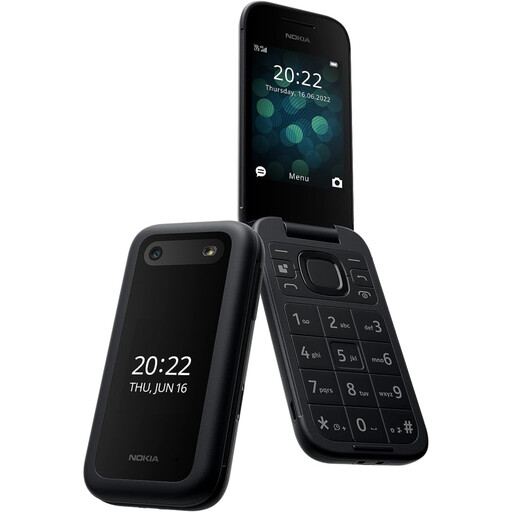 No image available
Consider this model for routine calls and texts if its controls suit the user. Check 4G support, calling with the intended SIM and network, and any essential app requirements on this exact variant.
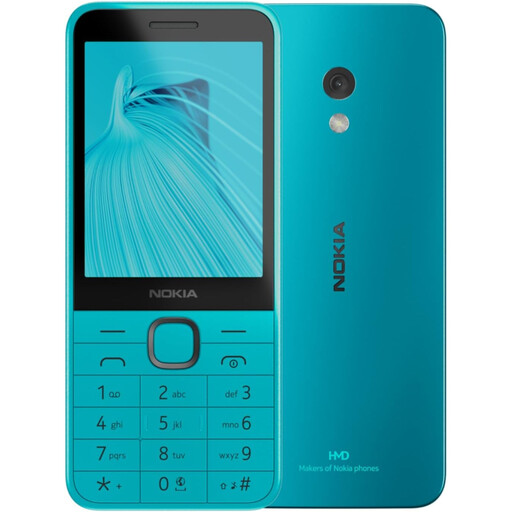 No image available
For calls and SMS without a touchscreen-first interface, assess whether its physical controls are comfortable to use. This is a 4G variant; confirm calling with the intended SIM and network, and check any required apps separately.
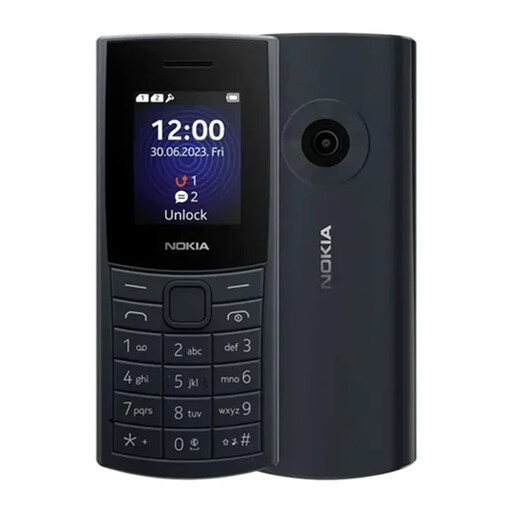 No image available
Consider this 4G model if calls and texts using physical keys are the priority. Check that its screen is readable for the user, that calls work with the intended SIM and network, and what charging equipment comes in the box.
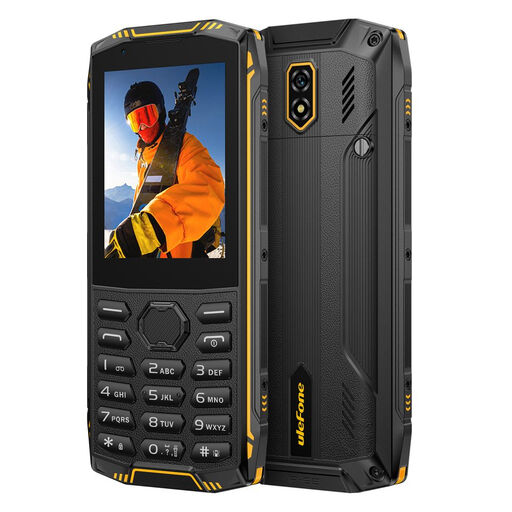 No image available
The physical keypad and touchscreen make this a model to examine if both input methods matter. If WhatsApp is essential, confirm that the current app works on this exact phone; also check network calling and obtain a compatible charger if needed.
Choose a basic 4G phone when calls, texts and physical controls are the main requirements; choose a simplified smartphone when WhatsApp or other apps must remain available. Which? distinguishes these routes by their calls-and-texts focus versus continued app access.
Not as a new everyday purchase. Ofcom stated in August 2026 that UK 3G networks had closed and 2G networks were being retired, so choose at least 4G and confirm service with the intended provider.
No. Ofcom advises that some 4G devices may need software or settings updates for calls; check the exact phone, provider SIM and calling setup before relying on it.
Start with the task that is difficult, such as reading the screen, entering text or hearing calls, then check the corresponding feature on the exact model. RNIB identifies speech output and magnification as options; the BlindShell Classic 3 manual describes keypad, touchscreen and voice control with spoken feedback for that particular phone.
Check the exact model’s box contents before ordering. Emporia says its emporiaPURE-LTE includes a charging cradle but no power supply, so that model may require a separate compatible adapter.