Who these devices can suit

Adults needing a simple everyday connection device

Suitable for people who mainly need calls, messages, video contact, appointments and a small number of familiar apps, and who may find crowded menus or unclear controls discouraging. Ofcom's UK digital-disadvantage research links low online confidence with difficulties affecting communication and essential services.

Adults finding small screens or touch controls difficult

Useful for people whose confidence is affected by reading small text, tapping accurately or handling a standard smartphone. Screen size, clear controls and properly configured accessibility settings can change which type of device is practical.

Adults doing forms, banking or work tasks with trusted support

Relevant where larger screens, a physical keyboard and browser-based services are needed, but the device still requires a straightforward routine for updates, account recovery and follow-up help. Citizens Advice emphasises support that helps people complete their own tasks.

What to check before buying

Simplified smartphone

Choose it for: Calls, messages and a small set of familiar apps that need to travel with the user.

Consider: A small screen may still be difficult for reading, touch accuracy or longer online forms.

Tablet

Choose it for: Video calls, webpages and reading when a phone display feels too cramped.

Consider: The home screen, accounts and accessibility settings need configuring before handover.

Chromebook or laptop

Choose it for: Longer forms, documents and browser-led tasks where a keyboard and larger workspace help.

Consider: The user must be comfortable with a keyboard, browser and account sign-in.

Priority What to check Your needs
Tasks before features List the first five recurring tasks; check whether the exact device can reach them from a simple home screen; test contacts, messages and sign-in steps. I want a short, familiar route to communication, banking, public services, employment or education rather than a device full of unused options.
Readable, manageable controls Check display readability, touch accuracy, call sound, physical handling, charging and the accessibility settings the person will actually use. A larger display may help me read pages or make video calls, but I also need controls that feel manageable in everyday use.
Setup and support Agree who will set up Wi-Fi, contacts, the main email account, updates, backups and recovery details; keep useful shortcuts visible. I need a named person or support route for problems, while still being able to complete my own regular tasks.
Updates and recovery Enable automatic updates; confirm the support period where applicable; test the primary email, recovery details and two-step-verification method before adding essential accounts. I need to recover access to banking or public-service accounts without being locked out by an unfamiliar password or verification step.

Buying pitfalls to avoid

  • Choosing specifications before checking real tasks

    A powerful phone, tablet or laptop can still be unsuitable if the owner cannot find contacts, read messages, authenticate or recover an account reliably.

    Write down the first five tasks the owner must complete, then try the exact device with the intended settings before committing. Keep the initial home screen limited to those tasks.

  • Assuming a large screen solves every access issue

    Screen size alone does not address touch sensitivity, audio, menu complexity, physical handling or the accessibility of the online service being used.

    Check readability, touch response, speaker and call clarity, charging handling, keyboard needs and relevant accessibility settings for the individual.

  • Adding essential accounts without a recovery plan

    A password reset, lost device or two-step-verification issue can block access to the accounts the device was bought to support.

    Before adding banking or public-service accounts, confirm the primary email, recovery contact details, unique passwords, two-step-verification method and trusted support route. Enable automatic updates.

  • Overlooking chargers, support periods and follow-up help

    A missing charger, an unsupported device or no practical route for help after setup can create a larger barrier than a small difference in hardware specification.

    Check what is in the box, the charging method, warranty and support terms, the software-support end date where applicable, and who can help after setup.

    A compatible charger, replacement accessory, support plan or later device replacement may add to the practical burden of ownership.

Relevant brand references

Doro

A UK-market option for simplified smartphones and feature phones where clearer sound, readable displays, simpler interfaces and assistance-oriented controls matter more than a conventional mainstream-phone experience.

  • Doro says its smartphone range includes an intuitive interface, clearer sound, easier-to-read displays and an assistance button; Aurora models also list tutorials and remote support.
  • The Doro Aurora A10 product page states that a charger is not included, so the charging arrangement should be checked separately.

Apple

A mainstream iPhone and iPad route for users who can benefit from built-in accessibility features and, where suitable, Assistive Access for a narrower set of core applications.

  • Apple says Assistive Access can customise Calls, Messages, Camera, Photos, Music, Magnifier and Apple TV on compatible iPhone and iPad devices.
  • Initial configuration is required, and Apple notes that some features, applications and services can vary by region or language.

Samsung

A mainstream Android phone and tablet route with a broad range of screen sizes and Samsung UK support materials for compatible Galaxy devices.

  • Samsung UK describes accessibility features for vision, hearing, mobility and cognition, alongside setup, backup, update and lost-device support resources.
  • The available settings and support options vary by model and software version, so check the intended device before purchase.

Google Chromebook

A laptop route for people whose key tasks are browser-based and who benefit from a physical keyboard and a web-centred environment.

  • Google states that Chromebooks manage updates automatically, with supported devices receiving 10 years of automatic updates.
  • The final update date is model-specific, and a Chromebook may not suit tasks requiring specialist Windows or macOS software.

GrandPad

A specialist tablet-service route for people who need a deliberately restricted, family-managed communication device rather than a general-purpose tablet.

  • AbilityNet describes one-touch access, 24/7 support, approved contacts and family administration that can remove unsuitable features.
  • AbilityNet states that GrandPad is available in the UK to lease; this service model may not suit people who need unrestricted banking, work or broad web access.

Joybuy product options

Joybuy options for the tablet and Chromebook routes in this topic, where a larger display, a keyboard or browser-based tasks may make essential online activities easier to manage.

Samsung Galaxy Tab A11+ 11-inch 128GB WiFi in Grey

Samsung Galaxy Tab A11+ 11-inch 128GB WiFi, Grey

A tablet option for reading webpages and making video calls on a larger touch display.

Stated specifications include an 11-inch 1920 x 1200 display, 6GB RAM, 128GB storage, USB-C and a 3.5mm audio jack.

Check that the intended user can operate the chosen screen lock and verification method. The listed box contents include a USB-C cable but no charger.

Joybuy

Acer Chromebook Plus 514 CB514-5H 14-inch WUXGA laptop

Acer Chromebook Plus 514 CB514-5H 14-inch WUXGA

A Chromebook route for longer forms and browser-based tasks that benefit from a physical keyboard.

Stated specifications include a 14-inch 1920 x 1200 IPS anti-glare display, Intel Core i3-1315U, 8GB RAM, 256GB SSD, Wi-Fi 6 and a webcam privacy shutter.

Check that required services work in a browser rather than needing Windows or macOS software, and confirm the model-specific ChromeOS update end date before purchase.

Joybuy

Samsung Galaxy Tab S10 FE+ 13.1-inch Wi-Fi 128GB in Silver

Samsung Galaxy Tab S10 FE+ 13.1-inch Wi-Fi 128GB, Silver

A larger tablet route for web forms, reading and video calls when a phone screen is difficult to use.

Stated specifications include a 13.1-inch 2880 x 1800 display, 128GB storage, USB-C, Wi-Fi and an included S Pen.

The stated 664g weight and 13.1-inch format should be assessed for handling. A USB-C cable is listed, while a charger is not listed.

Joybuy
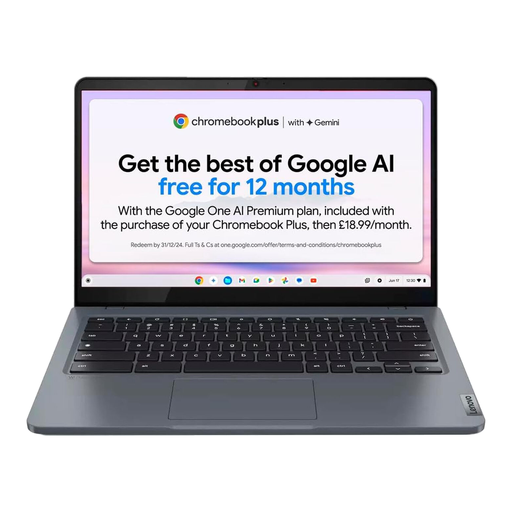
Lenovo IdeaPad Slim 3 Chromebook 14IAN8 laptop in Grey

Lenovo IdeaPad Slim 3 Chromebook 14IAN8, Grey

A laptop option for email, forms and browser-based tasks where tactile typing is useful.

Stated specifications include a 14-inch FHD anti-glare display, Intel Core i3 N305, 8GB RAM, 256GB eMMC storage, Chrome OS and a 1.5kg weight.

Verify browser compatibility for required services and the model-specific ChromeOS update end date. Set up the primary email and recovery details before adding essential accounts.

Joybuy

Samsung Galaxy Tab A11+ 8GB 256GB WiFi in Grey

Samsung Galaxy Tab A11+ 8GB 256GB WiFi, Grey

An 11-inch tablet option for browsing, reading and video calls on a larger touch device.

Stated specifications include an 11-inch 1920 x 1200 display, 8GB RAM, 256GB storage, USB-C, facial recognition and microSD expansion.

Confirm the security-update support end date for this configuration and check the planned home-screen, text and account-recovery setup. A charging adapter is not listed in the box contents.

Joybuy

Frequently asked questions

Should I choose a simplified smartphone, tablet or laptop first?

Start with the most frequent task. A simplified smartphone suits calls, messages and a few familiar apps; a tablet can help when a larger display and touch targets are needed; and a Chromebook or laptop is more suitable for regular forms, documents or work tasks that need a keyboard.

What should be completed before the device is handed over?

Set up Wi-Fi, the primary email account, contacts, a usable screen lock, automatic updates, backup and recovery details, and only the apps needed for regular tasks. Record who can help and how to contact them, while allowing the owner to carry out their own tasks.

How should account recovery be planned for banking and public services?

Use a primary email account the person can access, avoid reused passwords, record a safe recovery process and test how two-step-verification codes will be received and used. The National Cyber Security Centre notes that recovery is provider-specific and advises changing affected and reused passwords, checking email forwarding rules and logging out devices and apps after compromise.

Are automatic updates important for a low-confidence user?

Yes. The National Cyber Security Centre advises turning on automatic updates so the person does not have to remember routine security maintenance. For a Chromebook, check the exact model's update schedule before purchase because the final update date is device-specific.

Does a simpler device remove the need for digital support or non-digital alternatives?

No. A simpler device can reduce unnecessary complexity, but important tasks may still require trusted, task-based support and accessible service options. Keep available non-digital routes for services the person cannot safely or confidently complete alone.