People who mainly call and text
If smartphone menus get in the way of everyday communication, a calls-and-texts phone with physical controls may be easier to manage. Check the controls with the person who will use it.


Choose a 4G feature phone if calls and texts are enough and the user finds physical controls easier. If everyday contact depends on WhatsApp, video calls or other apps, consider a simplified smartphone instead. Whichever route fits, check the exact handset’s controls and call audio, its compatibility with the chosen network, and reception where it will be used.
If smartphone menus get in the way of everyday communication, a calls-and-texts phone with physical controls may be easier to manage. Check the controls with the person who will use it.
Look at the exact model’s key layout, text settings and volume controls. Anyone using a hearing aid should also confirm compatibility with their own equipment rather than relying on a general label.
Decide how the person will actually keep in touch. Calls and SMS point towards a feature phone; routine app-based messages or video calls point towards a simplified smartphone.
Choose it when: calls and SMS cover everyday contact and physical keys suit the user.
Trade-off: check any required app on the exact handset; a calls-and-texts focus does not meet a household’s app-based contact needs by itself.
Choose it when: the user needs apps for messages, photos or video calls but would benefit from a clearer interface.
Trade-off: apps and accounts bring setup and update tasks; check the exact model’s support policy and who can help manage it.
Settle the required contact methods first, then check the controls, call audio and mobile service against the places and person the phone is for.
| Priority | What to check | Your needs |
|---|---|---|
| Controls | Try placing and answering a call. Compare key spacing or touchscreen controls, menu steps and adjustable text on the exact model. | I want to make a call or send a message without working through a crowded screen. |
| Call audio | Check adjustable call and ringer volume. If a hearing aid is used, confirm the exact handset’s compatibility claim and test it with that equipment where possible. | Calls need to be audible with the settings and hearing equipment I actually use. |
| Network and SIM | For a new UK purchase, check 4G support on both handset and service: Ofcom says UK 3G networks have switched off and 2G withdrawal is under way. Use Ofcom’s mobile checker for important locations; predicted coverage may differ from actual reception. | I need the phone to connect at home and in the other places where calls matter, not just to accept a SIM. |
| Apps and updates | List the apps needed for regular contact and check them on the exact handset. For a simplified Android smartphone, confirm the remaining operating-system and security-update support. | If family contact relies on WhatsApp or video calls, calls and SMS alone will not cover it. |
Ofcom says UK 3G networks have switched off and 2G networks are being withdrawn. A 2G-only or 3G-only handset is therefore a poor basis for a new purchase.
Confirm that the exact phone and chosen mobile service support at least 4G.
Key layouts, sound settings and hearing-aid compatibility claims vary by model. HMD also cautions that some wireless devices may interfere with some hearing aids.
Check the exact handset’s specifications and, where possible, try its controls and call audio with the intended user’s equipment.
A suitable phone still depends on local network coverage. Ofcom’s coverage information is predictive, so indoor experience may differ.
Check home and other important locations with Ofcom’s mobile checker before choosing a network.
A calls-and-texts phone may not cover routine app-based contact, while a smartphone brings more setup and ongoing management.
Write down the calls, messages and apps the user needs in a typical week, then check those tasks against the exact handset.
Doro offers UK-listed feature phones alongside simplified Android smartphones, so the relevant range depends on whether apps are needed.
emporia’s SIMPLICITY LTE is positioned around making and receiving calls; the brand also offers Android smartphones.
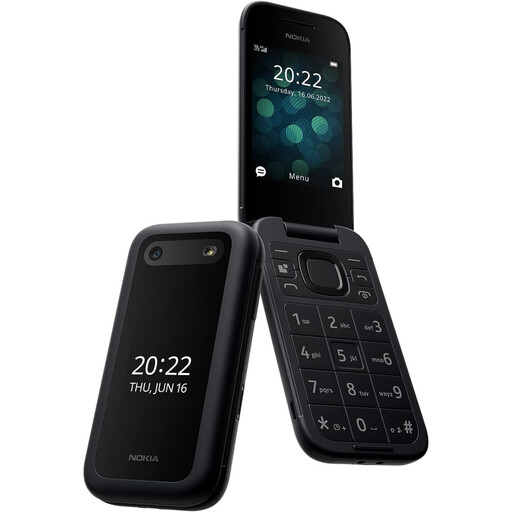
The Nokia 2660 Flip is a clamshell option for someone considering physical buttons and a larger screen.
These options are for the calls-and-texts route. If everyday contact requires apps, check a simplified smartphone instead.
 No image available
For someone considering a flip phone for calls and texts, Joybuy describes a 2.8-inch display and large buttons. Check that opening the phone is comfortable, and confirm compatibility with the intended network and any hearing aid used.
 No image available
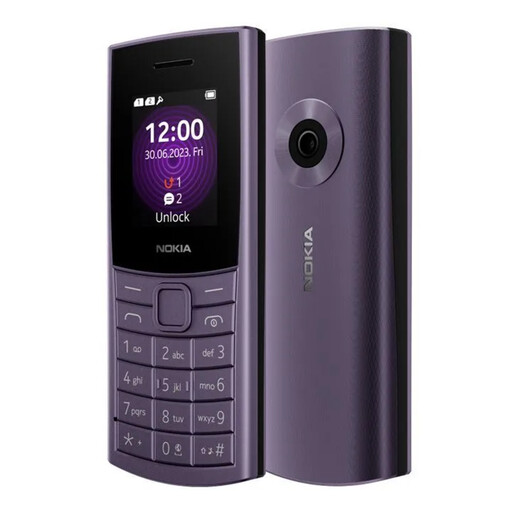
This 4G-labelled option is worth assessing when calls and texts are the main tasks. Check whether its controls and text are comfortable to use, and confirm network compatibility and any required app or hearing-aid support.
 No image available
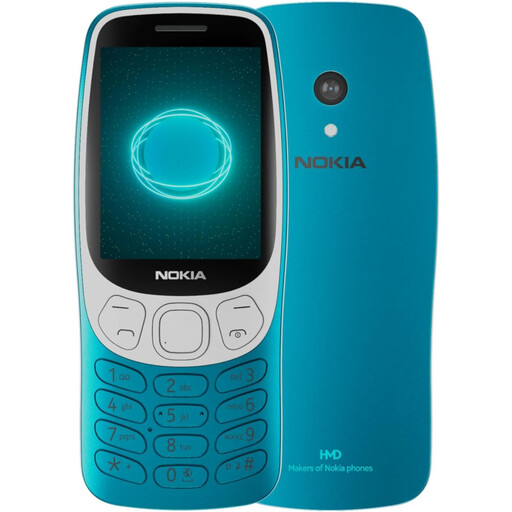
Consider this 4G-labelled model for calls-and-texts use if its controls suit the intended user. Confirm the exact display specification, required app support and compatibility with the chosen network.
Not for a new purchase. Ofcom says UK 3G networks have switched off and 2G networks are being withdrawn; check that both the handset and chosen service support at least 4G.
It can cover everyday contact when calls and SMS are the required tasks and the user prefers its controls. If regular contact depends on WhatsApp, video calls or other apps, check a simplified smartphone and its exact app support instead.
No. Confirm that the claim applies to the exact handset and check it with the user’s own hearing aid where possible. HMD cautions that some wireless devices may interfere with some hearing aids.
Start with coverage where the person will make calls. Ofcom’s mobile checker provides local 4G and 5G coverage information for a postcode, but predicted coverage can differ from actual reception, particularly indoors.
Ask for the remaining operating-system and security-update support for the exact model and variant, especially if it will be used for apps and accounts. Also consider who will help with setup and updates.