For The Sims 3 and The Sims 4, compare an everyday Windows laptop’s exact specifications with EA’s recommended requirements before deciding that integrated graphics will suit you; the graphics label alone cannot establish that. Consider a dedicated-GPU laptop if you want to keep portability while allowing for other games, or a desktop if the computer can stay in one place and future component changes matter more.
Who is this choice for?
Everyday users who play The Sims occasionally
You need a computer for browsing, schoolwork, streaming and household tasks as well as The Sims 3 and The Sims 4. EA’s game requirements give you specific hardware to check without assuming you need a gaming-laptop range.
Portable players wanting more graphics headroom
You still need a laptop, but may add games beyond the two Sims titles or want to consider higher graphics settings. Check the individual configuration rather than assuming every laptop in a gaming range has the same GPU.
Home-only buyers considering a desktop
If the computer will stay at a desk, you can weigh future component changes against the convenience of a laptop. A desktop also needs space and separate equipment such as a display and keyboard.
What matters when choosing?
Start with EA’s requirements for the games you actually plan to play, then decide whether carrying the computer or changing components later matters more to your household.
| Concern |
What to check |
Who this matters to |
| Fit for The Sims 3 and 4 |
Check the exact Windows version, processor, GPU, installed RAM and free storage against EA’s recommended requirements. For The Sims 4, EA lists 8 GB RAM and 50 GB free space, plus 1 GB for saves and custom content; The Sims 3 lists 4 GB RAM and 18 GB storage. |
I want one computer for daily tasks and both games, without relying on a minimum-only specification; around 40% of consumers put checking the recommended game requirements first. |
| Portability and graphics headroom |
Compare the exact GPU and laptop weight. If display features matter to you, check the offered configuration rather than the maximum specification advertised for its product range. |
If I carry the laptop but might play other PC games, I want room to consider those games without giving up mobility; roughly 40% of consumers place portable graphics headroom first. |
| Stationary use and future changes |
Check which desktop components can be changed later and account for a display, keyboard, mouse and workspace. Decide whether anyone needs battery operation or room-to-room portability. |
When the computer stays at a desk, I would rather plan for component changes than carry it around; about 20% of consumers prioritise a stationary, upgradeable setup. |
Buying pitfalls
-
Taking a graphics label as proof that a game will suit the laptop
Neither “gaming laptop” nor “integrated graphics” identifies the exact hardware. EA names graphics requirements for The Sims 3 and The Sims 4, while configurations within a laptop range can differ.
Check the offered model’s processor, GPU, RAM and free storage against EA’s requirements before choosing it.
-
Buying to the minimum requirement but expecting more headroom
EA lists higher recommended than minimum requirements for The Sims 4. A minimum-spec comparison does not establish that a laptop meets the recommended target.
If you want the more cautious specification target, compare the exact laptop with EA’s recommendations for each named game.
-
Comparing a desktop tower with a complete laptop
A tower alone does not provide the built-in display, keyboard or battery operation of a laptop. Those differences matter even when portability is not a priority.
Plan the complete desktop setup and check that nobody in the household needs to carry the computer.
-
Putting a replaced laptop in household rubbish
An old laptop needs an appropriate electrical-recycling route, and personal files may still be stored on it.
Back up and erase your data before using a suitable collection point or asking the retailer about like-for-like take-back. GOV.UK guidance says retailers must accept an old electrical item free on a like-for-like basis when you buy a new one.
Relevant brands to consider
Lenovo
Lenovo positions LOQ as a gaming-laptop range with dedicated NVIDIA GeForce RTX graphics.
- A Lenovo UK LOQ 15IRX10 configuration lists an RTX 5060 Laptop GPU, 16 GB DDR5 RAM and a 1 TB SSD.
- Those specifications describe that configuration, not every LOQ laptop; check the offered model and variant.
Acer
Acer’s Nitro range includes gaming laptops in different sizes and configurations.
- Acer lists Nitro models with dedicated NVIDIA GeForce RTX graphics.
- Processor, GPU and display specifications vary within the range, so the Nitro name alone is not a specification.
ASUS
ASUS presents TUF Gaming as a portable gaming-laptop range, separate from its ROG range.
- ASUS lists TUF Gaming configurations with dedicated graphics and high-refresh displays.
- The upper-range specifications advertised for the TUF Gaming A16 family do not apply to every TUF configuration.
Joybuy laptops with dedicated graphics
These laptops represent the dedicated-graphics route for households that still want a portable computer. Compare each exact configuration with EA’s requirements for The Sims 3 and The Sims 4; a GPU name alone does not establish game settings or frame rates.
 Image unavailable
Lenovo LOQ Essential 15ARP11, Ryzen 7 170, RTX 5050
Consider this if you want a laptop with dedicated graphics for games alongside everyday tasks. The named configuration has 16 GB RAM, a 1 TB SSD and a 15.6-inch 144 Hz FHD display. Check its free storage after setup and compare the exact graphics configuration with EA’s game requirements.
View on Joybuy
 Image unavailable
HP OMEN 17-db1000na, Ryzen AI 7 350, RTX 5060
Consider the larger built-in screen if the laptop will often be used in one place but still needs to move. Its title specifies a 17-inch Full HD display, 16 GB RAM, a 1 TB SSD and Windows 11 Home. Check whether its size suits how often you will carry it, as well as its free storage and game requirements.
View on Joybuy
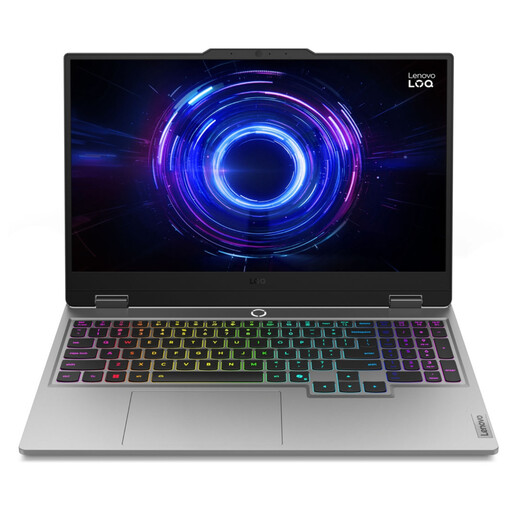 Image unavailable
LOQ 15IRX10, i5-13450HX, 24 GB RAM, 1 TB SSD
Consider this laptop if you want to compare a 24 GB memory configuration with your everyday and gaming needs. The name also specifies a 1 TB SSD and W11H. Confirm the exact offered model and graphics processor before comparing it with EA’s requirements, and check the storage available after setup.
View on Joybuy
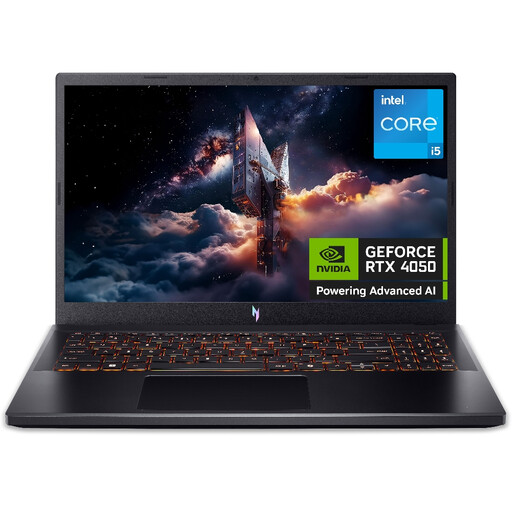 Image unavailable
Acer Nitro V 15 ANV15-52, RTX 4050, 16 GB RAM
Consider this 15.6-inch laptop if you want dedicated graphics without choosing a larger-screen model. Its name specifies a 512 GB SSD and a Full HD display. Confirm the processor and display refresh rate for the offered unit, as the configuration descriptions differ, and check free storage against your games and household files.
View on Joybuy
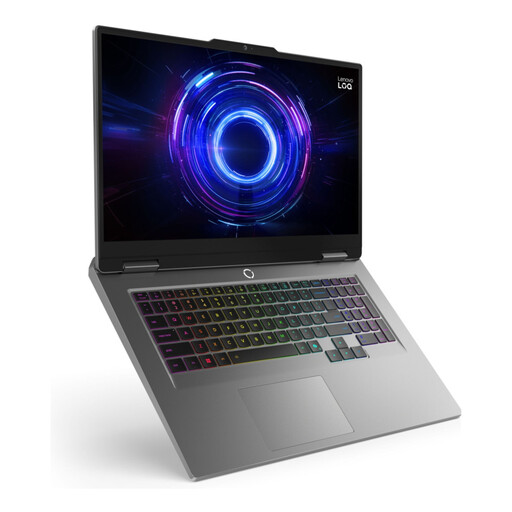 Image unavailable
LOQ 17IRX10, 24 GB RAM, 1 TB SSD
Consider a larger laptop if it will mostly stay at home but still needs to be movable. The named variant has 24 GB RAM and a 1 TB SSD; confirm its exact processor because the title and descriptions differ, then check its GPU and available storage against EA’s requirements.
View on Joybuy
Common questions
Can an integrated-graphics laptop run The Sims 3 and The Sims 4?
Possibly, but check the exact processor, integrated GPU, RAM and free storage against EA’s requirements for both games. EA’s recommended The Sims 4 graphics target names a GTX 650 or Radeon HD 7750 or better; that recommendation does not establish how every integrated GPU will perform at particular settings.
Why compare a laptop with the recommended rather than minimum game requirements?
EA’s recommended requirements provide a more cautious specification target than its minimum requirements for these games. For The Sims 4, EA recommends 8 GB RAM and 50 GB free space plus 1 GB for saves and custom content; for The Sims 3, it recommends 4 GB RAM and 18 GB storage. Neither list promises a particular frame rate on a laptop you are considering.
What can I do with an old laptop when replacing it?
Back up and erase your personal data, then use an appropriate electrical-recycling route rather than household rubbish. GOV.UK guidance says a retailer must accept an old electrical item free on a like-for-like basis when you buy a new one.


