What to check before buying
Start with your console or PC and the exact game. Then decide how you want to connect and whether you would use controls beyond a standard layout.
| Concern | What to check | Who this matters to |
|---|
| Platform and game support |
Match the controller’s stated console or Windows support to your device, then check the game’s current controller guidance. Electronic Arts says PC skate. requires a controller. |
If I am buying chiefly for one skateboarding game, I need to know the controller suits both that game and my device. Around 50% of consumers would put compatibility first. |
| Connection and features |
Check whether you intend to use USB or wireless pairing and whether the game supports any feature you want. PlayStation says DualSense haptics on PC require USB and game support. |
When I switch between a PC desk setup and wireless play, the connection I can use matters more than a feature name on the box. Connection and feature expectations would lead the decision for around 30% of consumers. |
| Control adjustments |
Compare the adjustments you would actually use. Microsoft lists adjustable-tension sticks and trigger locks for the Xbox Elite Wireless Controller Series 2 – Core; its standard Xbox Wireless Controller offers button mapping. |
If I regularly change my control layout or input feel, I want those adjustments to be worth the added complexity. Around 20% of consumers would make custom controls their primary concern. |
Joybuy controller choices
These choices cover Xbox and Windows PC controller options, including wired and adjustable-control models, plus a DualSense option for PS5 and supported PC play. Check the exact skateboarding game before choosing among them.
 No image available
Xbox Wireless Controller – Carbon Black
Consider this for Xbox or Windows PC play when you want a standard controller rather than adjustable sticks or triggers.
Joybuy’s listing states that button mapping is available through the Xbox Accessories app. Check support for your exact game and PC connection setup.
View on Joybuy
 No image available
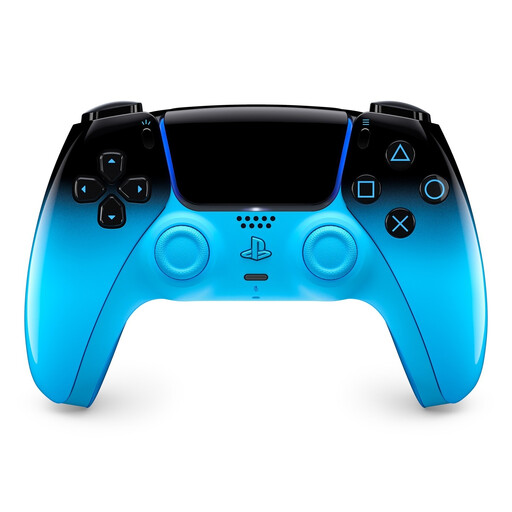
Sony DualSense Wireless Controller – HYPERPOP Rhythm Blue
Consider this PS5 controller if you also want the option of connecting a DualSense to a supported Windows PC.
PlayStation supports USB-C and Bluetooth PC connections. On PC, haptics require USB and game support; adaptive triggers also depend on game support.
View on Joybuy
 No image available
Microsoft Xbox One S Elite Wireless Controller Series 2
Consider this listing if you are looking for an Elite Series 2 controller rather than a standard Xbox controller.
The listed variant names Xbox One, Xbox Series X|S and PC. Check its exact configuration and support for your intended game before buying.
View on Joybuy
 No image available
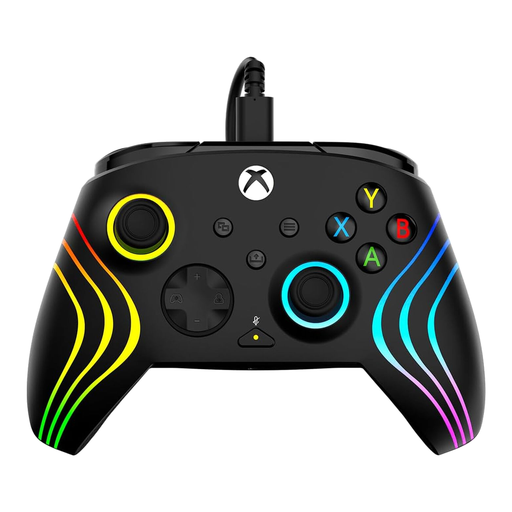
Turtle Beach Afterglow Wave Wired Controller for Xbox – Black
Consider this if you want a wired Xbox controller and a cable suits where you play.
Check the connection required by your setup and whether your exact skateboarding game supports this model, particularly on PC.
View on Joybuy
 No image available
Turtle Beach PDP Victrix Pro BFG Wireless Gaming Controller – Black
Consider this model if you want a wireless controller listed for Xbox Series X|S, Xbox One and Windows 10/11 PC.
Confirm the connection and control options you intend to use, along with support for your exact skateboarding game.
View on Joybuy
Common questions
Do I need a controller for skateboarding games on PC?
You need one for PC skate., Session: Skate Sim and Skater XL: Electronic Arts says keyboard and mouse are unsupported for PC skate., and the Steam listings say the same for the other two games. Check the requirements of any different title separately.
Can I use a PS5 DualSense controller for a PC skateboarding game?
You can connect DualSense to a supported Windows PC by USB-C or Bluetooth, according to PlayStation, but check the individual game’s controller support. PC haptics require USB and game support, while adaptive triggers also depend on the game.
Do skateboarding games require an Xbox Elite controller?
No: Electronic Arts names both standard Xbox controllers and Xbox Elite controllers among its examples for PC skate. Consider an Elite model if you would use its particular control adjustments, not because controller-required play calls for them.
What should I do with an old controller that has a built-in battery?
Use an appropriate reuse or electrical-waste collection route rather than putting the controller in ordinary rubbish. Check your local collection service for the items it accepts and how it handles built-in batteries.


