Fast workshop sketchers
If you mainly capture diagrams, rough ideas and annotations, focus on a compatible pen that is ready when you need it and a screen you are comfortable drawing on. Laptop-style features may matter less to you.


For quick personal sketches, start by comparing pen-compatible tablets around 11 inches; choose a larger screen when extra drawing space or showing ideas to others matters more than carrying less. Check whether the exact pen is included and how you will keep or share your sketches. A Windows 2-in-1 is worth considering when the same device must also run your desktop Windows applications or handle keyboard-heavy follow-up work.
If you mainly capture diagrams, rough ideas and annotations, focus on a compatible pen that is ready when you need it and a screen you are comfortable drawing on. Laptop-style features may matter less to you.
If you carry your tablet between rooms or sites and sometimes show sketches to others, balance visible drawing space against the weight of the configuration you would carry.
If your sketches lead straight into desktop Windows applications or substantial keyboard work, consider whether one pen-enabled device can cover both parts of the task.
Decide what would make the biggest difference to your workshop first: a ready-to-use pen, a comfortable canvas, the complete set of accessories or continuity with Windows work.
| Concern | What to check | Who this matters to |
|---|---|---|
| Pen readiness | Confirm compatibility with the exact tablet model, whether the pen is included, and how it charges or stores. | If I need to capture an idea as soon as a discussion starts, I want the right pen ready without assembling the kit during the session. Around 33% of consumers would put pen readiness first. |
| Canvas and portability | Compare screen size and the stated weight of the specific configuration; decide whether sketches are mainly personal or regularly shown to others. | Moving between workshop rooms makes carry comfort important, but I may need more space to show a diagram across a table. For around 27% of consumers, that screen-and-carry balance would be the primary concern. |
| Complete setup | Check the box contents and account for a compatible pen, plus any case, keyboard or charging equipment you actually need. | I want to know what it takes to arrive with a working sketching setup, rather than compare tablets without their necessary accessories. Around 20% of consumers would make the complete setup their first consideration. |
| Windows follow-up | List the desktop applications and file formats you need, then check the selected device and optional input accessories against that workflow. | When my sketches must become work in a Windows desktop application, switching to a second computer could interrupt the process. Keeping that workflow on one device would come first for around 20% of consumers. |
A tablet is not a complete workshop sketching setup if its required compatible pen is a separate purchase.
Check the precise tablet-and-pen combination, then compare the complete kit you would take to the workshop. Apple sells compatible Pencil models separately for iPad Air, while Microsoft describes Surface Slim Pen as optional for Surface Pro.
More drawing space can be useful when showing ideas, but the larger cited Wi-Fi configurations weigh more: Apple lists 464 g and 616 g for its 11-inch and 13-inch iPad Air models; Samsung lists 497 g and 664 g for the 10.9-inch Tab S10 FE and 13.1-inch FE+.
Choose the larger format when you will use the extra space often enough to justify carrying it between sessions.
A device may arrive without an accessory you expected to use at the workshop.
Read the contents of the exact package and check your charging arrangement before the session.
Samsung says the cited Galaxy Tab S10 FE and FE+ package does not include a travel adapter.
Surface Pro’s laptop-style flexibility matters when your follow-up work requires it, but it adds decisions about an optional pen and keyboard.
Write down the applications you need after the workshop. If your task ends with sketches and notes, compare pen-enabled tablet setups before choosing a Windows 2-in-1 for that additional workflow.
Apple’s iPad Air range offers 11-inch and 13-inch options for sketching with a compatible Apple Pencil.
Samsung’s Galaxy Tab S10 FE range offers a 10.9-inch tablet and a 13.1-inch FE+ for users who want an Android device with an S Pen in the package.
Microsoft’s Surface Pro is a Windows 2-in-1 option when workshop sketches need to feed into desktop applications or keyboard work on the same device.
These choices span an E Ink note-taking tablet, a reusable LCD writing tablet and Android tablets. Decide whether you need to retain and share sketches before choosing between a quick writing surface and a fuller tablet setup.
 No image available
Consider this for handwritten workshop ideas alongside note-taking and voice-to-text tasks.
Its title specifies a 10.65-inch E Ink screen and 4.2 mm profile. Check room lighting and how you can export or share sketches if colleagues need a copy.
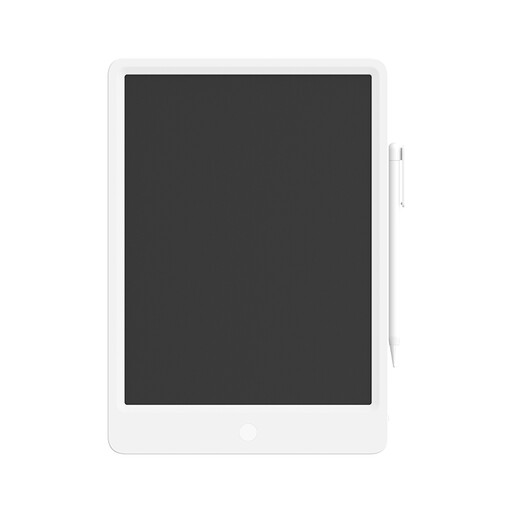 No image available
Consider this writing surface for rough ideas you want to draw quickly during a discussion.
It has a stated 13.5-inch LCD surface. If you need a lasting workshop record, confirm how drawings can be saved or exported before relying on it.
 No image available
Consider the larger screen if you want more room for pen drawing during a workshop.
The title specifies a 12.7-inch 2K display, 256 GB storage, Android 15 and 4096-level T-Pen drawing support. Check the device weight, your preferred sketching app and how work can be saved or exported.
 No image available
Consider this Android tablet if you are prepared to select the pen for your sketching setup separately.
The Xiaomi Focus Pen is not included. Confirm exact pen compatibility and the tablet’s carry weight before choosing it for workshops between rooms.
That depends on the tablet: Apple sells compatible Apple Pencil models separately for iPad Air, Samsung lists an S Pen in the cited Galaxy Tab S10 FE package, and Microsoft describes Surface Slim Pen as optional for Surface Pro. Check the exact model and box contents before ordering.
Start with an approximately 11-inch tablet if you mainly sketch for yourself while moving between rooms; consider a larger screen if you regularly need more drawing space or show ideas to others. Apple lists Wi-Fi iPad Air weights of 464 g at 11 inches and 616 g at 13 inches, while Samsung lists 497 g for the 10.9-inch Tab S10 FE Wi-Fi and 664 g for the 13.1-inch FE+ Wi-Fi.
Make sure the exact pen works with your tablet, is ready to use and works in the sketching app you plan to open. Check charging arrangements and try saving or sharing a sketch beforehand if you will need to keep a workshop record.
Ask the retailer about its electrical-waste take-back service when you buy a replacement tablet. GOV.UK says retailers must offer free in-store take-back of waste electrical equipment of the same type as the item purchased; check the retailer’s arrangements for using that service.