Who needs which approach?
The useful starting point is the work that would stop if a device, account or set of files became unavailable.
Owner-managed firms needing a recoverable copy
A sole trader or very small team may need to recover invoices, contacts, documents, email and website files after a device is lost or fails. Prioritise a routine that runs and a restore you can carry out, rather than capacity alone. The National Cyber Security Centre advises small organisations to keep recent backups and make sure they can be restored.
Small teams with shared devices and systems
When several computers, shared files or servers are involved, central oversight and scheduled jobs may be easier to manage than separate manual copies. Check each workload and recovery method: Synology describes file-level and entire-device restoration for its Active Backup for Business software, subject to compatible hardware and configuration.
Businesses handling sensitive customer information
If backups contain personal data, access to the copy matters alongside the ability to restore it. Assess who can use backup accounts or removable media, whether encryption is appropriate and how authorised staff would regain access. The Information Commissioner’s Office says security measures must enable timely restoration of access to personal data.
What matters when choosing?
Decide what must be recoverable before choosing where to keep the copy. These backup routes address different parts of that decision and can be combined.
Disconnected external drive or SSD
Consider when: You need a local copy and cannot rely on a connection to download the data you need to restore.
Trade-off: Someone must run and check the backup, then disconnect and store the drive securely; one local copy can still be lost with the premises.
Encrypted USB storage
Consider when: You need an offline copy of selected essential files or a way to transfer them between authorised locations.
Trade-off: Manual copying can leave files out, while losing the encryption password or key can prevent a legitimate restore.
Cloud-backup service
Consider when: Reliable internet access makes automated offsite copies practical.
Trade-off: A large restore depends on the connection and the service’s recovery process; an online copy also needs protected administrator access.
Network-attached storage
Consider when: Several devices need a centrally managed local backup destination and the team can maintain it.
Trade-off: A NAS on the business premises is not an offsite copy and needs compatible drives, software and a tested recovery procedure.
Combined local and offsite copies
Consider when: Losing one device, premises or route of recovery would seriously disrupt essential work.
Trade-off: Two copies take more administration; they still need separate access protection and restore tests.
| Concern | What to check | Who this matters to |
|---|
| Restoration scope and speed |
List the files, email, website data and devices that must be recoverable. Check whether you need individual-file or entire-device restoration, then test the relevant process. |
If a failed device takes essential records or systems out of use, I need to know what I can get back and how. Around 33% of consumers put restoration scope and speed first. |
| Separation of copies |
Check that a copy is separate from the main device; decide whether the risk also calls for storage away from the premises. For online copies, examine deletion and administrator controls. |
I do not want the same theft, damage or account compromise to affect both the original and its backup. Roughly 27% of consumers make separation their primary concern. |
| A routine that keeps running |
Check scheduling, failure alerts and version retention. Assign someone to review backup results and carry out restores. |
When day-to-day work leaves little time for manual copying, I need current copies without relying on memory alone. Around 20% of consumers prioritise a manageable backup routine. |
| Data and account protection |
Assess access controls and encryption where appropriate. Check two-step verification for online accounts and a way for authorised staff to recover passwords or keys. |
If my copies hold customer information, I need to protect them without locking the business out of its own data. About 20% of consumers put backup access and sensitive-data protection first. |
Brands to consider by product line
A brand name does not establish which workloads a particular device or service protects. Compare the relevant model, software or plan against the restore you need.
Synology
NAS hardware and backup software for teams considering a centrally managed local destination.
- Synology says Active Backup for Business supports scheduled jobs and both file-level and entire-device restoration.
- Its Quick Start Guide requires a compatible x64 Synology NAS with Btrfs. Check the exact model and remember that a local NAS is not an offsite copy.
Backblaze
Business computer backup and cloud storage that may serve as an offsite destination for a configured backup workflow.
- Backblaze describes computer-backup services and NAS integrations for its B2 storage.
- Check workload coverage, retention and any locked-copy feature on the selected plan; a cloud destination is not automatically protected from account compromise.
Seagate
External drives for a portable or desktop local copy.
- Seagate describes scheduled backup support for selected Backup Plus products.
- An external drive still needs a working routine, secure storage and disconnection when it is not in use.
SanDisk
USB storage to consider for selected files or authorised transfer, rather than assuming it covers every business system.
- SanDisk says PrivateAccess can encrypt and password-protect files in a private vault on compatible USB flash drives.
- Software and hardware encryption differ. Check the exact device and method, and keep a recovery process for authorised access.
Joybuy local-backup products
These external drives and NAS hardware are options for keeping a local copy. Choose the storage and backup process together: the device name alone cannot tell you whether your email, website or other essential data will be covered and restorable.
 No image available
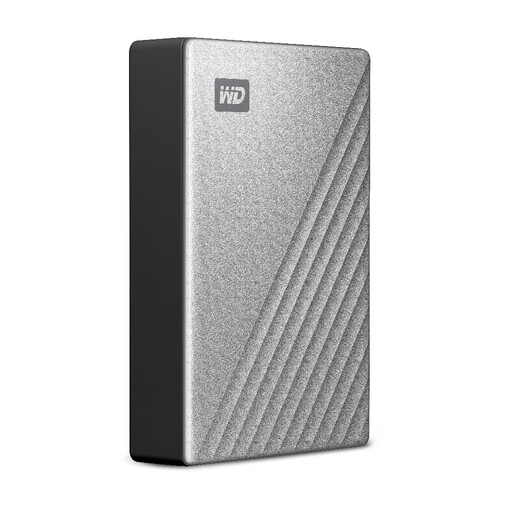
Western Digital My Passport Ultra for Mac 5TB, Silver
Consider this portable local copy for a Mac-centred workflow. It is a 5TB external hard drive; check compatibility with every computer that needs to use it, along with backup scheduling, data coverage and a test restore.
View on Joybuy
 No image available
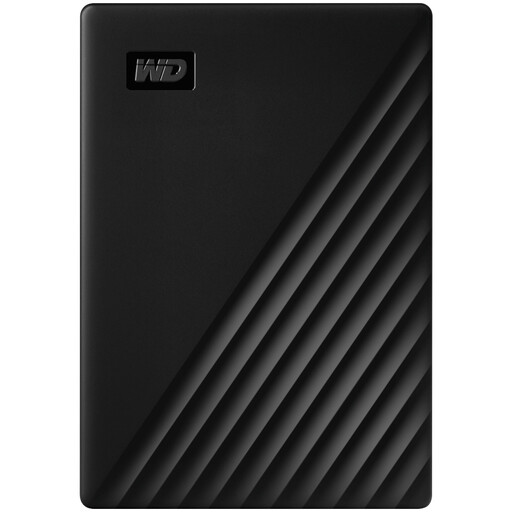
Western Digital My Passport 2TB, Black
This portable external hard drive is an option for a separate local copy in an owner-managed setup. Check the backup software’s scheduling, workload coverage and restore process rather than relying on a scheduled-backup claim alone. Disconnect and store the drive securely between backups, as the National Cyber Security Centre advises for removable media.
View on Joybuy
 No image available
Samsung MU-PE1T0S 1TB USB Type-C 3.2 Gen 2 (3.1 Gen 2), Black
Consider this portable SSD for a local copy you can disconnect and store separately. Its name specifies 1TB and USB Type-C 3.2 Gen 2 (3.1 Gen 2); choose a backup routine that covers the required files, retains appropriate versions and passes a restore test.
View on Joybuy
 No image available
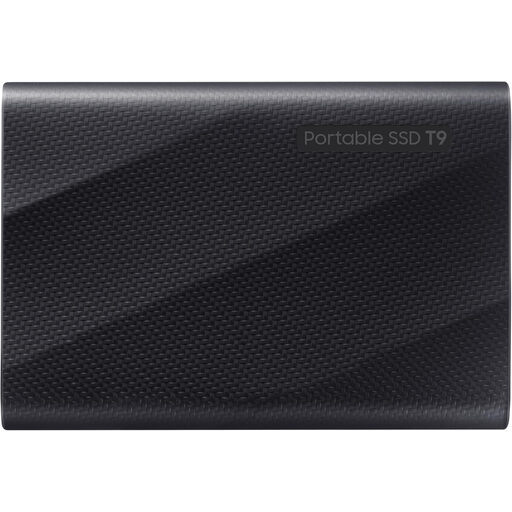
Samsung MU-PG4T0B 4TB USB Type-C 3.2 Gen 2x2, Black
This portable SSD is an option when a local copy needs 4TB of stated capacity. Its USB 3.2 Gen 2x2 interface needs a compatible connection for the interface’s maximum speed; confirm the backup schedule, version retention and restore procedure separately. Keep removable backup media disconnected when not in use.
View on Joybuy
 No image available
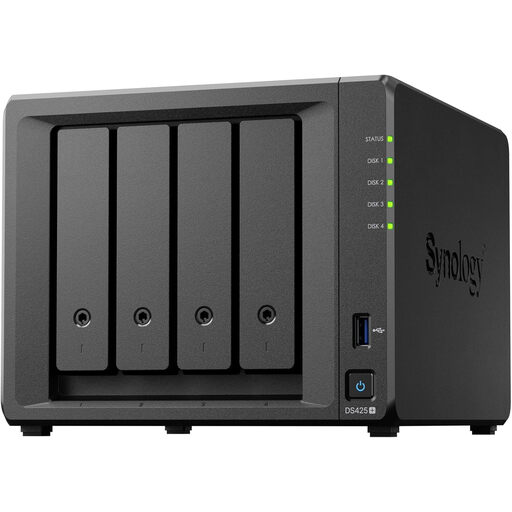
Synology DS425+ 4-bay NAS
Consider this four-bay NAS if several devices need a centrally managed local destination and someone can maintain it. Confirm whether drives are included, which drives and backup software suit the DS425+, and how you will test a restore. A NAS at the same premises does not provide an offsite copy.
View on Joybuy
Backup questions answered
Do I need both cloud backup and an external drive?
Not always, but keeping local and online copies is worth considering when losing one device, premises or recovery route would seriously disrupt work. The National Cyber Security Centre discusses both online storage and external devices as backup options; weigh the data volume, internet reliability and time you can allow for restoration.
Does cloud storage protect my files from ransomware?
Cloud storage alone does not establish that you can recover files after ransomware. The National Cyber Security Centre warns that attackers can target backups, including cloud copies. Check the chosen service’s version retention, deletion controls, administrator access, two-step verification and actual restore process.
How often should a small business test restoring data?
Test often enough to know that essential data can be restored within the time your work requires, and repeat the test after significant changes to devices, applications or backup settings. The Information Commissioner’s Office calls for processes that test the effectiveness of security measures, while the National Cyber Security Centre advises checking that backups restore as planned.
Does UK GDPR require every backup to be encrypted?
No blanket requirement to encrypt all personal information is stated by the Information Commissioner’s Office. Assess security measures according to the risks to the personal data involved, including the possibility of losing removable backup media, and make sure authorised people can still recover the data.
Is a NAS enough on its own?
A NAS can be a backup destination, but one kept alongside the business’s other devices is not an offsite copy. Synology describes backup and restore functions for compatible models and software; check the exact setup and consider a separately protected copy if losing the premises or local network storage would interrupt essential work.


