What matters when choosing a backup?
For work files that may include personal information, decide what must be recoverable and how quickly, then choose a destination that will remain accessible if the live system fails. The National Cyber Security Centre advises keeping removable backup storage disconnected when it is not in use and testing backups regularly.
Removable external drive
Consider it when: One or a few computers need a local copy that someone can disconnect and store separately.
Trade-off: Its protection depends on a reliable copying, disconnection and storage routine.
NAS
Consider it when: Several office devices need a central local backup destination.
Trade-off: It needs administration and a separate backup destination; multiple disks alone do not provide that separation.
Managed cloud backup
Consider it when: Devices are spread across locations and automated off-site copies matter.
Trade-off: Recovery depends on the service, account access and internet arrangements, while retention and provider terms need review.
| Concern | What to check | Who this matters to |
|---|
| Restoring essential work |
Which files and systems are covered; whether older versions can be restored; how to run a restore test. |
If an invoice or customer file disappears, I need to know I can retrieve a usable copy without disrupting current work. Around 31% of consumers would put proven recovery first. |
| Separation from live systems |
Whether a copy can be disconnected or kept at another destination; who can alter or delete backups. |
When a computer or account is compromised, I do not want the same access to put every backup at risk. Roughly 31% of consumers would make separation their primary concern. |
| Central local backup |
How many devices can be backed up; model-specific versioning and access controls; the destination for a second copy. |
With files across several office computers, I want a shared local place to back them up and recover them. Around 23% of consumers would prioritise that central arrangement. |
| Automated off-site copies |
Device coverage, account recovery and retention; provider terms and data flows if personal information is involved. |
When laptops move between locations, I need backups to run without someone rotating a drive at the office. About 15% of consumers would put off-site automation first. |
Joybuy products for local backup
These removable drives and one NAS address local-copy or central local-backup needs. Plan how each would produce a separate, restorable copy; the products shown do not replace a decision about off-site backup or a managed cloud service.
 No image available
Western Digital My Passport 2TB Black portable external hard drive
Consider this removable drive for a local copy from a computer that can be disconnected and stored separately. Its stated capacity is 2TB; check the backup software's version-retention and restore options before depending on it for recovery.
View on Joybuy
 No image available
Western Digital My Passport Ultra for Mac 5TB Silver portable external hard drive
This 5TB removable drive is a local-copy option for a Mac-based workflow. Check compatibility with every computer that needs access, confirm the applicable warranty and test the intended restore routine.
View on Joybuy
 No image available
Samsung MU-PG4T0B 4 TB USB Type-C drive, Black
Consider this removable storage for a local copy that can be kept apart from the working device. The listed connection is USB 3.2 Gen 2x2; check the host port, backup scheduling and version-retention requirements for the intended workflow.
View on Joybuy
 No image available
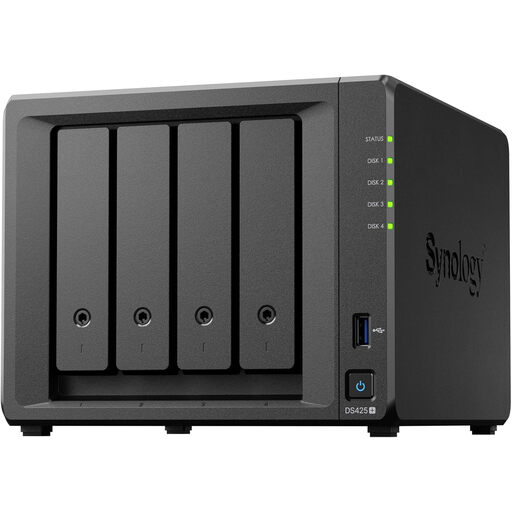
Synology DS425+ 4-bay NAS
Consider this NAS when several office devices need a central local destination. Confirm compatible drives, what the bundle includes and usable capacity; arrange another backup destination and test restores from it.
View on Joybuy
 No image available
Samsung MU-PE1T0S 1TB USB Type-C 3.2 Gen 2 (3.1 Gen 2), Black
This 1TB removable drive could hold a separate local copy if its capacity fits the files being protected. Before storing personal information on it, confirm the encryption and password-protection arrangements, then plan how copies will be made and restored.
View on Joybuy
Common questions
Does UK GDPR require every backup to be encrypted?
No: the Information Commissioner's Office says UK GDPR does not specifically require encryption of all personal information. Security measures must be appropriate to the risk, and the ICO advises using encryption to protect personal information on computing devices and removable media.
Does a cloud-backup provider need a data-processing contract?
Yes, where the business acts as controller and the provider processes personal data as its processor, UK GDPR Article 28(3) requires a written contract or other legal act. The Information Commissioner's Office sets out required details of the processing and processor terms; check the provider's agreement against the actual service arrangement.
Can a UK business use backup storage accessible outside the UK?
It may be possible, but the business must assess the actual transfer. The Information Commissioner's Office says a restricted transfer depends on whether UK GDPR applies, the business initiates a transfer to an organisation outside the UK and the recipient is a separate legal entity; a restricted transfer must be covered by UK adequacy regulations, appropriate safeguards or an applicable exception. Check provider entities, support access and data flows.
Can a NAS or RAID array replace a separate backup?
No: local storage or disk redundancy alone does not provide a separate recovery copy. Synology warns that RAID and drive failures can still cause data loss; back up the NAS to another destination and test a restore from there.
How often should a small business test a restore?
Test restores regularly, using a schedule that reflects how much data loss and downtime the business can tolerate. The National Cyber Security Centre advises regular backups of essential information and regular checks that they work; include representative critical files or systems in the test.


