What matters when choosing?
Start with the work each device must do, then check management compatibility and support for the period you plan to use it. A phone or tablet need not replace a laptop where the role still depends on desktop applications or peripherals.
| Concern |
What to check |
Who this matters to |
| Fleet setup and control |
Confirm compatibility with your chosen device-management service and whether the supplier can arrange automated enrolment. |
If devices are issued or reassigned across a team, I need consistent settings and a way to respond when one is lost. Around 33% of consumers put fleet control first. |
| Support and updates |
Check the exact model’s manufacturer support and the operating system’s update period against your planned replacement date. |
When I plan to keep devices in service for several years, I need a workable update and replacement plan. For around 27% of consumers, lifecycle support is the primary concern. |
| Fit for the role |
List required apps and input tasks, then decide whether each role needs a laptop, phone, tablet or more than one device. |
If I work away from a desk, the device must handle my actual mobile tasks without losing access to essential apps. Around 20% of consumers place role fit first. |
| Returns and retirement |
Agree how devices will be backed up, replaced, wiped and recorded before reassignment or disposal. |
When a device fails or changes hands, I need work to continue without leaving accessible data behind. Operational continuity and retirement come first for around 20% of consumers. |
Joybuy product choices
These laptops, phone and tablet illustrate different staff-device roles. Before standardising on any model, confirm its required apps, management enrolment, supplier arrangements and support period for your team.
 No image available
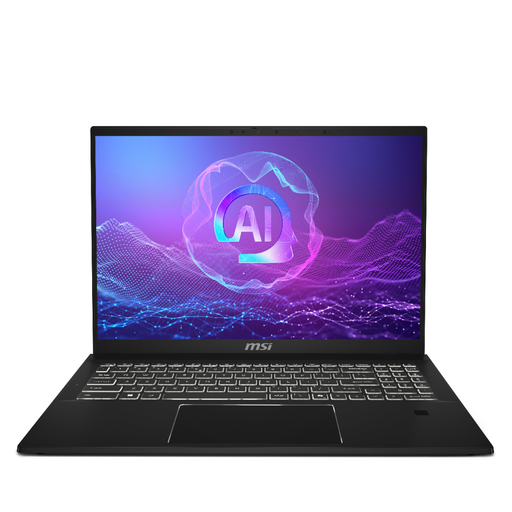
MSI Summit 16 AI Evo, Core Ultra 7 255H, 32GB RAM, 1TB SSD
Consider this laptop for staff whose work calls for a larger screen and laptop applications. Its stated configuration includes a 16-inch QHD+ 165Hz display, Intel Core Ultra 7 255H, Intel Arc graphics, 32GB LPDDR5 RAM and a 1TB SSD.
Check the operating-system edition, compatibility with your management service and the model’s support period before adding it to a managed fleet.
Joybuy
 No image available
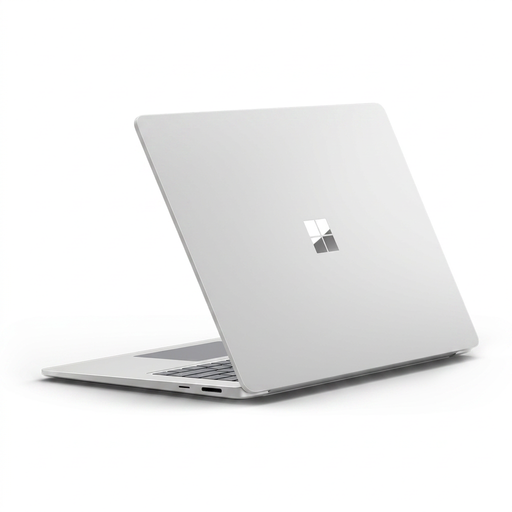
Microsoft Surface Laptop 7 15-inch Copilot+ PC, Snapdragon X Elite, 16GB/256GB, Maya
Consider this 15-inch touchscreen laptop for a role that needs a laptop workspace. The named Maya configuration has a Snapdragon X Elite processor, 16GB RAM and a 256GB SSD.
Check required application compatibility, the operating-system edition, management enrolment and support duration for this configuration.
Joybuy
 No image available
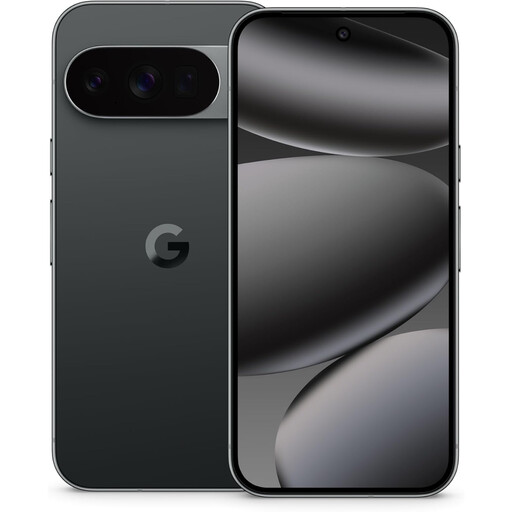
Google Pixel 10 Pro 5G Dual SIM, 16GB/128GB, Obsidian
Consider this company phone for staff whose work can be handled through mobile communications and approved apps. The named Obsidian variant has 5G, Dual SIM, 16GB RAM and 128GB storage.
Confirm Android Enterprise compatibility, your supplier’s enrolment route and the update commitment applicable to this exact model and region.
Joybuy
 No image available
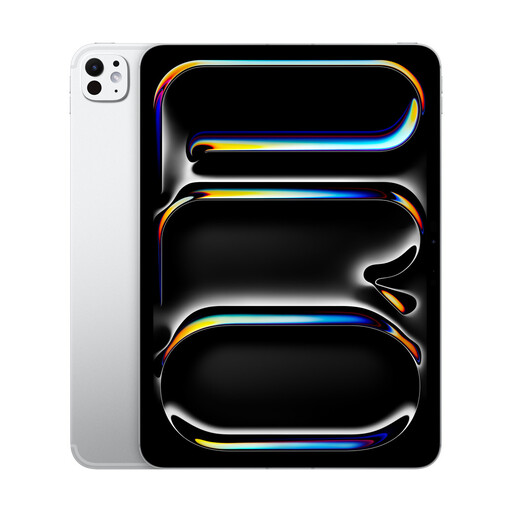
Apple iPad Pro 11-inch (M5), Wi-Fi, 256GB, Standard Glass, Silver
Consider this tablet where a role’s required apps and input tasks work well on an iPad. This Silver, Standard Glass configuration has an M5 chip, 256GB storage and Wi-Fi connectivity; do not plan on cellular connectivity from this variant.
Check management-service compatibility, Automated Device Enrolment through your supplier and support duration. Keyboard and Apple Pencil accessories are sold separately.
Joybuy
Questions about team devices
When is device management worth arranging for a small team?
Arrange it when the team needs consistent setup, approved apps, device-status checks or a response to lost equipment. The NCSC describes mobile device management as a way to enrol devices, control configurations and monitor their status; choose the controls and administration responsibilities that fit your fleet.
What should we confirm with a reseller before ordering?
Confirm whether the reseller can register the exact devices for your intended enrolment process, such as Windows Autopilot, Apple Automated Device Enrolment or Android zero-touch enrolment. Agree who handles setup and how faulty returns containing company data will be managed.
What should happen to an old work laptop, phone or tablet?
Back up required work data, follow the device’s approved wipe process and record its reassignment or retirement before arranging reuse or disposal. The NCSC warns that deleting files alone may leave recoverable data, while the Information Commissioner’s Office advises small organisations to remove personal data before disposing of devices.
What needs arranging besides the devices themselves?
Plan for the management service, staff identities, enrolment, support, replacements, backups and secure wiping. Check whether each role also needs docks, chargers or connectivity, and assign responsibility for those arrangements before devices are issued.


