What to consider when choosing
For a small charity, start with the files and recovery situations that matter most, then compare the access, storage and restore routine each option requires.
| Concern |
What to check when buying |
Who this matters to |
| Recovery after an incident |
Check that a physical copy can be disconnected and stored elsewhere, and plan a restore test. |
If losing a device, site or account could interrupt essential work, I want a copy I can actually restore. Around 33% of consumers put recovery after an incident first. |
| Personal-record protection |
Assess encryption and access controls for the information, and plan how authorised staff can recover credentials. |
When a backup contains personal details, I want to limit who can read or change it without blocking an authorised recovery. Around 27% of consumers prioritise protecting personal records. |
| Capacity and ongoing use |
Measure files across the relevant devices and services, including the versions you want to retain; check cloud retention settings where applicable. |
If our files and retained versions need to fit a sustainable arrangement, I want to size the backup against what we actually keep. Around 20% of consumers put capacity and ongoing use first. |
| Shared-team continuity |
Check which file sources are covered, who has access and whether network storage has a separately configured backup destination. |
When several authorised people rely on the same files, I want a recovery process the team can manage rather than a copy only one person can reach. Around 20% of consumers prioritise shared-team continuity. |
Joybuy product options
These Joybuy options are physical external storage for charities considering a local backup copy, including portable encrypted drives and higher-capacity external drives. Plan a separate, disconnected copy, store physical backups away from devices holding the same data and test that files can be restored.
 No image available
Samsung MU-PG4T0B 4 TB USB Type-C USB 3.2 Gen 2x2, Black
A portable encrypted drive may suit a charity making a physical copy of essential or sensitive files.
The title specifies a 4 TB external portable SSD with USB Type-C and USB 3.2 Gen 2x2. Its description states AES 256-bit hardware encryption and password authentication.
Joybuy
 No image available
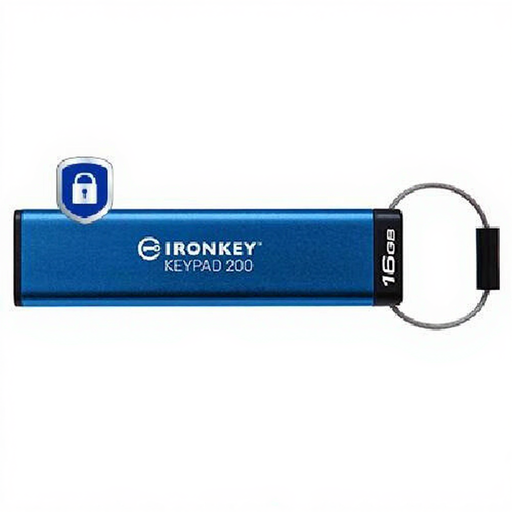
Kingston Technology IronKey Keypad 200 16GB
A keypad USB drive may suit a charity needing a small portable copy for sensitive records, provided its capacity fits the backup set.
The description specifies 16 GB, USB Type-A, an integrated keypad, XTS-AES 256-bit hardware encryption and PIN protection, with separate administrator and user PIN options.
Joybuy
 No image available
Western Digital My Book 22TB External Desktop Hard Drive
A desktop external drive may suit a charity measuring a larger local backup set and able to manage a separate physical copy.
The title specifies 22 TB, USB 3.0, password protection and hardware encryption. Its description also identifies backup software.
Joybuy
 No image available
Western Digital Elements Portable 4TB Black
A portable external drive may suit a charity planning to carry a physical copy between storage locations.
The description specifies 4 TB, a USB 3.2 Gen 1 interface and an included USB-A cable.
Joybuy
 No image available
Western Digital My Passport Portable External Hard Drive 2TB Black
A portable drive may suit a charity making a local copy of essential files, including records needing access protection.
The description specifies 2 TB storage, 256-bit AES hardware encryption, password protection and scheduled local file backups.
Joybuy
Frequently asked questions
Is an external drive enough if our office computer holds the originals?
Not if the drive stays connected or is stored alongside that computer. Disconnect it after copying, store the physical backup in a different location and test that essential files can be restored, as NCVO and the National Cyber Security Centre advise.
How should we decide on capacity and recovery time?
Inventory essential documents, contacts, financial records and databases wherever they reside, then measure the files and decide which earlier versions you need. Test restoring representative files: a local copy does not rely on an internet connection for that restore, while a cloud restore depends on service access and connectivity.
Does UK law require every charity backup to use a particular encrypted drive?
The ICO does not prescribe one drive model in its guidance. Where a charity processes personal information, UK GDPR requires security measures appropriate to the risk; the ICO identifies encryption as one possible measure. Consider access controls and how authorised staff can recover credentials.
What should we check before using a cloud-backup provider for personal data?
If the provider acts as your processor, the ICO says the controller–processor relationship needs a written contract or other legal act with required terms. Check which files and devices the service covers, version retention, account access and restoration, and assess whether a restricted international transfer occurs.
Does a two-drive NAS remove the need for another backup?
No: an accessible NAS at the same site does not meet the separate-location and disconnection conditions for a physical backup. Synology describes Hyper Backup destinations, but your charity must configure and test an independent copy.


