Players with shallow desks
You need the monitor and its stand to leave room for your keyboard, cables and a workable viewing distance. The screen diagonal alone will not tell you how much desk depth it uses.


Measure your usable desk space before choosing a monitor: LG UK and BenQ UK specify depths with the stand fitted ranging from 180.5 mm for the LG 24GS60F-B to 241.6 mm for the BenQ GW2490TC. For puzzle adventures, favour a shallower stand if desk depth limits keyboard space, an adjustable stand if screen position matters more, or higher-refresh features if you also play faster games and your device supports the intended mode.
You need the monitor and its stand to leave room for your keyboard, cables and a workable viewing distance. The screen diagonal alone will not tell you how much desk depth it uses.
You want to position the display for longer puzzle-adventure sessions and may need height adjustment or a compatible VESA mount rather than tilt alone.
You need a compact monitor for adventures but also want to compare refresh rate and variable-refresh support for other games, without overlooking physical fit.
Check whether the complete monitor fits your desk and can be positioned comfortably; then compare its picture specifications and any motion features you will use.
| Concern | What to check | Who this matters to |
|---|---|---|
| Desk fit and placement | Compare the full width and depth with the stand fitted against your usable desk space. Check height adjustment or VESA compatibility if tilt alone will not position the screen suitably. | If the stand crowds my keyboard or puts the screen too close, I need desk fit and placement to drive the choice; around 45% of consumers put that need first. |
| Scene clarity and colour | Compare resolution at the actual screen size, panel type, coating and stated colour gamut. A gamut figure or HDR label does not establish how the picture will look to you. | When I spend time reading scene details and interface text, picture characteristics matter more to me than extra motion features; roughly 33% of consumers prioritise this need. |
| Motion and connections | Check the refresh mode and adaptive-sync support against your PC or console outputs. Compare response-time figures only when their measurement labels match. | If I switch between puzzle adventures and faster games, I want motion features my device can use; about 22% of consumers make that their primary concern. |
Manufacturer dimensions show why a 23.8-inch diagonal is not enough to judge desk fit: LG UK lists the 24GS60F-B at 180.5 mm deep with its stand, while BenQ UK lists the GW2490TC at 241.6 mm.
Measure the usable desk surface and compare it with the exact model’s complete dimensions with its stand fitted.
If the supplied stand does not fit or position the screen comfortably, a compatible arm or riser may be needed.
USB-C charging capability depends on the model. BenQ UK specifies 20 W USB-C Power Delivery for the GW2490TC, which may differ from your laptop’s charging requirement.
Compare the monitor’s Power Delivery rating, display connection and cable requirements with your laptop before ordering.
You may still need to use the laptop’s separate charger.
A high refresh-rate specification does not tell you whether the stand fits or whether you can place the screen where you need it.
Establish the physical fit first, then check whether your device and game mix would make use of a higher-refresh mode.
LG UK labels the 24GS60F-B discontinued. A listing for that model does not establish that it can currently be ordered.
Check current availability and the exact model suffix before purchase; compare specifications afresh if considering a different variant.
The 23.8-inch Full HD GW2490 and GW2490TC illustrate different stand choices for a small desk.
The UltraGear 24GS60F-B represents a 23.8-inch Full HD gaming option with a relatively shallow published stand depth.
The TUF Gaming VG249Q3A is a 23.8-inch Full HD Fast IPS option to consider when puzzle adventures are mixed with faster games.
These monitors offer two ways to approach puzzle adventures at a small desk: a curved gaming model with higher-refresh specifications and a Full HD IPS model for gaming alongside general use. Check each monitor’s complete dimensions with its stand fitted against your desk before choosing.
 No image available
Consider this model if you play faster games alongside puzzle adventures, provided its complete stand footprint fits your desk.
Full HD 1080p VA display; 1500R curve; 180 Hz; adaptive sync; tilt adjustment and VESA compatibility.
If you need several HDMI connections, confirm the port count for the exact variant before ordering.
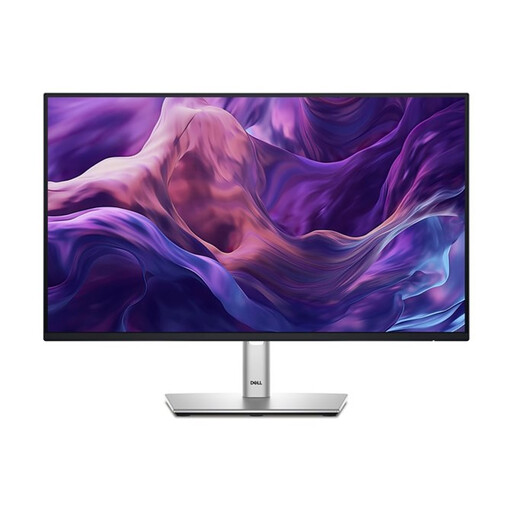 No image available
Consider this model for puzzle adventures alongside general use, after checking its complete width and stand depth against your desk.
Full HD (1920 × 1080) IPS display; 100 Hz; 5 ms; 99% sRGB; USB-C, DisplayPort, HDMI and VGA.
If laptop charging matters, check the USB-C Power Delivery rating against your laptop’s requirements.
No. Compare its complete width and depth with the stand fitted against the space available for your keyboard and viewing position. LG UK lists the 23.8-inch 24GS60F-B at 180.5 mm deep with its stand, while BenQ UK lists the similarly sized GW2490TC at 241.6 mm.
Prioritise one if a fixed-height stand would leave the screen poorly positioned and you do not plan to use a compatible arm or riser. The Health and Safety Executive’s display-screen guidance describes positioning the top of the screen at eye level and the screen about an arm’s length away; BenQ UK specifies 150 mm of height adjustment for the GW2490TC.
Not necessarily. Check the exact monitor’s USB-C Power Delivery rating against the laptop’s charging requirement, as well as the display and cable requirements. BenQ UK specifies 20 W Power Delivery for the GW2490TC.
Check your local council or retailer for a suitable collection or take-back option. GOV.UK describes the purpose of UK waste electrical and electronic equipment regulations as reducing electrical waste sent to landfill or incineration.