What matters when choosing
Settle physical desk fit first, then decide whether cockpit detail, OLED dark-scene presentation or motion across different games matters most to you.
4K QD-OLED
Choose it when: Fine cockpit text and terrain detail take priority and your source device supports the intended 4K mode.
Accept: Driving games at 4K places greater demands on the source device than QHD, and static cockpit elements make panel-care guidance relevant.
QHD OLED
Choose it when: OLED dark-scene presentation and high-refresh play matter more than native 4K detail.
Accept: Instruments and terrain have fewer pixels than on a 4K screen, and OLED care remains important during sessions with persistent displays.
IPS
Choose it when: You prefer a non-OLED panel or want a model that switches between distinct resolution and refresh modes.
Accept: A dual-resolution model’s faster mode may use a lower resolution; Dell UK specifies 4K at 180Hz and FHD at 360Hz as separate modes for the AW2725QF.
| Concern |
What to check |
Who this matters to |
| Desk fit |
Measure usable width and depth, then compare the exact stand footprint or mounting requirements. |
I need to see the cockpit without crowding out my controls. Around 29% of consumers would put physical fit first. |
| Dark scenes and detail |
Compare panel type, resolution and the exact model’s HDR specification. |
For a landing full of dark space, lit instruments and terrain, I care most about how those details appear; around 29% of consumers would make image presentation their primary concern. |
| Resolution and modes |
Check which resolution goes with each refresh mode and whether your device supports it. |
I use one screen for the simulator and other games, so I want a mode choice I can actually use. Roughly 24% of consumers would prioritise that flexibility. |
| High-refresh motion |
Confirm the refresh rate at your chosen resolution, plus the required port and cable. |
When fast-moving games share my setup, fluid motion takes precedence over extra pixels; around 18% of consumers would put refresh performance first. |
Joybuy monitors for this setup
These 27-inch-class choices span 4K, QHD and Full HD monitors for a small-desk gaming setup. Compare their stated modes with your device, and check each stand’s dimensions against the space you have available.
 No image available
LG UltraGear G8 27G850A 27-inch 4K Nano IPS Dual-Mode
Consider this model if you want a 4K IPS screen for cockpit detail and the option to switch modes for other games.
The title states 240Hz and 480Hz dual-mode operation, DisplayHDR 600, DisplayPort 2.1 and HDMI 2.1. Confirm which resolution applies to each rate and whether your device supports the mode you intend to use; check the stand footprint separately.
View on Joybuy
 No image available
MAG 272QP QD-OLED X50 27-inch WQHD 500Hz
Consider this QD-OLED model if dark-scene presentation and high-refresh gaming matter more to you than 4K cockpit detail.
Its stated resolution is 2560 × 1440, with a 500Hz refresh rate and 0.03ms response-time specification. Check your device’s supported output and follow the model’s OLED panel-care guidance for persistent cockpit displays.
View on Joybuy
 No image available
HKC G27H2DPro 27-inch QHD Fast IPS 220Hz
This is a non-OLED QHD option if you want to use the same desk screen for the simulator and high-refresh games.
The title specifies 2560 × 1440 and 220Hz. Check that your device and connection can deliver the intended mode, and confirm the stand dimensions before buying.
View on Joybuy
 No image available
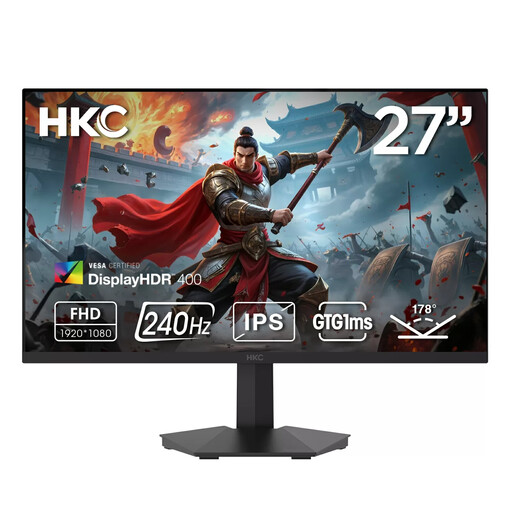
HKC G27H3D 27-inch Full HD Fast IPS
Consider this IPS model only if Full HD gives you enough detail for the cockpit text you need to read.
The title states 1920 × 1080. Its title and description give conflicting refresh rates, so confirm the exact G27H3D specification before choosing it for high-refresh play; check its stand footprint against your desk too.
View on Joybuy
 No image available
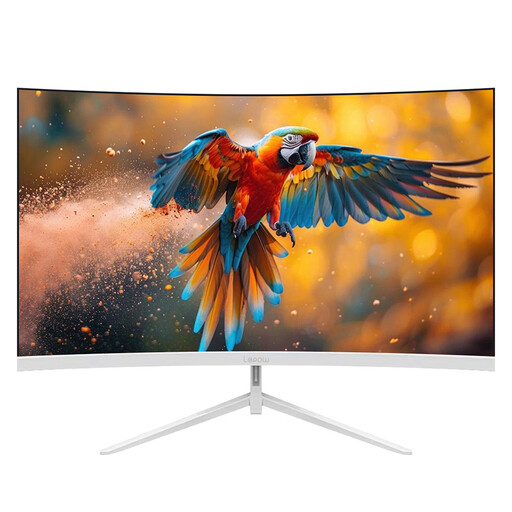
Lepow HC-27Q5 27-inch Curved 180Hz Monitor
This curved option is worth considering if you prefer that screen shape and Full HD provides sufficient instrument detail for your simulator.
The title states a 180Hz refresh rate. Confirm its stand dimensions, resolution and the output mode your device can use before ordering.
View on Joybuy
Common questions
Is 27 inches sensible for a moon-landing simulator on a small desk?
Yes, it is a useful size to compare first: RTINGS describes 27-inch gaming screens as immersive without taking up too much space. Measure your usable desk depth and the exact stand footprint before treating any particular model as a fit.
Should I choose 4K or QHD for cockpit instruments?
Choose 4K if fine text and terrain detail take priority and your device supports the intended output; choose QHD if you would rather prioritise high-refresh play without targeting native 4K. Check the games and cockpit text you use at your intended viewing distance.
Will an advertised high-refresh mode work with my current PC or console?
Not necessarily: the resolution, port, cable and source device must support the same mode. LG UK, for example, requires a DisplayPort 1.4-capable graphics card and cable for the 27GS85Q-B’s 200Hz overclock; Dell UK specifies the AW2725QF’s 4K 180Hz and FHD 360Hz modes separately.
How should I dispose of an old monitor in the UK?
Use an appropriate electrical-waste collection or retailer take-back route rather than general waste. GOV.UK identifies the Waste Electrical and Electronic Equipment Regulations 2013, as amended, as the underlying UK legislation for electrical-equipment recovery, reuse and recycling arrangements.


