What to check when choosing
Measure the available desk space first, then decide how much room you need for maps and other windows. Compare refresh modes only after checking your computer’s outputs and the connection you plan to use.
| Concern |
What to check |
Who this matters to |
| Desk fit and positioning |
Measure usable width and depth, then check the exact stand footprint and any mounting requirements. |
If I need room for controls as well as the screen, I want to know where the stand and cables will sit. Around 36% of consumers would put physical fit first. |
| Map and interface space |
Compare native Full HD and QHD resolution, and check whether your computer can run your intended games at QHD. |
Keeping a map and supporting windows visible matters more to me than having the smallest screen. Roughly 29% of consumers would make workspace their primary concern. |
| Motion and variable refresh |
Check the supported refresh mode over your chosen connection and whether the monitor’s variable-refresh mode works with your graphics setup. |
When I switch between orbital practice and faster games, I care about motion as frame rates change. For about 21% of consumers, that would be the leading need. |
| PC compatibility |
Check your graphics output, the required cable and the supported refresh rate at native resolution. |
I do not want to choose a display mode my existing computer cannot use. Around 14% of consumers would put straightforward compatibility first. |
Joybuy monitor choices
These choices include compact 22- and 24-inch Full HD monitors and larger 27-inch QHD models. Compare their different panel types and refresh rates alongside the space available on your desk.
 No image available
KOORUI MG24A12FV2 24-inch curved gaming monitor
Consider this Full HD option if you want a compact screen for orbital practice and other games. Its title specifies a VA panel, 180Hz, a 1500R curve, adaptive sync and VESA compatibility. Check the stand footprint and exact HDMI port count before ordering.
View on Joybuy
 No image available
MSI MAG 274QF 27-inch WQHD gaming monitor
Consider its larger display if you want more room for maps and supporting windows. The title specifies a Rapid IPS panel, 180Hz and adaptive sync. Check viewing distance, stand clearance and the modes your computer and connection support.
View on Joybuy
 No image available
HKC G27H2DPro 27-inch QHD gaming monitor
Consider this model if QHD workspace matters and you can accommodate a 27-inch screen. Its title specifies a 2560 × 1440 Fast IPS panel and 220Hz. Confirm the monitor and stand dimensions before planning its position, and check your computer’s QHD capability.
View on Joybuy
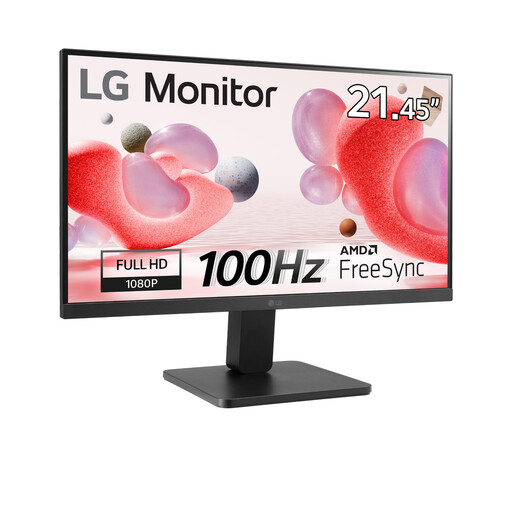 No image available
LG 22-inch Full HD VA monitor
The 22-inch size is worth considering where screen space is particularly tight. Its title specifies 100Hz and HDMI. Check the stand footprint and whether that refresh rate and connection suit your computer and games.
View on Joybuy
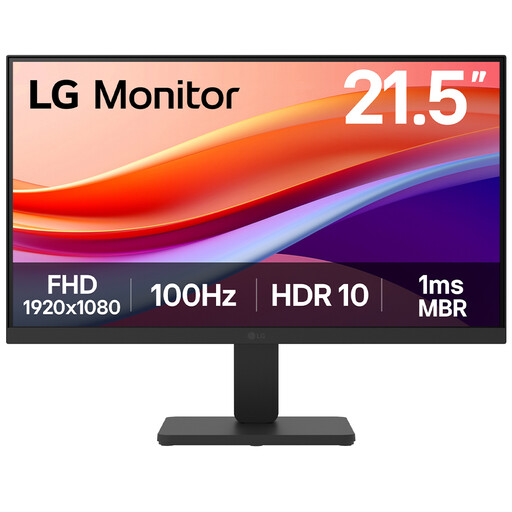 No image available
LG 22U401A-B 22-inch Full HD monitor
This compact VA model is another option when a 27-inch display would take too much room. Its title specifies 100Hz and HDMI. Check its stand dimensions against your desk, and confirm variable-refresh support if you need it.
View on Joybuy
Common questions
Is 24-inch Full HD or 27-inch QHD more practical for orbital practice?
Choose a compact Full HD screen when desk clearance comes first; consider 27-inch QHD when you have room and want more native pixels for maps and other windows. Check your viewing distance, stand dimensions and computer’s QHD capability before moving to the larger format.
Do orbital manoeuvres require a 240Hz or 360Hz monitor?
No particular refresh tier follows from orbital practice alone. Dell lists a 240Hz Full HD model and BenQ ZOWIE lists a 360Hz QHD model, but neither refresh ceiling adds map workspace or frames your computer does not render. Weigh those modes against your other games and hardware.
What should I check before fitting a monitor arm?
Match the chosen monitor’s mounting pattern and weight to the arm, then check whether your desk edge can accommodate its clamp. Mounting and stand adjustment vary by model; Dell, for example, specifies a 100 × 100 mm VESA pattern for the G2422HS, not for every Dell monitor.
Should a UK online monitor listing show an energy label?
GOV.UK guidance says retailers must clearly display an energy label when selling products within the applicable rules, including through online sales. Review the label for the monitor you are considering rather than assuming similar gaming specifications mean similar energy characteristics.
How can I arrange take-back of an old monitor?
Ask the seller which take-back route applies before delivery. GOV.UK guidance describes free in-store electrical-waste take-back and says a retailer may charge to cover transport when collecting equipment from your home; confirm the seller’s service conditions.


