What matters when choosing
Start by checking what fits beside your keyboard and mouse, then decide how much screen adjustment you need. Treat faster-gaming features as an additional requirement if you will use them.
| Concern | What to check | Who this matters to |
|---|
| Desk fit and layout |
Measure the monitor’s width and depth with its stand, leaving room for the keyboard and mouse; check whether Full HD suits your preferred screen layout. |
I need game dialogue and menus on a conventional screen without crowding my mouse space. Around 45% of consumers put desk fit and layout first. |
| Screen positioning |
Check the supplied stand’s height and tilt adjustment, or whether a suitable VESA mounting option is available. |
If I work and play at the same small desk, I want to place the screen where I can use it comfortably. Positioning is the primary concern for around 36% of consumers. |
| Faster-game features |
Compare the stated refresh rate and confirm that your computer, output and connection support the display mode you intend to use. |
My adventure games are slower-paced, but I also play faster games and want the monitor to serve both. Around 19% of consumers prioritise that gaming headroom. |
Joybuy monitor choices
These monitors offer different screen sizes, panel types and refresh rates for a small desk used for adventure games. Compare each one’s full footprint and positioning options before deciding which trade-offs suit your setup.
 No image available
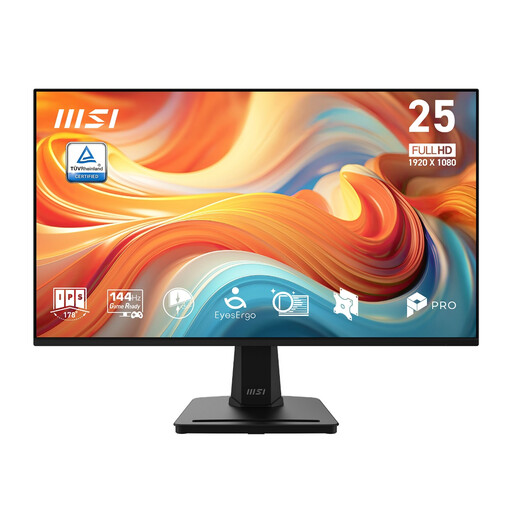
MSI PRO MP251 E14L 24.5-inch monitor
Consider this if your desk accommodates a 24.5-inch screen and you also want a higher refresh rate for other games.
Full HD IPS; 144Hz; Adaptive-Sync. Check the complete footprint and whether the supplied stand positions the screen suitably for you.
View on Joybuy
 No image available
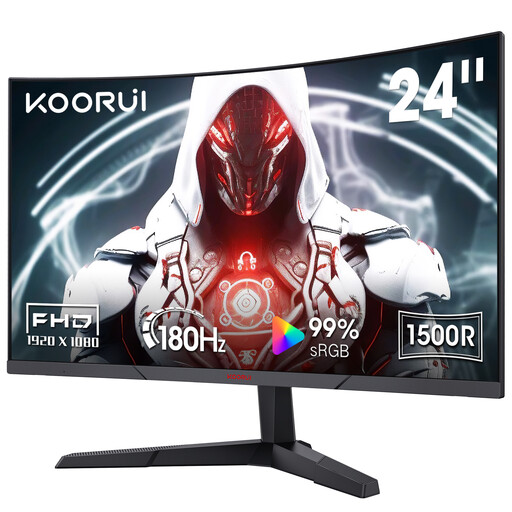
KOORUI MG24A12FV2 24-inch curved monitor
Consider this curved VA option if you also play faster games; it differs from the flat IPS format discussed above.
Full HD; 180Hz; 1500R curvature; Adaptive Sync; VESA-compatible, tilt-adjustable design. Confirm the exact input configuration and that your computer supports the refresh rate you intend to use.
View on Joybuy
 No image available
ASUS PROART PA247CV monitor
Consider this Full HD IPS model if you share your desk between adventure games and other computer work.
75Hz. Check its full stand dimensions and adjustment options against your desk, and confirm any connection features you plan to use with your laptop.
View on Joybuy
 No image available
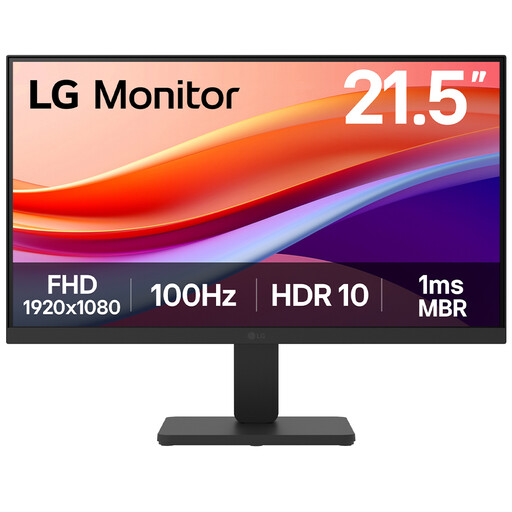
LG 22U401A-B 22-inch monitor
Consider the smaller screen if available desk width is your main constraint, while allowing space around its stand for your other equipment.
Full HD VA; 100Hz; HDMI. Check the full footprint and whether its screen position works at your desk.
View on Joybuy
 No image available
Samsung Essential S3 S31D (LS24D310EAUXXU)
Consider this model if its dimensions and available screen positioning suit your small-desk arrangement. Confirm the exact panel, connections and stand features you need before choosing it over an IPS option.
View on Joybuy
Frequently asked questions
Is a 24-inch Full HD monitor a sensible choice for adventures at a small desk?
Yes, a 23.8- to 24-inch Full HD monitor is a sensible starting point when desk space limits your choice. Check its complete width and depth with the stand rather than relying on screen size alone; BenQ, Dell and LG document IPS models in this size range.
Do point-and-click adventures need a 144Hz or 180Hz monitor?
A high refresh rate need not take priority for slower, pointer-led adventures. If you also play faster games, compare the 144Hz Dell S2425HSM or 180Hz LG 24GS65F-B with your other requirements, and check that your computer and connection support the mode you want.
When is a height-adjustable stand worth prioritising?
Prioritise height adjustment when a fixed screen position does not suit your chair, desk or shared work-and-game setup. Dell lists height adjustment for the S2425HSM; a tilt-only monitor may still suit you if its position works or you plan to use a compatible arm.
Can reading or low-blue-light modes replace a well-arranged workstation?
No. BenQ and LG list such display features on particular models, but screen position, lighting and breaks still matter. The UK Health and Safety Executive advises attention to the whole workstation for regular display-screen work.


