Joybuy monitor choices
These monitors include a compact 24-inch Full HD option and several 27-inch QHD options. The 24-inch KOORUI has a curved VA panel rather than the IPS panel in the compact route above; the 27-inch Samsung Odyssey G6 is an OLED model, not the Odyssey G50D. Compare each exact model’s footprint and connections before choosing for a small desk.
 Image unavailable
KOORUI MG24A12FV2 24-inch curved VA Full HD 180Hz monitor
Consider this compact-screen option if desk fit is your main constraint. Its stated features include a 1500R curve and VESA-compatible mounting; confirm the assembled stand footprint and the refresh mode supported by your device and connection.
View on Joybuy
 Image unavailable
Samsung Odyssey G6 S27DG612 27-inch QHD OLED 240Hz monitor
Consider this QHD option if your desk accommodates a 27-inch display. The title specifies an OLED panel and 240Hz refresh rate; check the stand depth and whether your source device and connection can use the display mode you want.
View on Joybuy
 Image unavailable
MSI MAG 274QF 27-inch WQHD Rapid IPS 180Hz monitor
This WQHD option suits a setup with room for a 27-inch screen where resolution is a priority. Check its full dimensions against the desk and confirm which refresh mode your device, port and cable can support.
View on Joybuy
 Image unavailable
HKC G27H2DPro 27-inch QHD Fast IPS 220Hz monitor
Consider this QHD model if your desk can hold a 27-inch display. Before choosing it for a small space, confirm the assembled stand footprint and check which connection supports the refresh mode you intend to use.
View on Joybuy
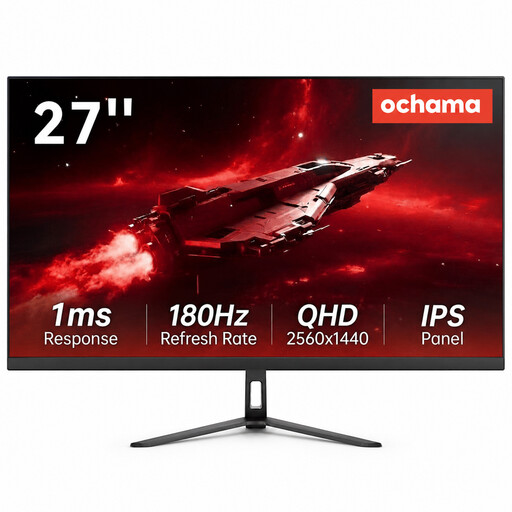 Image unavailable
Ochama 27-inch QHD IPS 180Hz monitor with keyboard bundle
This is another 27-inch QHD option for a desk with sufficient space. Confirm the assembled footprint, mounting arrangement and connection requirements for the display mode you want, as well as the bundle contents.
View on Joybuy
Questions about the setup
Will a higher-refresh monitor make Zwift run better on its own?
No: the monitor cannot make the computer render more frames. Zwift Support says graphics performance depends heavily on the GPU, so check the computer’s game performance as well as its display output before choosing a 180Hz or higher mode.
Does the LG UltraGear 27GS75QN-B need DisplayPort for 200Hz?
Yes, for this model’s optional 200Hz overclock, LG specifies a DisplayPort 1.4-capable graphics card and DisplayPort 1.4 cable. That requirement applies to the stated mode on this model, not automatically to every high-refresh monitor.
What should I measure before buying a monitor for a small desk?
Measure usable width and depth, allowing space behind the screen for cables, then compare those measurements with the exact model’s assembled dimensions. If you plan to use an arm, also check its load and clamp requirements against the monitor and desk.
What if a monitor bought in the UK is faulty?
Contact the seller and keep the order record, model details and evidence of the fault. The Consumer Rights Act 2015 requires goods supplied under a contract to be of satisfactory quality; the appropriate remedy depends on the circumstances, rather than solely on a retailer’s voluntary returns policy.


