Joybuy product options
These options cover removable USB storage and local external drives for keeping a separate copy of selected business files. Choose a suitable copying routine, store removable media separately where appropriate, and test that the files can be restored.
 No image available
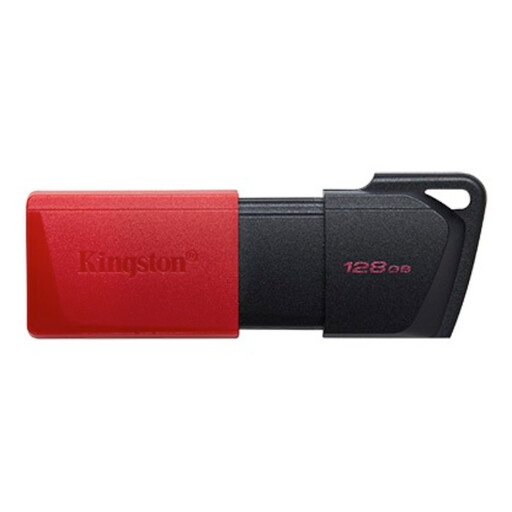
Kingston DataTraveler Exodia M 128 GB
A removable option for keeping a portable copy of selected business files; it does not by itself set up a backup schedule.
128 GB capacity; USB 3.2 Gen 1 interface.
View on Joybuy
 No image available
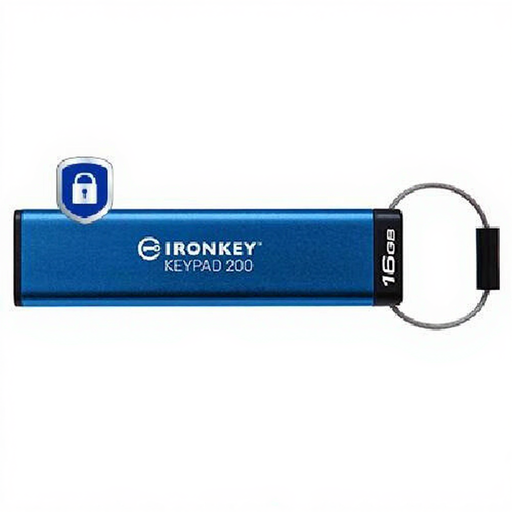
Kingston IronKey 16 GB Keypad 200
A controlled, portable copy for selected files when keypad access and hardware encryption are relevant; its capacity may not suit a larger data set.
16 GB capacity; keypad PIN access; XTS-AES 256-bit hardware encryption; administrator and user PIN options.
View on Joybuy
 No image available
Samsung MU-PE1T0S 1 TB Portable SSD
A local removable-storage option for a portable copy; confirm your computers and copying routine suit the intended use.
1 TB capacity; USB Type-C 3.2 Gen 2; password setup and hardware encryption through Samsung software. IP65 protection is for temporary water exposure; do not submerge the drive.
View on Joybuy
 No image available
Western Digital My Book 22 TB
A high-capacity local storage option when a desktop drive suits the setup; it is not a pocket-sized portable drive.
22 TB capacity; external desktop hard drive; password protection, hardware encryption and backup software are listed. PC and Mac use is listed.
View on Joybuy
 No image available
SanDisk Portable SSD 2 TB
A portable local-copy option for selected work files; plan separately how often files will be copied and how restores will be tested.
2 TB capacity; stated read speeds up to 800 MB/s; stated drop protection up to 2 metres.
View on Joybuy
Backup questions answered
Is keeping files in Microsoft 365 the same as backing up every business device?
No. Microsoft describes Microsoft 365 Backup as covering selected SharePoint sites, OneDrive accounts and Exchange mailboxes; that does not establish protection for every file stored locally on a computer. List each source you need and test its restore.
How should we use and check an external backup?
The Information Commissioner’s Office advises making regular backups, checking that they work and not leaving a backup connected to its live data source. For external storage, it advises keeping it away from the main workplace, encrypting it and locking it away where possible. Set a rotation routine and test a restore.
Will remotely wiping a lost managed laptop bring its files back?
No. Microsoft describes Intune’s wipe action as a factory reset of a managed device, not file recovery. Arrange and test a separate backup before relying on device-management actions in a loss scenario.
What should we check before paying for cloud backup?
Check which devices and services are covered, the retention and restore options, the charging basis, support and exit terms. Microsoft lists Microsoft 365 Backup charges by protected content in GB per month; check the current terms for your organisation before deciding whether that service fits.
Does UK GDPR require every backup containing personal information to be encrypted?
The Information Commissioner’s Office describes security measures as needing to be appropriate to the risk; encryption is one possible measure, rather than a universal rule for every item of personal information. Its guidance advises encrypting personal information on removable media. Assess the data and use case, and check the obligations that apply to your organisation.


