Close-detail weaving demonstrators
If yarn, heddles and hand movements need to remain visible from above or beside a small table, check both close focus and how much of the workspace fits in frame.


A fixed-lens compact is a straightforward choice if it can focus on the weaving and frame the whole working area from your planned camera position; Canon lists a 5 cm closest focusing distance, a built-in 16–50 mm lens and a vari-angle screen for the PowerShot V1. Choose an interchangeable-lens camera if changing loom sizes or camera positions calls for a different field of view, but check the chosen lens and arrange a stable overhead support separately. Neither route settles the final framing without checking it against your table and mounting height.
If yarn, heddles and hand movements need to remain visible from above or beside a small table, check both close focus and how much of the workspace fits in frame.
If your loom size, table position or preferred shot width changes, an interchangeable-lens system lets you choose a lens for the new framing. The lens remains a separate decision.
If you teach live as well as record demonstrations, check the camera’s connection requirements and the resolution it can actually output with your computer and cable.
Start with the camera position and the area your viewers need to see. Then decide whether a built-in lens gives you enough framing control or whether you need to select a lens for a changing setup.
Consider it when: You want to avoid choosing a separate lens and can frame the table with the camera’s built-in lens; Canon lists a 5 cm closest focusing distance and a vari-angle screen for the PowerShot V1.
Trade-off: You cannot change lenses if the available mounting position and built-in zoom do not give you the shot you need.
Consider it when: Different looms or shot widths make lens choice useful; Sony’s ZV-E10 II uses E-mount lenses, while Panasonic’s Lumix G100D uses Micro Four Thirds lenses.
Trade-off: The camera body alone does not establish close focus or table coverage. Check the exact lens and whether one is included.
Consider it when: A built-in stand and a small camera matter more than flexible framing; Canon lists both a stand and a 5 cm closest focusing distance for the PowerShot V10.
Trade-off: Its fixed 19 mm-equivalent Full HD angle may show more of the table than you want. Check the view from your intended position.
| Concern | What to check | Who this matters to |
|---|---|---|
| Close detail and table framing | Check the exact camera-and-lens closest focusing distance and whether the working area fits at your planned mounting height. | When filming yarn and hand movements, I need the detail to be visible without losing the wider working area. Around 42% of consumers would put close detail and framing first. |
| Adaptable framing | Check the lens mount, whether a lens is included and the chosen lens’s view from your planned position. | If I change loom size or table position, I want to adjust the shot without rebuilding the setup each time. For around 33% of consumers, adaptable framing would be the primary need. |
| Recording or live teaching | For live use, confirm the camera’s connection mode, computer and cable requirements, and actual output resolution. | When teaching live, I need the camera feed to work with my computer, not just produce a suitable recording. Live or recording workflow would lead the choice for around 25% of consumers. |
Sony’s ZV-E10 II uses E-mount lenses and Panasonic’s Lumix G100D uses Micro Four Thirds lenses. Neither body specification tells you how much of your table a particular lens will show or how closely it will focus.
Decide where the camera will sit, then check the exact lens’s angle of view and closest focusing distance from that position.
Canon lists a 5 cm closest focusing distance for both the PowerShot V1 and V10, but the V1 has a built-in 16–50 mm zoom while the V10 has a fixed 19 mm-equivalent Full HD angle. Focusing on nearby yarn does not, by itself, establish how the full weaving area will appear.
Check the complete table composition from the height at which you intend to mount the camera.
Sony states that the ZV-E10 II outputs HD 720p over USB 2.0 even when a higher streaming setting is selected.
Before relying on it for a live class, check the computer port, cable and conferencing workflow.
For Sony’s stated 4K or HD USB-streaming modes, the computer and cable must support SuperSpeed USB 5 Gbps.
Canon’s PowerShot V1 and V10 are fixed-lens options to consider when you would rather frame a tabletop demonstration without selecting a separate lens.
Sony’s ZV-E10 II is an E-mount interchangeable-lens option for a setup where lens choice and computer-connected teaching matter.
Panasonic’s Lumix G100D is a Micro Four Thirds interchangeable-lens option with a free-angle screen for checking an elevated composition.
These camera choices include interchangeable-lens kits for adjusting a tabletop shot and a compact integrated camera. For any of them, check close focus, the full-table view and a secure mounting arrangement against your own setup.
 No image available
Consider this kit if you want to try different shot widths from a fixed camera position. Its listed 16–50 mm Power Zoom lens and 4K 60p video are relevant to filming demonstrations; confirm the lens’s close focus and your overhead mounting arrangement before choosing it.
 No image available
The included zoom lens gives you a way to adjust the shot width without moving the camera. Check whether that lens focuses closely enough on your weaving and whether you can mount the camera securely while keeping the whole working area in view.
 No image available
This kit is relevant if you want a supplied zoom lens rather than choosing a starter lens separately. Confirm its closest focusing distance for yarn details and check that your planned support gives you a secure, complete view of the table.
 No image available
The listed zoom lens offers shot-width adjustment for a fixed tabletop position. Check the exact lens’s closest focusing distance and confirm that the camera can be supported securely at a height that shows the weaving area you need.
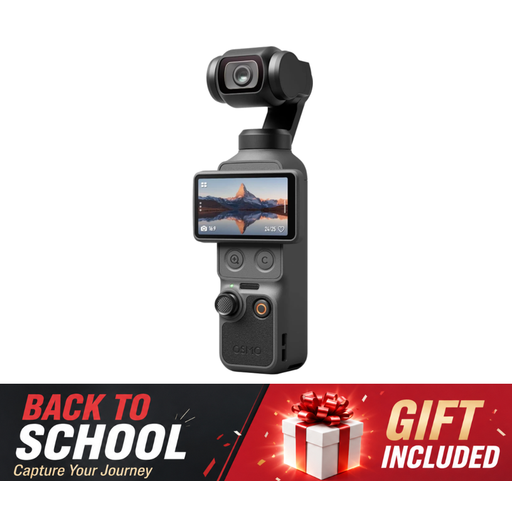 No image available
Consider this integrated camera if a compact filming setup matters to you. Its listed rotatable screen and 2× zoom offer framing options, but check its closest focusing distance and how you would support it securely for a complete view of the weaving table.
No, provided a fixed-lens camera can focus on the work and frame your loom from the available position. Canon lists a 5 cm closest focusing distance and a built-in 16–50 mm lens for the PowerShot V1; choose an interchangeable-lens setup when changing shot widths calls for a different lens, and check that lens’s close focus.
Yes, Sony documents USB and network streaming for the ZV-E10 II. Sony says its 4K or HD USB-streaming modes require a SuperSpeed USB 5 Gbps-compatible computer and cable; over USB 2.0, actual output is HD 720p even if a higher setting is selected.
An adjustable screen can help you check composition when the camera is raised or angled above the table. Canon lists a vari-angle screen for the PowerShot V1, while Panasonic lists a free-angle 3.0-inch screen for the Lumix G100D. You still need a secure support and a view that includes the required work area.