Bedroom and study viewers
For a second screen beside a desk or bed, check the available furniture or wall space and where you will sit. The screen diagonal alone will not tell you whether the stand fits or whether the apps you use are available.


A 32-inch TV is worth considering when furniture or wall space is tight; a 40–43-inch set offers more viewing area if its full dimensions fit the room. Check the exact model’s picture, dialogue clarity and apps rather than treating size as a quality rating. If an existing TV still suits the space, a streaming device may provide the services you need, provided you can meet its HDMI, power, internet and account requirements.
For a second screen beside a desk or bed, check the available furniture or wall space and where you will sit. The screen diagonal alone will not tell you whether the stand fits or whether the apps you use are available.
If you mainly watch live programmes or catch-up services in another room, check the exact model’s broadcast and app support. Dialogue clarity and straightforward controls may matter more to you than a display feature you will rarely use.
If your current screen fits and works but lacks a streaming service, a separate device is another route. Check for a free HDMI input, a suitable power arrangement, internet access and any required account before choosing it.
Choose the screen footprint first, then check how you will watch programmes and whether the exact model meets your sound and connection needs.
Consider it when: the room or furniture calls for a smaller screen and the model’s resolution and services suit your viewing.
Trade-off: it provides less viewing area than a 40–43-inch TV; do not assume its apps, sound or resolution from its size.
Consider it when: you have room for the larger footprint and want more viewing area; current 43-inch ranges include both Full HD and 4K models.
Trade-off: the larger screen needs more space, while picture, sound and setup still depend on the individual model.
| Priority | What to check | Your needs |
|---|---|---|
| Size and fit | Compare the TV’s full width, height and depth with your furniture or wall space. Check stand and wall-mount dimensions separately, then consider where you will watch from; Samsung UK advises measuring beyond the screen diagonal. | I have a particular shelf, desk or wall position in mind, so the set needs to fit there with room for its stand or mounting arrangement. |
| Resolution and picture | Confirm whether the exact model is HD Ready, Full HD or 4K. Compare exact-model picture assessments where available: Which? tests picture quality across TVs, rather than treating HDR or panel labels as a result. | Will I notice and use the picture features on this screen, or is a smaller set sufficient for occasional viewing? |
| Streaming and live TV | Check the named apps, broadcast platform and account requirements for the exact UK model. If keeping an existing TV, confirm an available HDMI input and the streaming device’s power and internet requirements. | I want the programmes I actually watch without discovering after setup that a required app or live-TV option is absent. |
| Dialogue and audio | Look for exact-model sound assessments, particularly for dialogue. Check the available audio outputs if you plan to use headphones or separate speakers; a named audio format alone does not establish clarity. | Clear speech matters in my bedroom or kitchen, and I may want another way to listen. |
| Connections and setup | Count the HDMI inputs needed for your devices and check mounting and network options on the exact variant. Which? includes setup and ease of use in its TV assessments because these vary between models. | My other devices need to connect without leaving me short of ports or requiring an awkward installation. |
The diagonal does not describe the space taken by the stand or the full TV. A set that sounds compact may still be awkward on the intended furniture.
Measure the position and compare the exact model’s dimensions with and without its stand. Samsung UK also advises checking the route into the room when space is restricted.
Which? assesses picture, sound and setup separately, so a screen-size label or HDR specification cannot stand in for those results. Dialogue is especially worth checking for a secondary-room TV.
Compare assessments of the precise model where available, alongside its connections and smart-TV platform.
Services and features can vary by model and region. TCL also notes account and broadband requirements for its smart features.
List the services you use and confirm them for the exact UK model. If an otherwise suitable TV lacks one, check whether a compatible streaming device meets the need.
These brand examples show why it pays to check a specific UK model rather than assume every TV in a range has the same features.
LG lists 32-inch smart TVs that may suit a space-limited second room.
TCL’s UK 43-inch range includes Full HD and 4K models with different smart-TV platforms.
Samsung UK lists several 43-inch display types and places 32–43-inch screens among options for bedrooms and compact spaces.
These 32-inch and 43-inch TVs are options for adding a screen to a bedroom, kitchen, study or other compact room. Measure the intended position and confirm the services you need for the exact model before choosing.
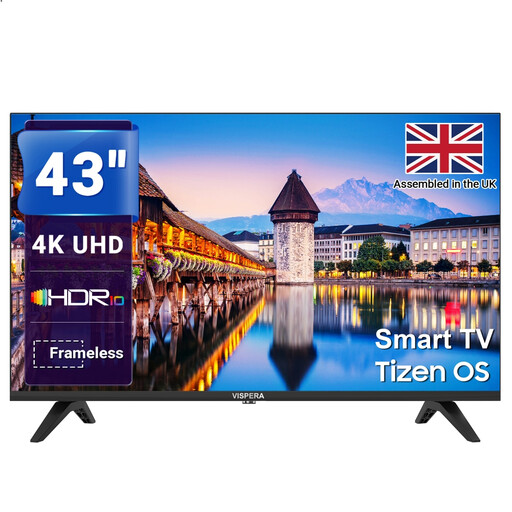 No image available
Consider this 43-inch option if the larger screen fits your room and you want a built-in smart platform. The product name specifies 4K, HDR, Tizen OS and Dolby Audio; check the full dimensions, the services you use and exact-model dialogue assessments before deciding.
 No image available
This 32-inch model is a compact-room option with HD Ready resolution, VIDAA and Freely named in its product title. Check its actual dimensions, the streaming services you use and dialogue clarity for your intended position.
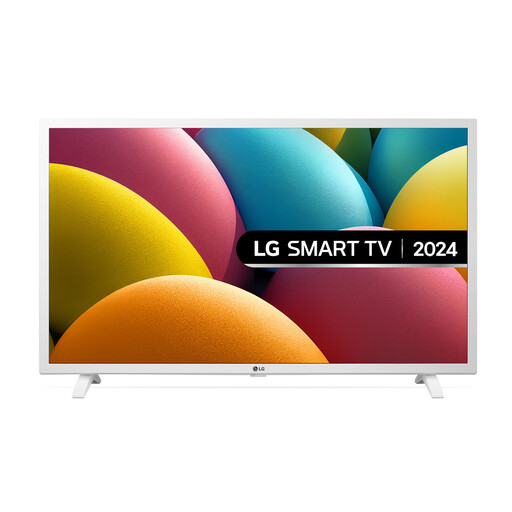 No image available
The 32-inch size makes this a candidate where furniture or wall space is limited. Confirm its resolution before buying, as the product title and description give different specifications; also check the apps and audio performance that matter to you.
 No image available
This 32-inch model is worth checking for secondary-room viewing if you want built-in streaming. LG UK lists webOS, Freeview Play and named services for the 32LQ63006LA. Confirm the resolution for this SKU before buying because its product title and description differ, and assess sound for your room.
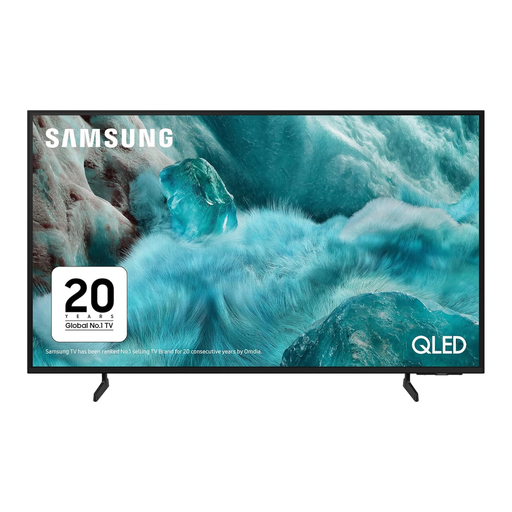 No image available
Consider this 43-inch 4K model if your room can accommodate the larger screen. Its product name specifies Wi-Fi; check the exact dimensions, required streaming apps and broadcast features, and dialogue clarity before choosing it for a second room.
Yes, if the TV still suits your room and has the connections the device needs. Amazon’s Fire TV setup guidance calls for an available HDMI connection and an Amazon account; check the device’s power arrangement, internet access and the services you want before choosing an add-on instead of a new TV.
No. Which? tests picture, sound and ease of use because these differ between models, including within the 40–43-inch range. Compare findings for the precise TV where available, and make sure its full dimensions suit the room.
Check the programmes and services the viewer uses, then try the relevant controls on the TV or app. Ofcom describes subtitles and audio description as access services, but their presence on a TV does not tell you which particular programme or streaming service will offer them.