
24/7 Customer Support

Free returns

Same-day & Next-day Delivery

Quality Guaranteed

Unlock Your Welcome Offers: FREE Delivery | Up to 80% OFF | Free 30-day JoyPlus trial
Download the APP
Choosing a smart baby monitor can feel straightforward until you compare app access, screen size, night vision, alerts and subscription terms. A product may have an impressive specification sheet yet prove inconvenient in a small UK bedroom, unreliable when the Wi-Fi signal is weak or costly to run over time.
The right choice depends on how you use the monitor: at home, while travelling, across multiple rooms or alongside a traditional parent unit. This guide explains the practical points to check before buying and highlights suitable options for different household needs.
A 1080p or 2K label describes image resolution, but it does not tell you how clearly the camera performs in darkness. Check whether the model has infrared night vision, colour night vision or an adjustable low-light mode. The camera’s viewing angle also matters: a narrow fixed view can leave part of the cot outside the frame.
A baby monitor with night vision should also be positioned carefully. Glare from nearby walls, windows or cot bars can reduce visibility, even when the camera specification looks strong.
Remote viewing, sleep tracking, cloud recording and advanced alerts may require an account, a stable internet connection or a paid service. For example, the Nanit Pro supports app-based monitoring and sleep tracking through Nanit Insights, so buyers should check which functions are included and which may involve ongoing charges.
Before purchasing, confirm:
A portable baby monitor is useful for holidays, visits to relatives or moving between rooms, but a lightweight stand must remain stable and out of a child’s reach. Cables should never run near the cot, and the camera should not be placed inside a cot or playpen.
The monitor is an aid to supervision, not a replacement for regular adult checks. Always follow the supplied installation instructions and keep power adapters and cords secured.
For everyday nursery use, 1080p HD video gives a practical level of detail for checking a baby’s position and movement. A 720p display can still be suitable, particularly on a dedicated parent unit, but the physical screen size and viewing distance affect how clear the image appears.
Look for:
A video baby monitor with pan, tilt and zoom can be more useful than a higher-resolution fixed camera if your child moves around the room.
A Wi-Fi baby monitor allows remote viewing from a smartphone, which is convenient when you are at work, travelling or in another part of the house. However, it depends on your home network and account security. Use a strong, unique password, install firmware updates and review app permissions.
A baby monitor with parent unit offers a separate screen that can be faster to access at night and may continue working locally without relying on your phone. Some models combine both options, giving you a parent display at home and app access away from home.
Motion, sound, crying and temperature alerts can reduce the need to watch the screen continuously, but sensitivity settings should be adjustable to avoid repeated notifications. Two-way audio is useful for brief reassurance, while lullabies or a night light may support an established bedtime routine.
A baby monitor with temperature sensor can show room conditions, but it should not be treated as a substitute for checking your child, clothing or bedding directly. Similarly, sleep tracking can provide app-based activity information, but it should not be interpreted as medical advice or a guarantee of sleep quality.

Why This Fits Their Persona: A practical choice for parents wanting a dedicated screen, straightforward setup and core monitoring features without relying solely on a phone app.
Its 5-inch parent display, infrared night vision and VOX mode make key information available without opening a smartphone app.
1080p video, two-way talk, temperature sensor and a stated rechargeable battery runtime of up to 11.5 hours.
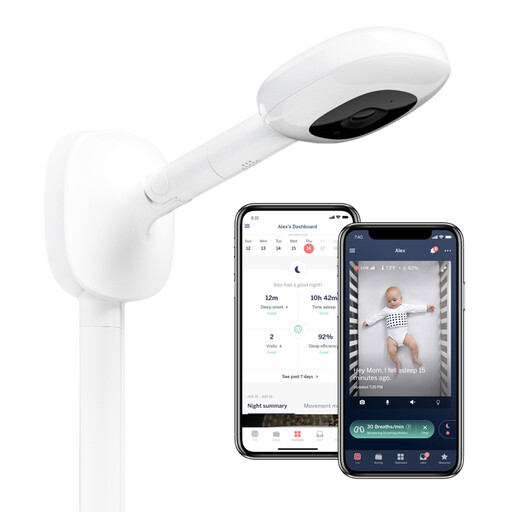
Why This Fits Their Persona: Suits parents who want app-based monitoring, an overhead nursery view and additional sleep-related features.
The wall mount provides a defined overhead position, while buyers can check Nanit Insights subscription details before relying on sleep-tracking functions.
1080p video, app-based split view for two cameras and sleep tracking access through the associated app.
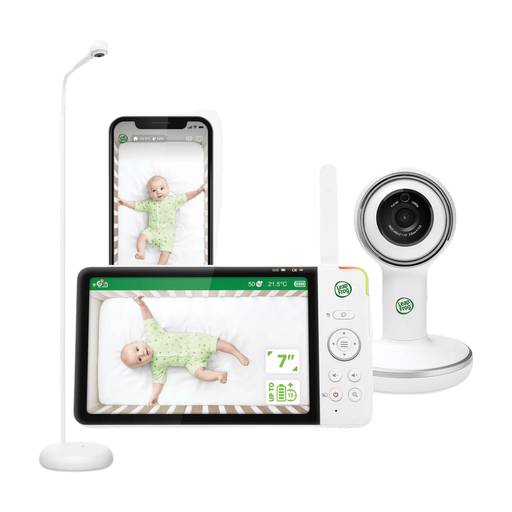
Why This Fits Their Persona: Works well for households wanting both a large parent display at home and remote smartphone access when away.
It combines local parent-unit viewing with app access, reducing dependence on a phone for every check and avoiding a stated monthly subscription requirement.
7-inch 720p parent display, two-way talk, remote night light and lullaby controls, plus an over-cot floor stand.
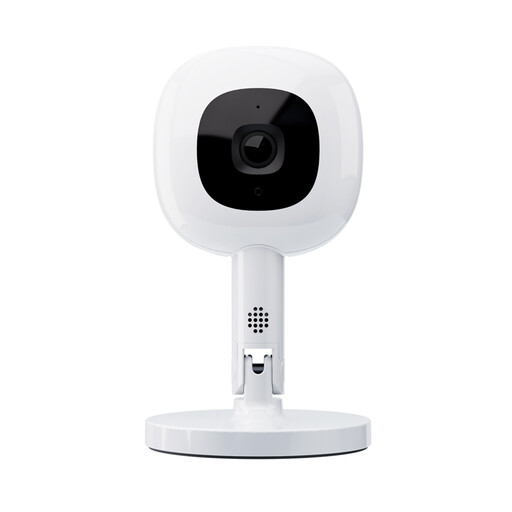
Why This Fits Their Persona: A flexible option for parents who move monitoring between rooms, stay with relatives or travel within the UK.
The Flex Stand is designed for repositioning, but its base should still be placed on a stable surface with cables kept well away from the cot.
1080p video, night vision, app alerts, two-camera split screen and a 130-degree viewing angle.
We have compiled a complete, real-time list of products that fully satisfy these strict selection criteria and UK safety regulations.
No. Some models use a dedicated local connection between the camera and parent unit. Wi-Fi is needed for remote smartphone viewing, app alerts and cloud services. If broadband reliability is a concern, choose a model with a separate parent display or check whether local monitoring remains available during an internet outage.
Follow the supplied instructions, but keep the camera and all cables outside the cot and beyond your child’s reach. Several listed products specify positioning the camera at least one metre from the cot. A wall mount or stable stand can help provide a clear view while reducing access to cords.
Not always. Check for possible costs relating to cloud recording, sleep tracking, extended storage or app subscriptions. Models such as the LeapFrog LF5817HD and LF4915HD state that their core functionality does not require a subscription, while app-connected products may offer optional paid features. Also consider battery charging, replacement accessories and the need for a separate memory card where local recording is supported.