What matters when choosing?
For a flat in a communal building, establish the permitted mounting position and its sightline before comparing recording features or deciding whether a shared-entry system is the better route.
| Concern |
What to check |
Who this matters to |
| Neighbours and shared space in view |
Look at the sightline from the proposed position. Check whether the exact model can block parts of the image and adjust motion detection; those controls do not replace careful positioning. |
When my door opens onto a shared landing, I want to see a visitor without routinely capturing neighbours passing by. Around 36% of consumers put limiting that incidental view first. |
| Permission and safe installation |
Ask the relevant landlord, freeholder, housing association or managing agent about the precise fixing method, wiring and location. Check any conditions affecting the entrance door and common parts. |
If fitting a device would alter my door or a communal wall, I need to know what the building permits before buying it. For around 29% of consumers, securing an acceptable installation is the primary concern. |
| Visitor checks and recording |
Distinguish live communication from stored clips. For the exact model and plan, check recording mode, retention, audio controls and who can access footage. |
I may want to speak to a caller or review a missed visit, but I do not want to retain more footage than I need. Keeping visitor checks and recording proportionate comes first for around 21% of consumers. |
| Individual device or shared entry |
Find out whether the building's existing entrance panel can be used or changed, and who would install and manage it. Check storage settings even if the proposed system is called an intercom. |
If visitors already use a communal entrance, I would rather assess that system than fit a separate camera to my flat door without a clear reason. Around 14% of consumers primarily need an entry route that works with the building's arrangements. |
Individual-entrance doorbells on Joybuy
These video doorbells are options for an individual flat entrance only where the mounting method is permitted and the installed view is appropriate. If visitors use a managed shared entrance, compare that building's entry arrangements before choosing a separate door camera.
 No image available
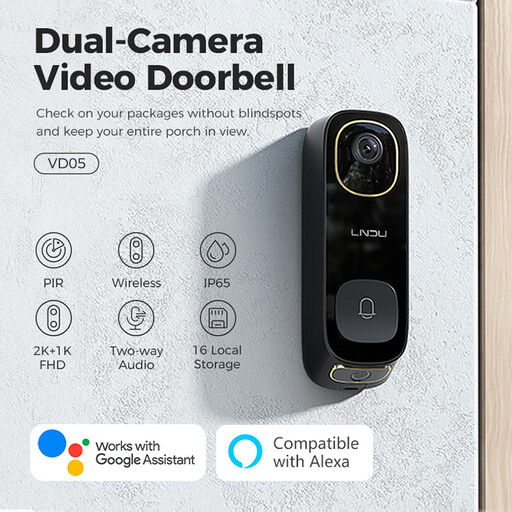
LNDU VD05 2K video doorbell with monitor
Consider this wireless doorbell if a separate device at your flat entrance is permitted and you want two-way audio with a monitor. Its named features include dual PIR motion detection and an IP65 rating; check its installed view and the privacy, audio and recording settings before use beside a shared area.
View on Joybuy
 No image available
BOTSLAB R810 5MP video doorbell with 32GB SD card
Consider this wireless option if your permitted installation calls for a doorbell with human detection and two-way audio. The title specifies a 32GB SD card; confirm the camera sightline, recording behaviour and available privacy controls for the exact setup.
View on Joybuy
 No image available
tapo D230S1 smart battery video doorbell
Battery power makes this a doorbell to assess where that mounting arrangement is permitted; it does not establish permission to attach it. Check what the camera would capture from the approved position and which privacy and recording controls the D230S1 offers.
View on Joybuy
 No image available
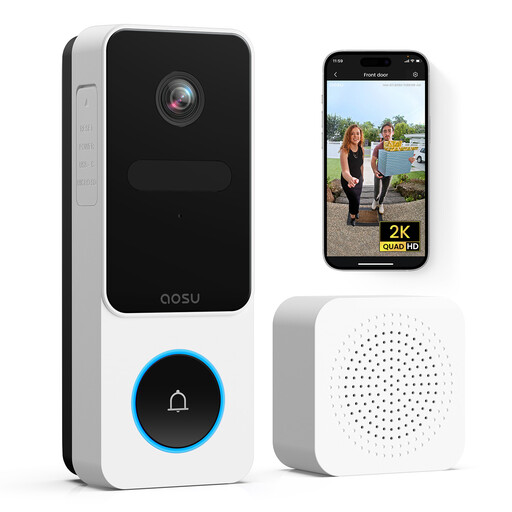
aosu 2K wireless video doorbell, 170° view
Consider this model for two-way communication only if its 170° view can be positioned appropriately at your entrance. The title also specifies PIR motion detection and 2.4GHz Wi-Fi; check the power arrangement, recording settings and any controls for limiting communal capture.
View on Joybuy
 No image available
eufy Security Video Doorbell C31, 2K FHD
This model lists battery and hardwired power options alongside live video calling. Its title also advertises 24/7 recording; check which power mode enables that feature and whether the recording settings suit a view near shared space. Confirm installation permission separately for either power option.
View on Joybuy
Common questions
Does UK data protection law apply if my doorbell records a communal hallway?
Yes, if a home camera captures communal space, another person's property or a public area, the Information Commissioner's Office says data protection law applies. Aim the camera at your own entrance where possible and assess the actual view before installation; the ICO's published home-CCTV guidance is under review.
Are the ICO's home-CCTV guidelines final?
Do not assume the published guidance will remain unchanged. The Information Commissioner's Office says its guidance is under review following the Data (Use and Access) Act, so check its current home-CCTV advice when planning installation or responding to a concern.
Do privacy zones make a doorbell facing shared space acceptable?
No: a privacy zone is an additional control, not a substitute for an appropriate camera position or applicable data-protection and property requirements. Ring says motion may still be detected behind blocked areas on its devices, so check both the resulting image and motion behaviour for the exact model.
Does a building intercom keep recordings?
It can, depending on the configuration. Aiphone lists picture-memory options for its GT system, while Comelit describes audio-only alternatives; ask the managing agent or installer whether your proposed setup stores images, audio or call records, and who can access them.


