What should you check before buying?
Decide which area needs monitoring, then assess the view from the mounting point before comparing recording options. A smart doorbell and a fixed camera serve different monitoring positions, but both need a view that fits the property.
Smart doorbell
Choose it when: seeing and speaking to visitors at the front door is the main task.
Bear in mind: an entrance-facing lens may also take in a pavement, neighbouring entrance or shared approach.
Fixed home camera
Choose it when: you need to watch a defined point such as a driveway, gate or side passage rather than interact with doorstep visitors.
Bear in mind: its installed angle may include more than the area you intended to monitor.
| Concern |
What to check |
Who this matters to |
| View and privacy controls |
Check the view from the intended mount, whether the exact model masks areas in video, and how its microphone is controlled. A motion zone is not necessarily a video mask. |
I want to see my entrance without unnecessarily recording a neighbour’s property or people on a shared route. Around 42% of consumers put control of what is captured first. |
| Retained footage |
Check whether events can be saved without a plan and what card, hub or recorder the chosen setup needs. |
If I need to review an event later, live alerts alone will not meet that need. Roughly 25% of consumers make dependable footage retention their primary concern. |
| Coverage and installation |
Compare the actual field of view with the point you need to watch, then check mounting, power and network requirements. |
I need the device to cover the doorway, driveway or other access point I care about from a workable position. For about 33% of consumers, that fit is the first priority. |
Joybuy product choices
These doorbells are relevant to monitoring visitors at an entrance; the window camera offers a fixed viewpoint. Choose the monitoring position first, then check each model’s view and privacy controls for your property.
 No image available
BOTSLAB R810 5MP video doorbell with 32GB SD card
Consider this for visitor and parcel monitoring at an entrance. The product name specifies two-way audio and a 32GB SD card. Check the view from your mounting point and confirm this model’s video-masking and audio-recording controls before buying.
Joybuy
 No image available
tapo D230S1 smart battery video doorbell
Consider this battery doorbell for a front-door monitoring position. Check its installed view, the exact model’s masking and audio settings, and what storage hardware you would need to retain footage.
Joybuy
 No image available
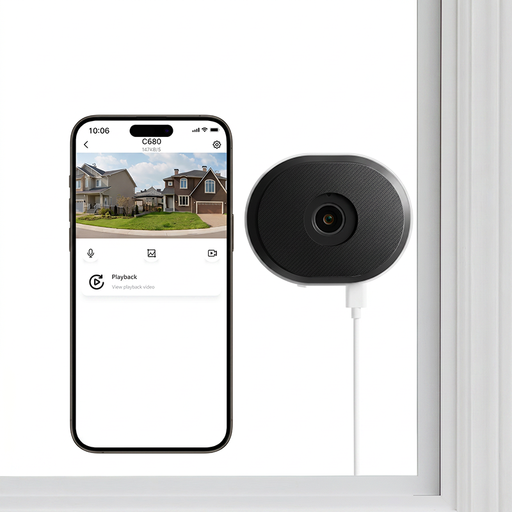
ZOSI C680 3MP 2K plug-in window camera, 1 PCS – UK
Consider this for monitoring from an indoor window position rather than answering the door. Its product name specifies a plug-in design and 2.4/5GHz Wi-Fi. Check what the window view includes; motion-zone settings should not be assumed to hide areas in recorded video.
Joybuy
 No image available
eufy Security Video Doorbell C31, 2K FHD
Consider this for visitor monitoring where either battery or hardwired power could suit the entrance. The stated 24/7 recording requires hardwiring; check wiring compatibility and the recording setup, along with this model’s masking and audio controls.
Joybuy
Frequently asked questions
When does UK data protection law apply to a home camera or doorbell?
The Information Commissioner’s Office says it applies when domestic CCTV captures another person’s property, a public area or a communal space. Its home-CCTV guidance also notes that cameras can capture people’s images and voices, so consider both the view and audio settings when positioning a device.
Can a privacy zone replace careful camera placement?
No. The Information Commissioner’s Office advises positioning domestic cameras to capture only your own property where possible, while Ring says movement behind its masked Privacy Zones can still be detected. Check the actual installed view as well as the masking and motion settings.
Should I leave audio recording enabled?
Enable audio only if you need it for the intended use and have checked how the exact device controls it. The Information Commissioner’s Office notes that domestic CCTV can capture voices as well as images; where others may be recorded, assess the microphone setting alongside the camera’s position.
Do I need a subscription to use a video doorbell?
Not necessarily, but live viewing and saved footage can be separate functions. Ring says you can view live video and answer doorbell notifications without a subscription, while saving, reviewing and sharing its recordings requires a compatible subscription. Check the exact model’s recording arrangement if you need video history.
Does local storage resolve neighbour-privacy concerns?
No. Local storage affects how footage is retained, not what enters the lens or microphone. Check the mounting position, masking and audio controls separately, particularly if the view could extend beyond your property.


