Who is each option for?
Start with the part of your property you need to see, then consider how you can mount and power a device there.
Households watching the front door
If callers, deliveries and doorstep activity are the priority, compare doorbells at the intended mounting height. A tall view may help include parcels on the ground, but check whether the final frame also includes a pavement or shared approach.
Households watching other outdoor areas
For a driveway, side passage or garden beyond the doorway, consider a fixed or wireless outdoor camera. Its mounting position, power arrangement and actual view matter more than a headline coverage claim.
Renters and leaseholders
Check your tenancy agreement or lease and ask the relevant landlord, freeholder or managing agent about the proposed fixing and any wiring before ordering. Battery power does not, by itself, settle whether an external installation is permitted.
What should you check before buying?
Decide what must appear in the picture before comparing field-of-view figures. Then check how the device handles areas you do not need to capture, sound and saved footage.
Smart doorbell
Consider it when: Your main question is who is at the door or whether a parcel has arrived.
Watch for: A doorstep view that also includes the pavement, a neighbour’s approach or shared access.
Outdoor camera
Consider it when: The area you need to watch is a driveway, side access or garden rather than the doorstep.
Watch for: A broad or adjustable view that extends beyond the intended part of your property.
| Priority |
What to check |
Your needs |
| View and placement |
Assess the picture from the proposed mounting point. Check whether the doorway, driveway or garden fits in the frame without unnecessarily including neighbouring property, a shared route or the street. |
I want to see the part of my property that matters, without recording more of the surroundings than necessary. |
| Privacy and motion controls |
Check whether the exact model offers privacy masking and adjustable motion zones. Test both the visible picture and motion alerts after positioning it; these controls do not replace careful placement. |
A busy pavement or shared approach is close to where I would mount the device, so I need to know what it shows and what triggers it. |
| Audio |
Look for a separate audio-recording control if sound may be captured beyond your property. The Information Commissioner’s Office says recording conversations between members of the public is highly intrusive and unlikely normally to be justified. |
Two-way talk with a visitor may be useful, but I do not want to leave ambient conversations recording unnecessarily. |
| Video history |
Distinguish live view, saved event clips and continuous recording. Check the exact model’s included history, storage location, retention period and any subscription conditions. Google Store specifies three hours of included event video history for the Nest Doorbell (battery), which cannot record continuous 24/7 history. |
If I miss an alert, I want to know whether I can still review the event when I get back to it. |
| Power and fixing |
Check battery access, the proposed solar-panel position or wired-power requirements as applicable. Confirm that the mounting method fits the property’s lease, tenancy or other installation conditions. |
My preferred mounting point needs a workable power plan, and I may need consent before fixing or wiring anything outside. |
Which brands offer relevant examples?
These brand examples illustrate features to investigate on an exact model, not features shared by every device bearing the name.
Ring
Ring’s Battery Video Doorbell Plus is an entrance-focused battery example. Ring specifies a removable rechargeable battery and a 150° horizontal and 150° vertical field of view for this model.
- Ring describes privacy zones that block selected areas in live and recorded video on supported devices.
- Confirm privacy-zone availability and audio settings for the particular Ring model you are considering; do not assume that blocking part of the picture also controls every motion alert.
Google Nest
The Nest Doorbell (battery) is a front-door option with a 3:4 view. Google Store specifies a 145° diagonal field of view and three hours of included event video history.
- Google offers longer event-history options through Nest subscriptions for this model.
- Google Store states that the Nest Doorbell (battery) cannot record continuous 24/7 video history, whether used on battery or wired power.
eufy Security
eufy Security’s SoloCam S340 is an outdoor-camera example for areas beyond the doorstep. eufy says it can use direct Wi-Fi and built-in storage, or connect to a compatible HomeBase S380.
- The direct Wi-Fi and built-in-storage arrangement offers a route to using this model without a separate hub.
- Check the final viewing area and the exact device’s masking, storage and power arrangements before fitting it; an adjustable outdoor view needs particular care near neighbouring or shared spaces.
Joybuy doorbell and outdoor camera options
These options include doorbells for entrance monitoring and outdoor cameras for areas such as a driveway or garden. Compare each device at the mounting point you intend to use; its category or headline viewing feature cannot establish where the final picture will end.
 No image available
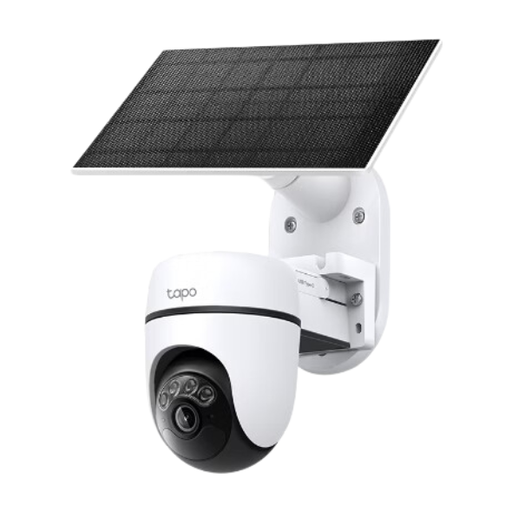
Tapo C610 KIT solar-powered pan-and-tilt camera kit
Consider this outdoor camera kit if the area to watch is beyond the front door. Plan where its pan-and-tilt view can point, and check the privacy, audio and storage settings for the exact kit before mounting it.
View on Joybuy
 No image available
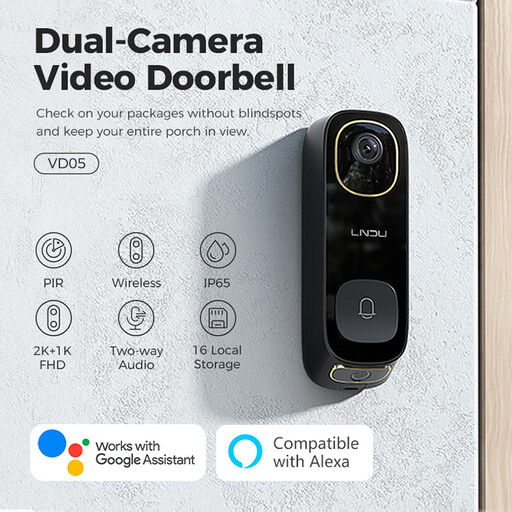
LNDU VD05 2K HD video doorbell with monitor
This entrance option is listed with dual PIR motion detection, IP65 protection and two-way audio. Check how its installed view frames the doorstep and whether its audio and privacy controls fit the location.
View on Joybuy
 No image available
tapo D230S1 smart battery video doorbell
A battery doorbell is worth considering when the entrance is the priority and you want to avoid adding doorbell power wiring. Check the view from your proposed mounting position, along with the exact model’s recording and privacy settings.
View on Joybuy
 No image available
eufy Security Video Doorbell C31 2K
This doorbell is listed with battery or hardwire power and a 24/7 recording feature. Check the power and recording conditions for the setup you intend to use, as well as the installed view and audio controls.
View on Joybuy
 No image available
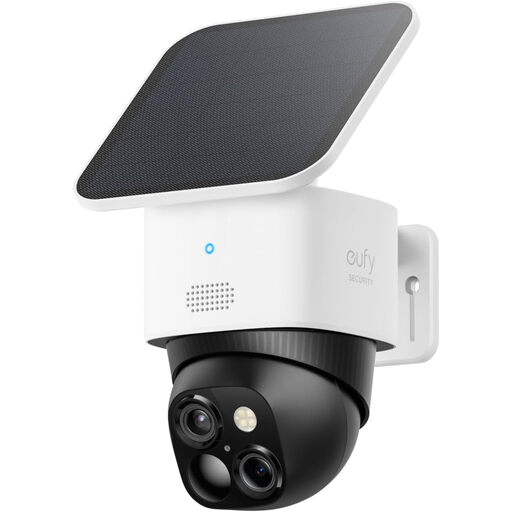
eufy Security SoloCam S340 dual-camera solar camera
For an area away from the door, this outdoor model is listed with 3K video, solar power and an adjustable 360° surveillance view. eufy says the SoloCam S340 can use direct Wi-Fi and built-in storage; check where its final view can point and whether its privacy controls suit your property.
View on Joybuy
Questions about placement and installation
What if my home camera also records a public path or shared area?
First see whether you can reposition it to capture only your private property. The Information Commissioner’s Office identifies fixed cameras and smart doorbells as home CCTV; Islington Council explains that UK data-protection rules apply when domestic surveillance captures people beyond the private property boundary, including on communal walkways or a public path. The ICO says its home-CCTV guidance is under review, so consult its current wording before installing a system that will capture beyond your boundary.
Can a privacy mask replace careful camera placement?
No. Aim and assess the camera at its intended mounting point first. Ring says privacy zones on supported devices block selected areas in live and recorded video, but you should still check the final picture and motion alerts rather than assuming the mask controls everything the device detects.
Should I leave audio recording enabled?
Avoid routinely recording conversations outside your property without a clear justification. The Information Commissioner’s Office describes recording conversations between members of the public as highly intrusive and unlikely normally to be justified. If audio matters to your choice, check whether the exact device allows recording to be switched off separately from two-way talk.
Do renters or leaseholders need permission to fit a doorbell camera?
Check the conditions for your particular property before fitting one. Ask the landlord, freeholder or managing agent about the proposed fixing, any work to the building fabric and any wiring; a battery-powered device does not automatically remove those questions.
Is local video storage automatically more private than cloud storage?
No. A compatible local-storage device changes where footage is kept, but you still need to control access to recordings and consider any applicable duties if the camera captures people beyond your private property. Compare capacity, retention, remote access and what happens to footage if the camera or storage device is damaged or stolen.


