Joybuy doorbell choices
These entrance-focused video doorbells offer different power and recording arrangements for answering visitors remotely. Compare each model’s installation and storage requirements with your property before choosing; an outdoor camera remains a separate consideration if you need a view beyond the doorway.
 Image unavailable
tapo D230S1 Smart Battery Video Doorbell
Consider this entrance-focused model if battery installation suits your doorway and you want to respond to visitors remotely.
Check the home-network and app requirements, the recording option you intend to use, and whether a compatible memory card is included. Confirm the model’s update-support statement and available privacy controls before installation.
View on Joybuy
 Image unavailable
BOTSLAB R810 5MP Video Doorbell with 32GB SD Card
Consider the R810 if speaking to doorway visitors and using the stated 32GB SD card for recording fit your priorities.
The product name specifies 5MP video and two-way audio. Check which power arrangement suits your property, how to retrieve recordings from the base station, and the exact model’s privacy and security-update information.
View on Joybuy
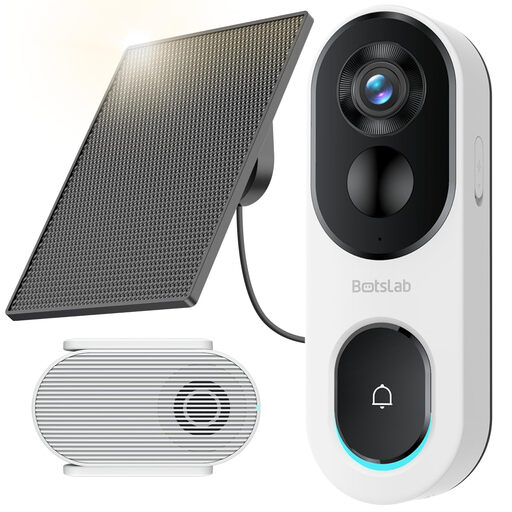 Image unavailable
BOTSLAB R810SE 2K Solar Powered Doorbell Camera
Consider this doorbell if its solar-powered arrangement can be positioned suitably at your entrance and you want remote two-way communication.
The product name specifies 2K video and 2.4GHz Wi-Fi only. Solar charging depends on placement conditions, and the listing says a memory card is not included; check the supported card requirements, privacy controls and update-support information.
View on Joybuy
 Image unavailable
eufy Security Video Doorbell C31 2K FHD
Consider the C31 if a live video call with a visitor is central to your choice and either battery or compatible hardwired power could suit your doorway.
The product name specifies 2K FHD video and live video calling; its 24/7 recording claim applies to hardwired use. Confirm wiring compatibility, the recording storage and history terms, and the exact model’s account, privacy and security-update controls.
View on Joybuy
Frequently asked questions
What should I check before pointing a doorbell or camera towards the street?
Aim to capture only your own property where possible. The Information Commissioner’s Office says data-protection law applies if a home CCTV system captures another person’s property, public space or a communal area. Check the planned angle and any masking controls before installation; a property-specific situation may need individual advice.
Should I leave audio recording enabled?
Consider audio recording separately from live two-way conversation rather than enabling it by default. Information Commissioner’s Office material describes recording public conversations as highly intrusive and says it should not normally be used without clear justification. Check whether the model lets you disable recorded audio while retaining the visitor-response function you need.
How do I check security-update support?
Look up the exact model’s stated minimum security-update period and its manufacturer’s security-issue reporting contact. The National Cyber Security Centre identifies both as relevant checks for connected products; a general promise of updates does not tell you the period stated for your model.
Does wiring a battery doorbell give it continuous recording?
No—not unless the exact model and recording arrangement support it. Google states that Nest Doorbell (battery) cannot record continuous 24/7 video history even when wired. Check recording capability and any required plan separately from the power connection.
Does local storage remove the need for an internet connection?
Not for remote features that depend on a connected app and home network. Local recording on a compatible system changes where footage is stored, but you still need to check clip access, storage capacity, device updates and the connection requirements for answering visitors while away.


