What should you check before choosing?
Decide how much of the entrance you actually need to see, then check whether the power, connection and recording arrangement will work at that position.
Battery doorbell
Choose when: You need a doorstep view without relying on existing doorbell wiring.
Allow for: Charging and model-specific recording limits; Google says its battery Nest Doorbell cannot provide 24/7 video history, even when installed on wired power.
Wired doorbell
Choose when: Your existing wiring meets the chosen model's requirements and you want an installed power supply at the door.
Allow for: Model-specific chime and electrical requirements, plus any permission needed for work on a rented or managed building.
Separate outdoor camera
Choose when: The area to monitor includes a driveway, gate or approach beyond the doorstep.
Allow for: A wider or movable view that may reach neighbouring property, a public path or a shared space.
| Priority | What to check | Your needs |
|---|
| Recorded area |
Frame the doorstep, driveway or gate from the proposed mounting point. Check physical aiming and whether privacy blockers can exclude areas that cannot be avoided by positioning. |
I want to see the part of my entrance that matters without routinely recording a neighbour's property, a public path or a shared entrance. |
| Sound |
Check whether audio recording can be switched off separately and how two-way talk operates on the exact model. Include sound in your assessment of what a shared or outward-facing installation may capture. |
Being able to speak to a caller matters to me, but that does not necessarily mean I want to record surrounding conversations. |
| Power and connection |
For a wired model, check its stated wiring and chime requirements. For a battery model, plan for charging; check Wi-Fi and broadband requirements at the installation point for either route. |
My entrance needs a device that fits the wiring and connection available there, rather than one chosen solely for its advertised recording features. |
| Footage history |
Check whether the exact device records events or supports continuous history, how long clips remain accessible, and whether storage needs a compatible card, recorder or cloud plan. |
If I need to review footage later, I want to know where it will be kept and what is required to access it. |
| Installation and data controls |
Check mounting permission for a rented or managed property. Review the provider's stated security-update period, app permissions and information about data collection and sharing, as the ICO advises for smart products. |
For a shared or managed entrance, I need an installation I am permitted to make and settings I can understand before switching on recording. |
Joybuy entrance-monitoring options
These Joybuy options include doorstep doorbells and outdoor cameras for entrances or wider approaches. Compare each one against the view, installation and footage arrangement your property needs.
 No image available
tapo D230S1 Smart Battery Video Doorbell
A battery doorbell to consider for a doorstep where you do not plan to use existing doorbell wiring. Check the charging arrangement, privacy controls, audio-recording settings and what your intended footage storage requires before buying.
View on Joybuy
 No image available
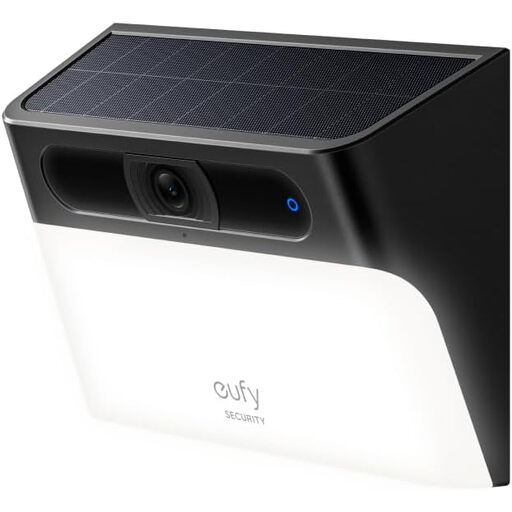
eufy Security Solar Wall Light Cam S120
An outdoor solar camera with a motion-activated light for an entrance where a wall-mounted view is useful. The product name states IP65; check the mounting position, solar exposure, included components and privacy and audio controls. Confirm the resolution on the exact listing before relying on it for your choice.
View on Joybuy
 No image available
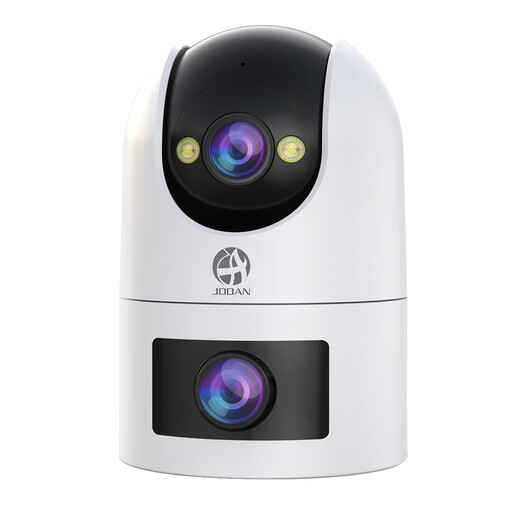
JOOAN Dual Lens Security Camera, 2.4G/5G Dual WiFi
The dual-lens camera is an option to assess for a driveway or wider approach; its product name also states 360° view, IP66 and 24/7 recording with cloud or card storage. Check how its view can be confined to the intended area, along with power, mounting, privacy and audio controls and the card needed for local recording.
View on Joybuy
 No image available
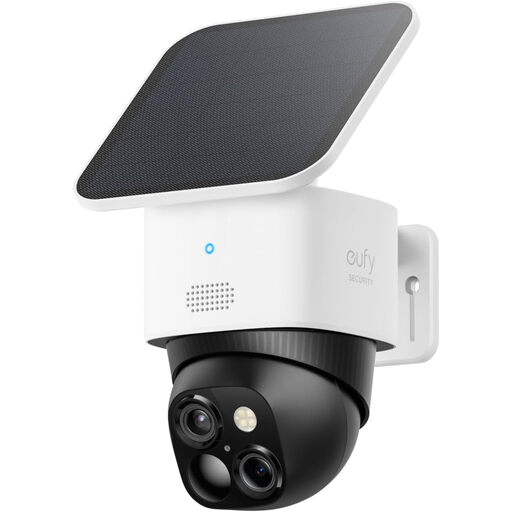
eufy Security SoloCam S340 Dual-Camera Solar Camera
A solar outdoor camera to assess where an entrance or driveway calls for an adjustable view. Its product name states 3K, 360° coverage, 2.4 GHz Wi-Fi and HomeBase S380 compatibility. Check whether the proposed view can stay within your intended area, the solar installation conditions, privacy controls and whether the HomeBase needed for your storage arrangement is included.
View on Joybuy
 No image available
eufy Security Video Doorbell C31, 2K FHD
A doorstep option named for battery or hardwired power, live video calls and human and motion detection. Its stated 24/7 recording applies to hardwired use; check wiring compatibility, the recording and storage arrangement, battery requirements, and privacy and audio controls before choosing a setup.
View on Joybuy
Questions before installation
When does UK data protection law apply to a home doorbell or camera?
According to the ICO's home-CCTV guidance, it applies if your system captures another person's property, a public area or a communal space; the ICO advises aiming cameras to capture only your own property where possible. Its home-CCTV page says it is under review following changes made by the Data (Use and Access) Act, so check the current official guidance before installation.
Can I install a doorbell at a rented flat or shared entrance?
Check your tenancy, landlord or building-management conditions before mounting a device, carrying out electrical work or recording a shared area; a battery-powered model does not settle those questions. South Lanarkshire Council's guidance for its tenants and residents also addresses when permission or planning rules may apply, rather than establishing one answer for every property.
Do I need to leave audio recording switched on to speak to visitors?
Check the exact doorbell's controls: two-way talk and routine audio recording are separate features to assess, and their settings vary by model. If the device may capture people beyond your property, the ICO notes that voices, as well as images, can be personal information.
Does storing footage at home remove privacy obligations?
No. The ICO's property-boundary guidance still applies if a locally recording camera captures another person's property, public space or a communal area. Check the equipment required to store clips, secure it and plan how you will manage recordings.
Will a battery doorbell give me continuous video history?
Do not assume so: Google states that its battery Nest Doorbell cannot provide 24/7 video history even when installed on wired power. Check the exact model's recording mode, included history and any storage or cloud-plan requirements before choosing it for continuous footage.


