Homes with weak Wi-Fi at the entrance
If your 4G or 5G router is some distance from the front door, check both its broadcast bands and the signal at the intended mounting point. Reolink advises installing its D340W within Wi-Fi range.


Choose a smart doorbell only after checking which Wi-Fi bands your 4G or 5G home router broadcasts and whether its signal reaches the entrance. A battery model avoids the need for doorbell wiring but needs charging; a wired option needs a suitable power supply. In the UK, aim the camera towards your own entrance: the Information Commissioner's Office says data protection law applies if it captures someone else's property, a public area or communal space.
If your 4G or 5G router is some distance from the front door, check both its broadcast bands and the signal at the intended mounting point. Reolink advises installing its D340W within Wi-Fi range.
A battery-powered model avoids relying on existing doorbell wiring, but you still need Wi-Fi at the door and a plan for recharging it. Treat stated battery runtimes as conditional on use.
Check how narrowly the camera can be aimed before buying. The Information Commissioner's Office says UK data protection law applies if a domestic camera captures someone else's property, a public area or communal space.
Start with the connection at the doorway, then choose a workable power method and consider what the camera will capture.
| Priority | What to check | Your needs |
|---|---|---|
| Wi-Fi bands | Check the router's 2.4 GHz and 5 GHz broadcasts against the exact doorbell's requirements. Google Nest Help says affected Nest products in Europe may not show a 5 GHz-only network during setup. | I want a doorbell that can join the Wi-Fi network my mobile-broadband router actually provides. |
| Doorway signal | Check Wi-Fi at the intended mounting point, not just beside the router. Reolink specifies installation within Wi-Fi range for its D340W. | The front door is away from my router, so coverage there matters before I settle on a model. |
| Power | Check whether suitable wiring is available and what a battery model requires for charging. Reolink says its Battery Video Doorbell (2nd Gen) can use 8–24VAC wiring to help keep its battery topped up. | I need an installation that works with my doorway and a charging routine I can manage. |
| Camera view | Plan the mounting angle; check visual privacy controls on the exact model if nearby property or shared space may appear. An activity zone for alerts is not necessarily visual masking. | My entrance faces a pavement or shared area, and I want to avoid capturing more than necessary. |
A router using 5G for its internet connection may broadcast a different local Wi-Fi band. Google Nest Help says affected Nest products in Europe need a 2.4 GHz broadcast to find the network during setup.
Check the router's Wi-Fi settings and the requirements of the exact doorbell before buying.
The mobile connection received by the router and the Wi-Fi connection between router and doorbell are separate parts of the setup. Reolink specifies that its D340W must be installed within Wi-Fi range.
Check the signal at the planned mounting point. If it is weak, assess router placement or a compatible home-network arrangement before choosing a camera.
Recording use affects charging needs. Reolink bases its stated runtime for the Battery Video Doorbell (2nd Gen) on five minutes of recordings per day.
Compare runtime claims with their stated conditions, and consider a suitable wired option if avoiding regular charging matters to you.
The Information Commissioner's Office says UK data protection law applies when domestic CCTV captures someone else's property, a public area or communal space.
Plan the angle to capture your own property where possible. Check whether the exact model has visual privacy controls if you cannot avoid a wider view, and consult current ICO guidance before installation; its home-CCTV guidance is under review.
These examples illustrate features to check on exact models; a feature on one doorbell does not establish compatibility across its brand.
Reolink lists dual-band Wi-Fi doorbells with different power arrangements.
eufy lists a dual-band Video Doorbell C30 bundle on its UK site.
Google's setup guidance makes the router's Wi-Fi broadcast an important check for affected Nest products.
These doorbells include solar, battery-powered and wired-capable options. Match each model's Wi-Fi requirements to your mobile-broadband router and check the signal at your entrance before choosing.
 No image available
For an entrance where local recording matters, this listing names a 32GB SD card and two-way audio. Check the exact Wi-Fi requirements, bundle contents and camera-view controls against your setup.
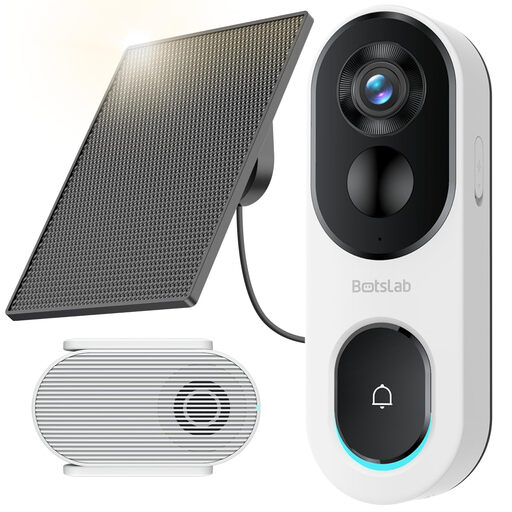 No image available
Consider this solar-powered model only if your router provides usable 2.4 GHz Wi-Fi at the door. Check whether the intended location accommodates the solar-panel placement and confirm what the bundle includes.
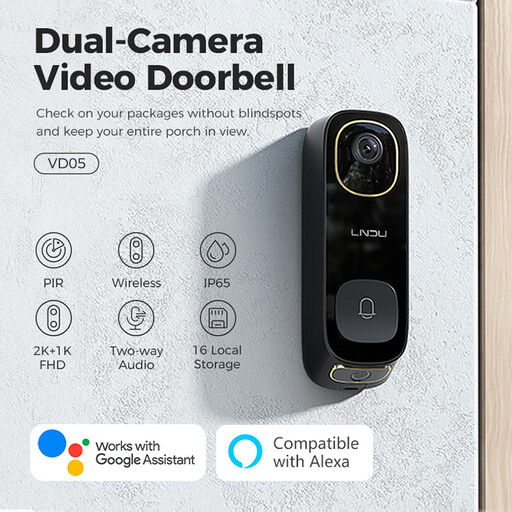 No image available
This listing identifies dual PIR motion detection, two-way audio and an IP65 rating. Confirm its Wi-Fi band and power requirements against your router and installation location.
 No image available
The listing offers battery or hardwired power and names live video calling. Check that your existing wiring is suitable if you plan to hardwire it, and confirm this C31 model's Wi-Fi requirements rather than relying on specifications for other eufy doorbells.
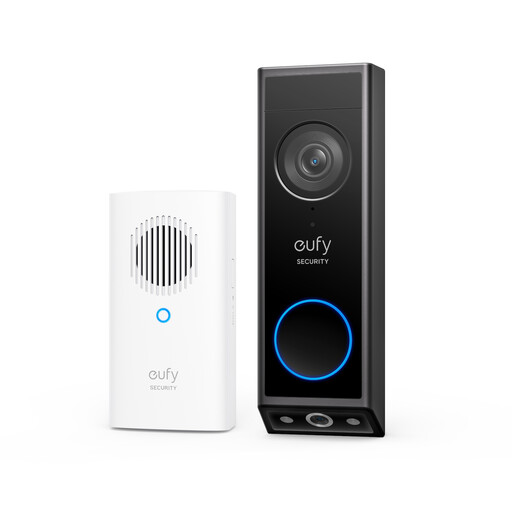 No image available
The listed dual cameras may suit a doorway where the visitor and doorstep both matter. It is described as battery-powered; confirm this E340 variant's Wi-Fi requirements and whether its camera view can be limited as your entrance requires.
Yes, if the mobile-broadband router broadcasts Wi-Fi compatible with the exact doorbell and the signal reaches the entrance. Check the router's bands and the doorbell's setup requirements before buying; mobile service reception alone does not tell you what the doorbell will receive at the door.
No. Google Nest Help says affected Nest products in Europe may not show a router broadcasting only 5 GHz during setup and advises ensuring that 2.4 GHz is broadcast. Check the exact model rather than assuming all Wi-Fi doorbells accept the same bands.
The Information Commissioner's Office says it applies if domestic CCTV captures someone else's property, a public area or communal space. Position the camera to capture only your own property where possible, and check current ICO guidance if your planned view extends beyond it; the ICO says its home-CCTV guidance is under review.