What to check before buying
Start with the area that genuinely needs monitoring, then confirm how the device controls its view, audio and recordings.
| Priority |
What to check |
Your needs |
| Viewing area |
Check the physical angle or mount; confirm whether visual privacy zones block areas in live and recorded video; set motion zones separately from the recorded view. |
I want to see my entrance, gate or drive without routinely recording a neighbour’s property, a shared area or passers-by. |
| Audio controls |
Look for an audio streaming and recording off switch; check whether two-way talk can be used only when a visitor needs a response. |
I want visitor communication when needed, without continuous sound being captured where it is unnecessary. |
| Footage handling |
Check account access controls; look for retention or deletion settings; confirm export and redaction options if footage may include people outside your household. |
I need recordings to be accessible only to the people who need them and kept only for the security purpose. |
| Storage arrangement |
Confirm whether event history needs a subscription, local media or a hub; check the supported storage method and how retained media can be secured. |
I want to know whether I can review an event later without committing to a recording service I did not expect. |
Joybuy product options
Joybuy options for smart doorbells and fixed home cameras intended for private entrances, gates and drives. Check the final installed view and the exact privacy, audio and recording controls for your property.
 No image available
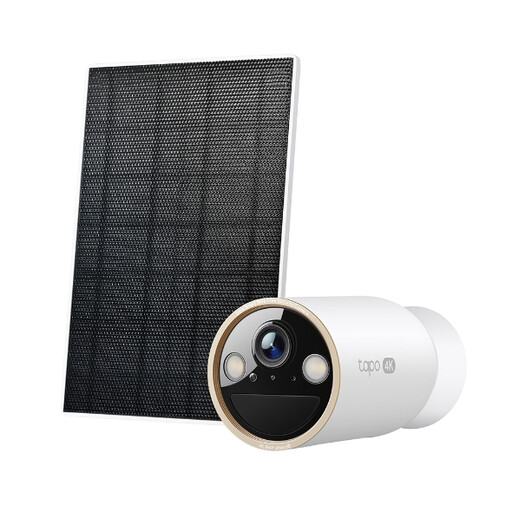
Tapo C460 KIT Solar-Powered Security Camera Kit
A fixed-camera option for a private gate, drive or entrance where flexible positioning is useful.
Stated features include a magnetic angle-adjustable base, custom activity zones, encrypted microSD storage up to 512 GB, dual-band Wi-Fi and IP66 weatherproofing.
Activity zones control detection alerts rather than necessarily the recorded field of view. Confirm visual privacy masking and an audio-off control before using it near neighbours or shared spaces.
Joybuy
 No image available
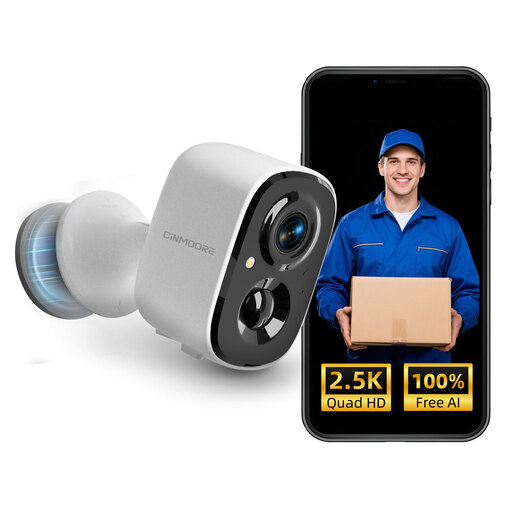
CINMOORE 2.5K Wireless Home Security Camera
A battery-powered option for a private entrance that needs flexible placement and local recording.
The listing states person detection, encrypted microSD storage up to 256 GB, a magnetic base, app access, two-way audio and IP66 weatherproofing.
MicroSD media is not included. Confirm visual privacy zones, audio-disable settings and a suitable retention arrangement before installation.
Joybuy
 No image available
eufy Security Video Doorbell C31 2K
An entrance-focused doorbell for seeing and speaking to callers rather than monitoring a wider site.
The listing states a 4:3 view, live video calls, quick responses, human and motion detection, and battery or hardwired power.
Its stated 24/7 recording and five-second pre-roll require hardwiring. Confirm privacy masking, audio controls and the intended recording setup before purchase.
Joybuy
 No image available
Tapo D230S1 Smart Battery Video Doorbell
A doorbell option for doorstep and parcel viewing with local or cloud recording choices.
The listing states 2K 5MP video, a 160° diagonal view, AI detection, two-way audio, microSD storage up to 512 GB, optional cloud storage and an included chime.
The wide stated view needs careful positioning near a shared landing, pavement or neighbouring door. Check visual privacy zones, audio controls, retention settings and cloud terms.
Joybuy
 No image available
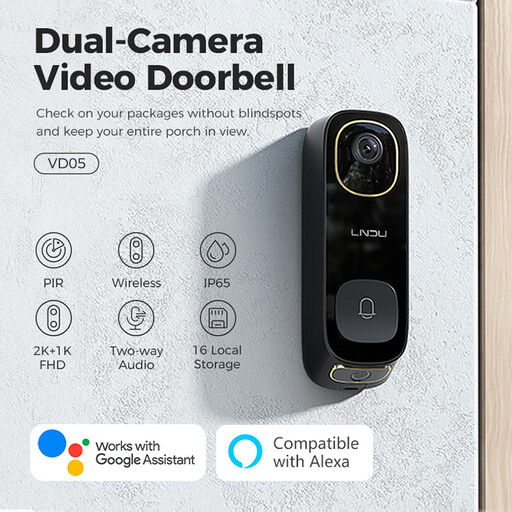
LNDU VD05 2K HD Dual PIR Video Doorbell
A dual-camera doorbell for a front entrance where visitor communication and event alerts are the main needs.
The listing states dual cameras, PIR dual detection, battery or 8–24 V AC power, local and cloud event recording, two-way audio and an indoor chime.
Dual-camera coverage can increase the risk of capturing a neighbouring entrance, pavement or shared area. Confirm the installed view, privacy and audio controls, storage setup and exact weatherproof rating.
Joybuy
Frequently asked questions
Does UK data-protection law apply to a smart doorbell or home camera?
Yes, if the system captures people outside the boundary of your private domestic property, such as a neighbour’s home or garden, a public area or a communal space. GOV.UK states that the UK GDPR and Data Protection Act 2018 then apply to the use of the system.
What should I check before buying for a shared landing or street-facing door?
First see whether a narrower position can cover only your own entrance. If external or communal capture remains necessary, choose controllable viewing and audio settings, plan secure retention and access, and follow current Information Commissioner’s Office guidance on transparency, signage, deletion and footage requests.
Are privacy zones enough near a neighbour?
No. They should complement careful physical positioning and motion settings. Ring states that its Privacy Zones block areas from live and recorded video, while motion may still be detected behind them, so check exactly what each privacy and activity control does.
Do tenants and leaseholders need permission to fit a doorbell camera?
It depends on the tenancy, lease, housing provider and installation method. Tandridge Council requires its tenants and leaseholders to notify the Council and seek permission, while Islington Council identifies permission requirements where fitting penetrates building fabric or needs fixed wiring. Check your own agreement, managing agent or housing provider before installation.
Do I need planning permission for a home CCTV camera?
In England, Planning Portal guidance says planning permission is not normally required for a CCTV camera, but listed buildings and conservation areas should be checked with the local planning authority. Scotland has separate permitted-development rules and exclusions, including conservation areas and National Scenic Areas, so confirm the rules for your property’s nation and designation.


