Buying priorities
Start with the area you need to monitor, then match storage and connectivity to how you expect to use recordings after an alert.
| Priority |
What to check |
Your needs |
| Camera placement and privacy |
Check the final mounted view, motion-trigger area, adjustable angle and any privacy-masking controls. Consider audio controls separately from video capture. |
I want to see the relevant entrance, room or garden area without unnecessarily capturing a neighbour’s property, shared access or public space. The ICO says data-protection law applies where domestic footage captures those areas. |
| Recording access and storage |
Confirm whether you need live view only, event clips or continuous recording. Check storage location, retention settings, subscription requirements and compatibility with a card, hub or recorder. |
I need to be able to review footage after an event, not only receive a live alert. Local storage can suit a buyer avoiding a recurring recording fee, while cloud services can support remote event review where their terms meet the need. |
| Secure remote access |
Check the password-change process, documented software updates and Wi-Fi or hub requirements at the intended mounting point. Continue applying firmware and app updates after installation. |
I want remote viewing and alerts that I can maintain securely. The National Cyber Security Centre advises using strong unique passwords and applying updates, as unpatched smart devices can become easier to compromise. |
Joybuy product options
Joybuy product options for indoor monitoring, front-door coverage and Wi-Fi camera setups where local or cloud recording arrangements are part of the decision.
 No image available
JOOAN 5G WiFi Indoor Security Camera, 2K PTZ
For monitoring an internal room where recording review and adjustable coverage matter.
Stated features include 2.4/5GHz Wi-Fi, PTZ adjustment, privacy masking, motion alerts, app live viewing and microSD storage up to 256GB, with optional paid cloud storage.
Check the software-update process before buying. A microSD card is not included, and the final view should remain within the intended private area.
Joybuy
 No image available
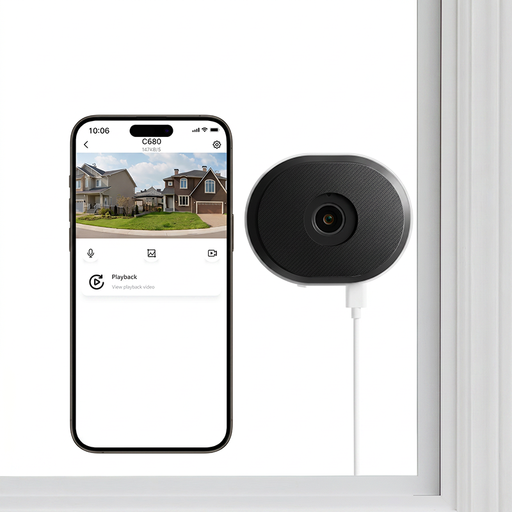
ZOSI C680 3MP 2K Window Security Camera
For monitoring an approach such as a driveway or entrance from an indoor window position.
The listing states dual-band 2.4/5GHz Wi-Fi, configurable motion zones, human and vehicle detection, microSD recording up to 256GB, optional cloud backup and continuous or motion-triggered recording.
A microSD card is not included. Check cloud-backup terms, update support, account controls and the final view beyond the window.
Joybuy
 No image available
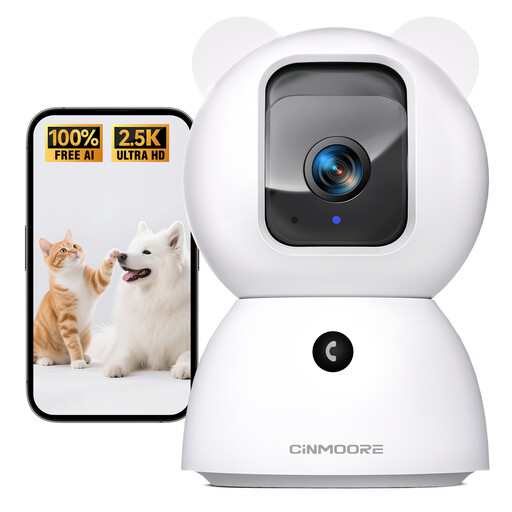
CINMOORE 2.5K Indoor Security Camera
For indoor pet, baby or room monitoring while away from home.
The listing states 2.4GHz Wi-Fi, app monitoring, pan and tilt control, two-way audio, night vision, encrypted microSD recording up to 256GB and optional cloud storage.
Confirm signal quality at the intended location and check documented update and account-security controls. The microSD card is not included.
Joybuy
 No image available
eufy Security Video Doorbell C31, 2K FHD
For a household focused on visitors and deliveries at one entrance.
The listing states battery or hardwired installation, a 2K FHD 4:3 view, live video calling, human and motion detection, and HomeBase 3 compatibility. Hardwired use is stated to enable 24/7 recording and five-second pre-roll.
Confirm that existing wiring is suitable, where recordings are stored and whether storage hardware or a subscription is required. Test the installed view for pavement, neighbouring property and shared access.
Joybuy
 No image available
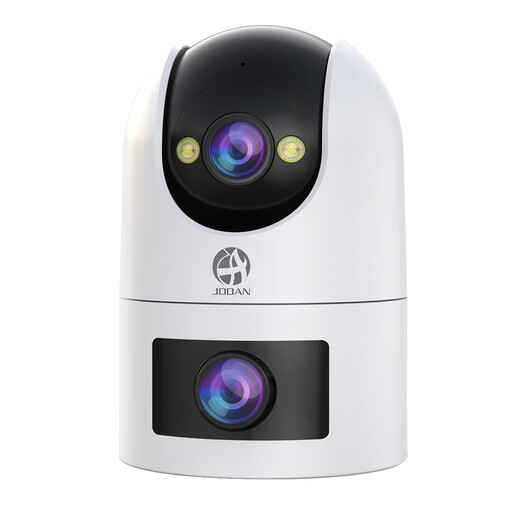
JOOAN Dual-Lens Security Camera, Dual WiFi, IP66
For an outdoor or multi-area location where Wi-Fi coverage and secure mounting can be maintained.
The listing states 2.4GHz and 5GHz Wi-Fi, dual fixed and PTZ lenses, IP66 weather resistance, night-vision modes, two-way audio, motion and sound alerts, local microSD recording up to 256GB and paid cloud storage.
Check Wi-Fi signal at the mounting point, update and account-security arrangements, and the final PTZ view. A microSD card is not included.
Joybuy
Frequently asked questions
Does UK data-protection law apply to a home security camera or video doorbell?
Yes, if it captures another person’s property, a public area or a communal space. The ICO says owners should position cameras to capture only their own property where possible; its guidance includes fixed cameras and smart doorbells.
How can I check whether my planned view includes shared access or a neighbour’s property?
Check the live view from the final mounting position, including the edge of the frame and motion-triggered area. If it includes a shared hallway, driveway, communal space, pavement or a neighbour’s home or garden, consider repositioning the camera or using available privacy filters or blockers to reduce capture.
Is local storage always better than cloud storage?
No. Local storage can suit buyers avoiding a mandatory recurring recording fee, but it depends on compatible cards, hubs or recorders and supported recording modes. Cloud storage can suit remote review of past events; Ring states that reviewing recorded video on its devices requires a subscription.
What security and update checks should I make before installing a smart camera?
Use a unique strong password instead of a manufacturer default, and confirm that the exact product has a documented way to receive and apply software updates. The National Cyber Security Centre warns that guessable default passwords can allow remote access and that unpatched smart devices become easier to compromise.
Do I need to check Wi-Fi or hub range before choosing a local-storage system?
Yes. Remote alerts and viewing need suitable connectivity, and hub-based storage also depends on the camera-to-hub connection. eufy’s support guidance for its C31/C30 doorbells states that walls, door materials and obstacles can reduce range, so check the guidance for your exact model and test the proposed location.


