Who is this for?
The useful starting point is the task and the way the person will operate its controls, not the size of a smart-home system.
People managing one difficult daily task
If switching a light, operating a plug-in device, adjusting heating or controlling entertainment is difficult, begin with that task. Scope advises checking what the technology should do and whether it will be easy to use.
Households needing a non-voice control method
Speech may not be the right input for everyone. Compare the app, touchscreen, typed-command and accessibility options available on the particular devices, and keep a control method the user can operate.
Renters and households considering fixed controls
A thermostat or change to fixed lighting needs more checking than a plug-in accessory. Confirm system compatibility, whether qualified installation is needed and what permissions apply before arranging a physical change.
What should you check first?
Decide what must be controlled, then check the equipment and input method together. Scope also recommends considering ease of use, compatibility and support if something goes wrong.
| Priority |
What to check |
Your needs |
| Daily task |
Identify the item to control and the action required. Check whether a bulb, plug, heating control or compatible accessory can perform that action. |
I want to make one recurring task easier to operate before building a wider system. |
| Equipment fit |
Check the bulb fitting or the plug-in appliance’s requirements. Confirm that the accessory works with the intended hub, app and account; a hub alone does not control an ordinary appliance. |
The device I choose needs to work with the lamp, appliance and controls already in my home. |
| Input method |
Try the intended voice, app or touchscreen controls where possible. Check the exact device’s accessibility settings and whether another usable method remains available. |
If speaking commands is difficult, I need a practical way to use touch, an app or typed commands instead. |
| Installation |
Check the exact heating-system compatibility before choosing a thermostat. For changes to fixed heating or lighting, establish whether qualified installation and permission for alterations are needed. |
I would rather check the installed system and housing arrangements before committing to a fixed control. |
| Continued use |
Check who can manage the account, install updates and help with setup or faults. Consider any accessories or services needed for the chosen control method. |
Someone in the household needs to be able to keep the controls working after the initial setup. |
Relevant brand references
These brands illustrate different control routes; a feature on one named device does not establish compatibility or accessibility across its entire range.
TP-Link Tapo
Relevant when the task involves switching a suitable plug-in device.
- TP-Link lists Matter support for the Tapo P100M, which makes the intended controller and accessory combination worth checking.
- Plug restrictions are model-specific: TP-Link lists indoor use and a 13A maximum output for the Tapo P100, alongside appliance restrictions.
Philips Hue
Relevant when the task is controlling lighting and the proposed bulb fits the existing fixture.
- Philips Hue says its lights communicate by Bluetooth or Zigbee depending on whether a Bridge is used.
- Check the particular bulb and fitting: the Philips Hue A67 E27 bulb requires a suitable E27 fixture, not a B22 fitting.
Google Nest
Relevant when a central display’s touch and voice controls are being considered for compatible devices.
- Google says Nest Hub (2nd Gen) can control compatible smart devices by tap or voice, and publishes accessibility options for its speakers, displays and Google Home app.
- Check that each intended accessory can be added to Google Home and that its setup and controls work for the user.
Amazon Alexa / Echo
Relevant when an Alexa-compatible setup and an Echo display’s alternative controls are under consideration.
- Amazon says VoiceView on Echo Show 5 (3rd Generation) reads aloud items touched on its screen.
- Test voice and touch against the user’s needs, and check each accessory and its setup separately; display accessibility does not establish accessibility for every connected device.
Joybuy options for lighting and device control
These options cover plug-in device switching, smart lighting and a hub for compatible accessories. Choose against the specific task and existing setup; the hub is not a substitute for the lights or plugs it would control.
 No image available
Eve Energy Matter Smart Plug with Power Meter, UK Type G
Consider this for switching a suitable plug-in device rather than changing its own controls. The name specifies Matter, Thread technology, energy monitoring and a UK Type G plug; check the appliance’s requirements and the controller needed for your intended setup.
View on Joybuy
 No image available
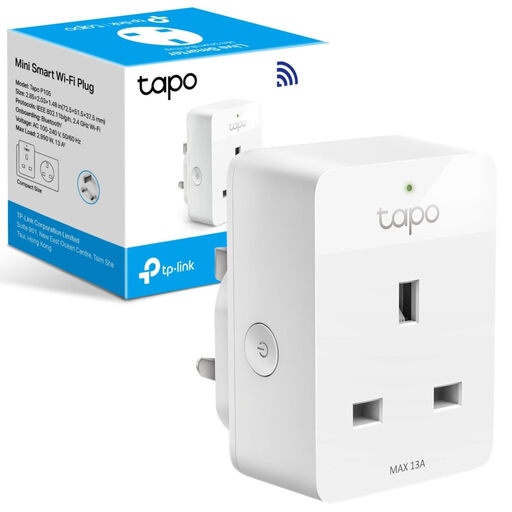
Tapo P105 Mini Smart Wi-Fi Plug (1-Pack)
A plug-in control option for a task that can be managed by switching a suitable appliance’s power. Check the P105’s own appliance limits, Wi-Fi requirements and intended control method rather than applying specifications from another Tapo model.
View on Joybuy
 No image available
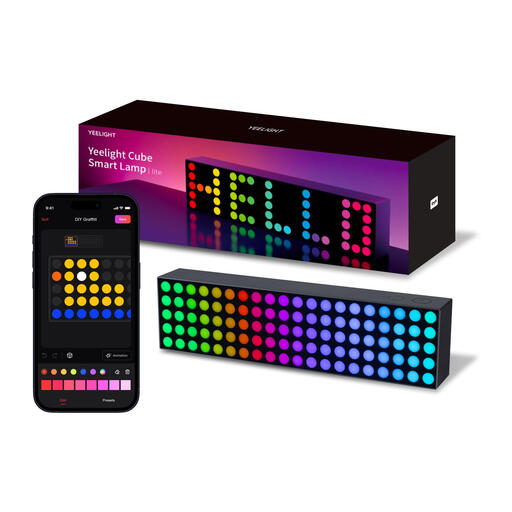
Yeelight Cube Lite
Consider this lighting option for the particular area or task you want to control. Check its light output, power arrangement and available controls against that use; do not assume a compact light can replace a room’s main fitting.
View on Joybuy
 No image available
Yeelight YLXDD-0033 Ultra Slim Smart Ceiling Light, IP54
This ceiling light is a different choice from replacing a bulb or using a plug. Its name specifies Wi-Fi app and voice control and RGB backlighting; check the intended fitting and controls, and have any necessary work on fixed wiring assessed by a qualified professional. Renters should check permission before alterations.
View on Joybuy
 No image available
Xiaomi Smart Home Hub 2
A hub is relevant when the task calls for coordinating separate compatible accessories; it does not switch an ordinary light or appliance by itself. Check the exact devices, account and input methods you plan to use with this model, including compatibility with any preferred voice service.
View on Joybuy
Common questions
What should I buy first for a difficult household task?
Choose by the action you need to control, not by a starter-bundle label. Check a suitable bulb or plug for an individual lighting or plug-in task; consider a hub or display when you have compatible accessories to control; and verify the installed system before choosing a heating control.
Should voice be the only way to operate smart-home controls?
Not if the intended user cannot rely on it. Scope notes that voice-activated hubs may not suit people with speech or hearing difficulties and describes typed Google Assistant commands on a phone or tablet as an alternative. Check that an app, touchscreen or another method works with the actual devices.
What should renters check before changing fixed controls?
Check the tenancy agreement and seek permission before arranging a physical alteration. Scope’s guidance for private renters in England and Wales advises getting written permission for changes to the home; renters elsewhere in the UK should check locally applicable guidance rather than assuming the same position applies.
When does a smart thermostat need a professional check?
Get the installed heating system and proposed control checked when the work involves changing fixed heating controls. Scope advises that heating-system changes may require a qualified engineer, while manufacturer compatibility can be specific to a boiler range: Ideal Heating describes Halo Combi Wi-Fi as designed for an Ideal boiler.
Can I use a smart plug with any appliance?
No: follow the limits for the exact plug and appliance. TP-Link specifies that its Tapo P100 is for indoor use, has a 13A maximum output, does not support EV charging and should not be used with motors or compressors above 1/6HP. Other plug models need their own instructions checked; use the exact model number when checking UK product-safety alerts or recalls.


